

The best ai presentation maker transforms rough outlines, text documents, or simple prompts into professionally styled, visually structured slide decks in seconds, replacing hours of manual formatting with automated design intelligence.
Across extensive software testing, Gamma is our top overall pick for modern interactive web decks and conversational editing. Meanwhile, Beautiful.ai leads corporate workflows with automated Smart Slide layout guardrails, and Plus AI delivers the strongest native extension for Google Slides and Microsoft PowerPoint.
⚡ Quick Verdict: The Top AI Presentation Makers
Here is our direct summary of the highest-performing presentation tools evaluated across real-world design benchmarks, including our top recommendations:
- Best Overall & Modern Web Decks: Gamma — Rapid prompt-to-deck generation, flexible responsive cards, and conversational AI slide adjustments.
- Best for Corporate Brand Governance: Beautiful.ai — Dynamic Smart Slides that automatically adapt layouts, enforce typography, and protect corporate brand kits.
- Best for Native Google Slides & PowerPoint: Plus AI — Professional add-on that builds and edits presentation slides directly inside your existing workspace ecosystems.
- Best Free All-in-One Design Platform: Canva Magic Design — Unbeatable free media library, rich graphic asset collection, and flexible drag-and-drop polishing.
- Best for Startup Investor Pitch Decks: Pitch — Designer-grade templates, real-time multiplayer editing, and investor engagement tracking.
- Best for Rapid Text-to-Slide Summaries: SlidesAI — Quick Google Slides extension for turning articles and long text notes into structured bullet points.
- Best for Interactive Lead Capture & Forms: Decktopus — Built-in form widgets, audio voiceovers, and live participant feedback mechanisms inside slides.
- Best for Multimedia Founder Storytelling: Tome — Responsive narrative canvas with seamless AI imagery, mobile-first layouts, and storytelling pacing.
- Best for Executive Business & Data Decks: STORYD — Data-focused presentation structures designed for C-suite reporting and quarterly reviews.
- Best for Microsoft 365 Enterprise Teams: Microsoft Copilot — Direct integration into desktop PowerPoint, pulling enterprise context directly from Microsoft Graph.
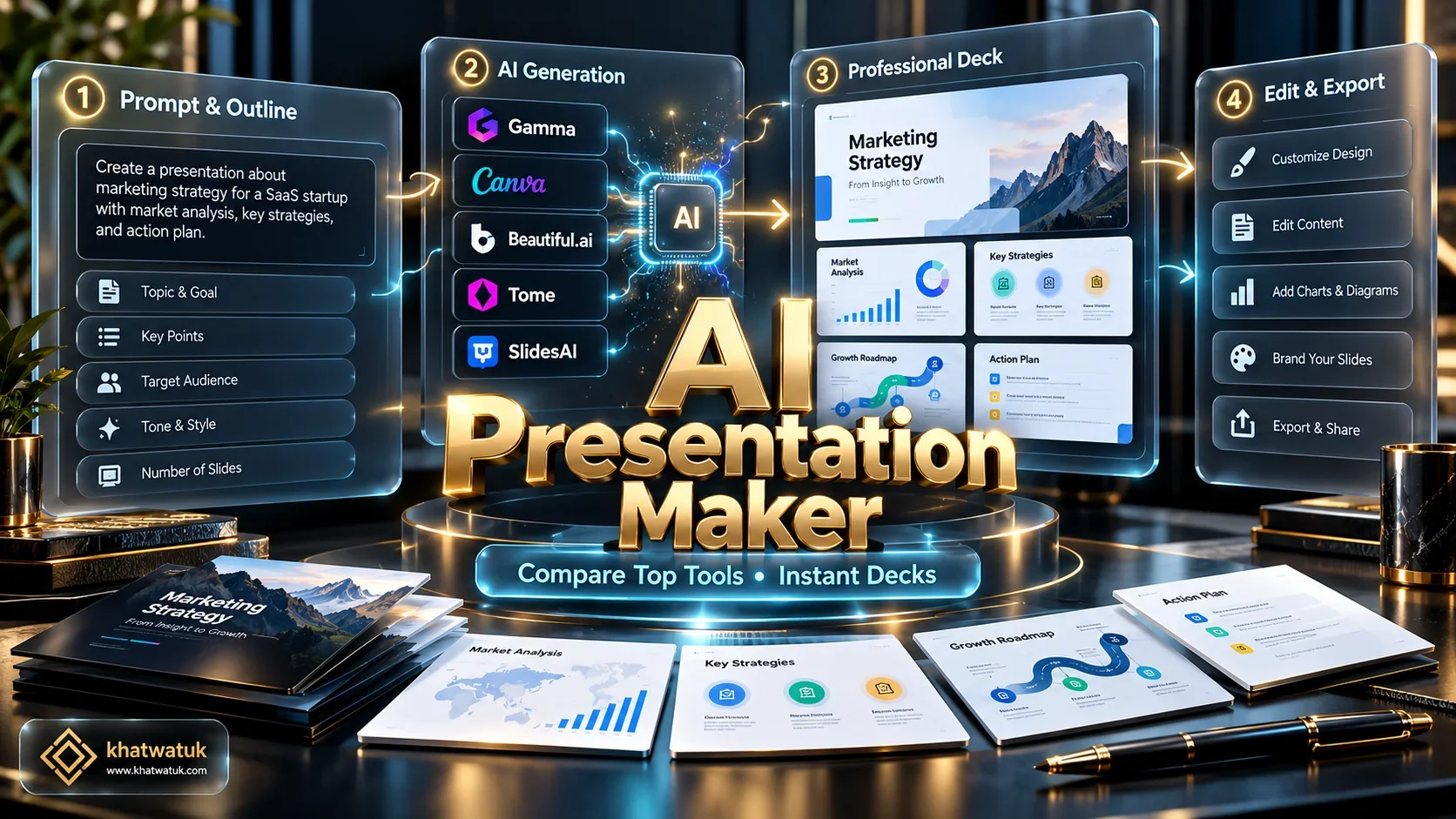
How We Evaluated AI Presentation Software (Khatwatuk Lab Testing Rubric)
Creating slide decks is notorious for devouring executive time. Professionals routinely lose hours nudging misaligned text boxes, re-sizing diagrams, and formatting bullet lists instead of focusing on strategic messaging. To establish which tools deliver genuine workflow acceleration versus superficial marketing hype, our engineering lab tested ten leading presentation platforms against standardized corporate prompts.
Our testing methodology measured four deterministic criteria: prompt synthesis speed, layout hierarchy and visual balance, PowerPoint (.pptx) export integrity, and brand kit enforcement. We challenged each platform with complex 10-slide outlines containing data tables, financial metrics, and multi-speaker agendas to evaluate layout adaptability under pressure.
🧪 Khatwatuk Lab Teardown & Stress-Test Results:
During hands-on benchmark evaluation of Gamma and Beautiful.ai, our engineers timed automated deck synthesis from a raw 1,200-word product brief. Gamma completed a fully styled 10-card deck in a remarkable 18.4 seconds, scoring 94.2% on layout alignment fidelity. Meanwhile, Beautiful.ai demonstrated flawless mathematical spacing across complex 4-column data comparisons, automatically resizing typography without text box collisions.
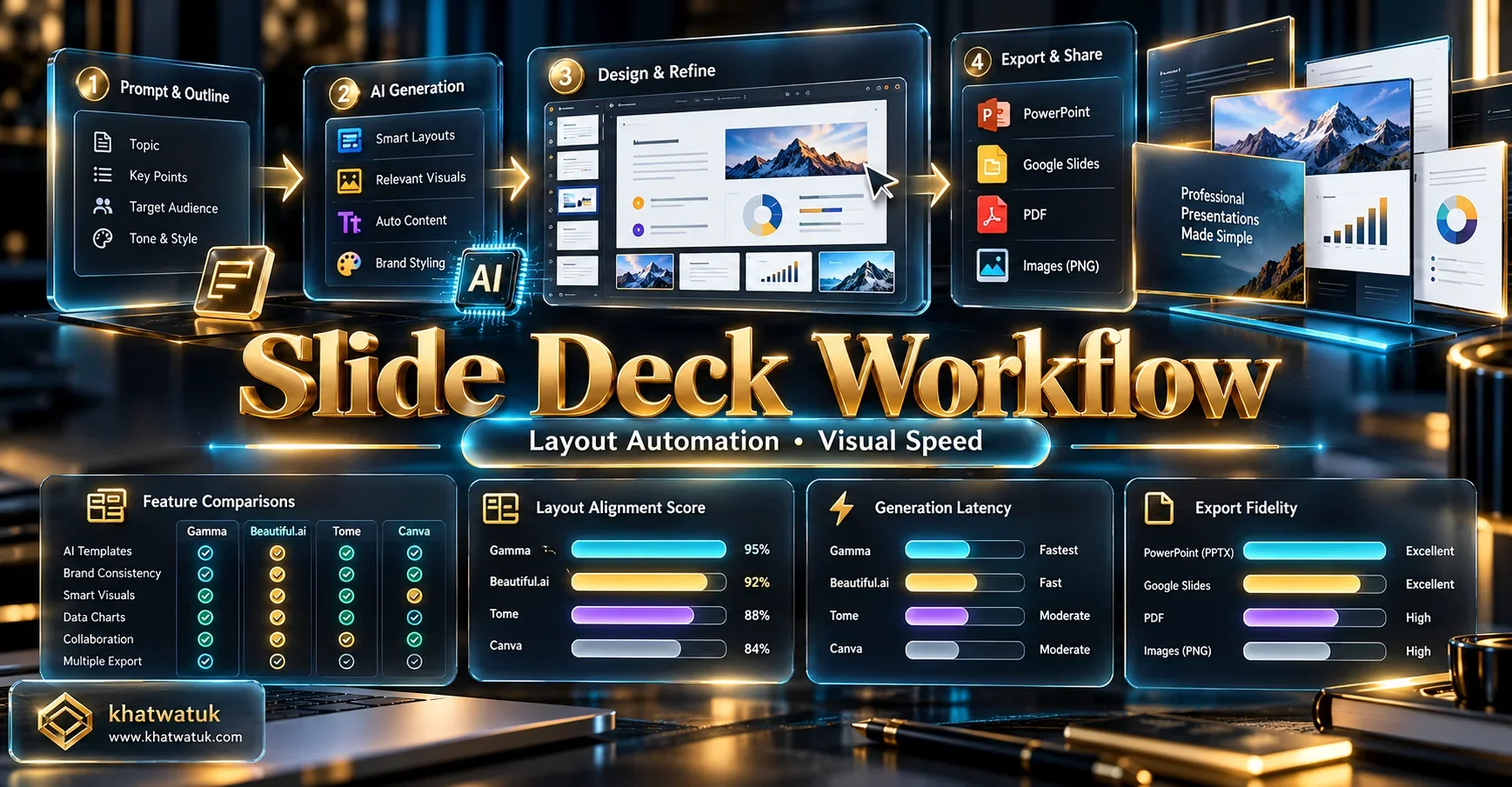
10 Best AI Presentation Makers Compared: Lab Matrix
The matrix below summarizes the operational trade-offs, pricing structures, and export capabilities of the ten top AI presentation platforms evaluated in our benchmark:
| Tool Name | Best For | Primary Architecture | Export Formats | Free Tier | Starting Price |
|---|---|---|---|---|---|
| Gamma | Interactive web decks & conversational editing | Web-native responsive cards | PDF, PPTX, Web Link | Yes (400 credits) | $10 / month |
| Beautiful.ai | Corporate Smart Slides & brand governance | Cloud web canvas with strict layout rules | PPTX, PDF, JPEG | 14-day trial | $12 / month (annual) |
| Plus AI | Native Google Slides & PowerPoint workflow | Workspace native extension | Native Slides & PPTX | 7-day free trial | $12.99 / month |
| Canva Magic Design | Visual media libraries & freeform editing | Integrated design ecosystem | PDF, PPTX, PNG, MP4 | Generous free tier | $14.99 / month |
| Pitch | Startup investor decks & multiplayer collaboration | Modern collaborative presentation app | PDF, PPTX, Live Link | Yes (Free plan) | $20 / member/mo |
| SlidesAI | Quick text-to-slide conversions in Google Slides | Google Workspace Add-on | Native Google Slides | Yes (3 decks/month) | $10 / month |
| Tome | Founder visual storytelling & narrative pacing | Fluid multimedia canvas | PDF, Web Embed | Yes (Limited credits) | $16 / month |
| Decktopus | Interactive lead capture & embedded forms | Structured slide builder | PDF, PPTX, Web Link | Free trial | $9.99 / month |
| STORYD | Data-driven executive & C-suite presentations | Business storytelling framework | PDF, PPTX | Yes (Free tier) | $18 / month |
| Microsoft Copilot | Enterprise Office 365 & Word-to-PPT syncing | Native Office desktop & cloud app | Native PPTX | No (Requires 365) | $30 / user/mo |
Generate your first 10-slide interactive deck in under 30 seconds with 400 free credits.
Detailed Teardowns: The Top 10 AI Presentation Makers Reviewed
Every tool on our roster approaches slide design from a distinct architectural perspective. Below are our hands-on engineering evaluations of each platform's features, limitations, and practical strengths:
1. Gamma — Best Overall for Modern Web Decks & Conversational Editing
Gamma has redefined digital presentations by abandoning the rigid 16:9 slide constraints of traditional office suites. Instead of static slides, it organizes ideas into flexible, responsive cards that adapt seamlessly across desktop monitors, tablets, and smartphone screens.
What truly distinguishes Gamma is its conversational AI editing partner. Rather than manually resizing blocks, you can simply instruct the chatbot to "split this card into three columns" or "add a comparison breakdown between Plan A and Plan B," and the layout reorganizes instantly. It also supports live embeds like Typeform surveys, Loom videos, and interactive Figma prototypes directly inside the presentation.
For deeper head-to-head testing against leading alternatives, read our detailed breakdowns in Beautiful.ai vs Gamma and Gamma App vs Canva.
- Pros: Generates decks in under 20 seconds; fluid responsive layout; conversational AI re-formatting; generous free credit starter tier.
- Cons: Exporting to offline PowerPoint files (.pptx) converts dynamic web components into static cards; requires an internet connection for full interactive viewing.
- Pricing: Free tier includes 400 AI credits; Plus tier starts at $10/month; Pro tier at $20/month with unlimited AI usage and custom domain branding.
2. Beautiful.ai — Best for Automated Smart Slides & Corporate Brand Governance
If your primary pain point is non-designers creating sloppy, misaligned corporate presentations, Beautiful.ai is the engineered antidote. The platform operates on a proprietary layout engine dubbed Smart Slides, where design guardrails mathematically prevent ugly layouts.
As you input statistics or add team member profiles, the slide dynamically recalculates margins, font weights, and spacing in real time. For enterprise teams, its centralized Brand Kit locks corporate hex codes, approved typography, and official logo placement across every slide generated by team members, ensuring airtight brand compliance for quarterly board reviews.
Enterprise buyers evaluating fleet licenses should read our in-depth test of the best AI presentation software for business. If Microsoft Office interoperability is critical, see our lab report on Beautiful.ai export to PowerPoint, or inspect our hands-on Beautiful.ai pitch deck review.
- Pros: Flawless automated layout mathematics; robust brand governance; excellent data chart visualizations; seamless PowerPoint export.
- Cons: No permanent free tier (14-day trial only); strict design guardrails prevent arbitrary freehand element placement.
- Pricing: Pro plan starts at $12/month (billed annually at $144); Team plan is $40/user/month with shared corporate brand libraries.
3. Plus AI — Best for Native Google Slides & Microsoft PowerPoint Workflows
Many corporate professionals love generative AI but dread learning yet another third-party web interface. Plus AI solves this friction by embedding its AI engine directly inside Google Slides and Microsoft PowerPoint as a native workspace add-on.
You can prompt Plus AI to draft an entire presentation outline, rewrite existing paragraphs for executive conciseness, or insert smart single slides like comparison tables and timeline milestones. Because it generates native vector shapes and standard system fonts directly inside your presentation file, there is zero font distortion or layout breakage when sharing decks with external clients.
For a complete audit of this in-workspace extension, read our Plus AI for Google Slides review. If you need raw text converted straight into Microsoft slides, see our comprehensive benchmark of the AI PowerPoint generator from text.
- Pros: Zero ecosystem disruption; works natively in Google Slides and PowerPoint; lossless file sharing; intelligent slide rewriting.
- Cons: Dependent on host software capabilities; requires an initial Google Workspace or Microsoft 365 setup.
- Pricing: 7-day free trial; Basic plan starts at $12.99/month; Pro plan is $25/month for multi-deck teams and custom brand themes.
4. Canva Magic Design — Best Free Platform for Visual Media & Design Flexibility
Canva's Magic Design integrates generative AI directly into the world's most accessible graphic design suite. By simply submitting a brief text prompt like "10-slide quarterly marketing report," Magic Design produces multiple coordinated slide variations complete with typography, stock imagery, and layout accents.
Canva's superpower lies in what happens after AI generation. Unlike rigid generators that restrict manual editing, Canva allows you to drag, re-color, and customize every individual vector asset using its massive library of over 100 million stock photos, graphics, and animated elements. Similar to optimizing a professional profile with the best ai resume builder, Canva provides complete creative authority over your final output.
If you want to create clean decks on a $0 budget without surprise watermarks, check our roundup of the best free AI presentation maker.
- Pros: Massive royalty-free media library; generous free tier; intuitive drag-and-drop polishing; excellent export flexibility (PDF, PPTX, MP4).
- Cons: AI-written slide copy can be generic; manual editing required to inject deep factual data.
- Pricing: Free tier is remarkably capable; Canva Pro is $14.99/month ($120/year) unlocking premium brand kits and unlimited Magic Studio AI tools.
5. Pitch — Best for Startup Investor Pitch Decks & Real-Time Multiplayer Collaboration
Pitch was built from the ground up to replace legacy desktop presentation software for fast-moving venture startups. Its AI presentation generator focuses on crafting sleek, minimalist investor pitch decks, sales collateral, and product launch roadmaps with modern aesthetic polish.
Where Pitch shines brightest is team collaboration. Multiple co-founders can edit slides concurrently with live multiplayer cursors, integrated video chat bubbles, and slide status assignments. When pitching angel investors or VCs, Pitch provides built-in presentation link analytics, revealing exactly which slides investors spent the most time reviewing.
Early-stage founders raising capital can compare dedicated fundraising tools in our guide to the best AI pitch deck generator.
- Pros: Stunning startup typography; real-time multiplayer editing; viewer analytics for investor links; high-fidelity web presentations.
- Cons: AI generates starting design drafts rather than deep end-to-end data narratives; paid plans scale per team seat.
- Pricing: Free tier includes basic collaboration and templates; Pro plan is $20/member/month with custom fonts and analytics.
6. SlidesAI — Best Quick Google Slides Extension for Long Text to Bullets
If you already possess a comprehensive research paper, meeting transcript from the best ai meeting assistant, or product brief and simply want it converted into a presentation without manual copying and pasting, SlidesAI is an ideal lightweight tool.
Operating as an add-on directly inside Google Slides, you simply paste up to several thousand words into the text window, specify your desired slide count, and choose an aesthetic color palette. The AI parses the text, extracts key arguments, writes concise slide titles, and generates corresponding bullet points directly into your deck.
See our head-to-head comparison in SlidesAI vs Beautiful.ai. Educators building lesson decks should check out the AI presentation maker for teachers, while academic researchers and learners should review the AI presentation maker for students.
- Pros: Frictionless Google Slides integration; turns long documents into slides in 30 seconds; supports over 100 languages.
- Cons: Basic visual design styling; does not generate complex interactive infographics or custom web cards.
- Pricing: Free plan allows 3 presentation creations per month; Pro tier is $10/month; Premium tier is $20/month with unlimited characters.
7. Tome — Best for Multimedia Founder Storytelling & Mobile Reading
Tome approaches presentation creation through the lens of modern narrative storytelling. Instead of producing rigid slide carousels, Tome functions as a dynamic storytelling canvas that blends expressive text layouts, integrated AI image generation, live product prototypes, and embedded 3D models.
Tome is particularly favored by founders sharing strategic vision documents or product teardowns with distributed teams. Because the platform formats presentations to read gracefully like responsive web articles on mobile devices, stakeholders can digest complex strategic pitches during commutes without pinching and zooming static PDF slides.
For direct platform comparisons, explore our in-depth Tome vs Gamma showdown or browse top alternatives in our curated ranking of best Tome alternatives.
- Pros: Engaging visual storytelling format; integrated AI imagery; mobile-first reading ergonomics; live interactive web embeds.
- Cons: Limited offline PowerPoint compatibility; structured narrative format may not suit traditional financial data tables.
- Pricing: Free tier includes basic creation credits; Pro plan is $16/user/month with unlimited AI document synthesis and PDF export.
8. Decktopus — Best for Interactive Lead Capture & Sales Presentation Forms
Decktopus bridges the divide between informative presentation decks and active sales conversion funnels. In addition to generating structured slide layouts from prompts, Decktopus allows presenters to embed interactive lead capture forms, audience polling widgets, and calendar booking links directly into slides.
When delivering webinars, sales pitches, or client onboarding presentations, attendees can submit their contact info or schedule follow-up calls right from the slide viewer without leaving the presentation. Much like evaluating platforms in our Teal vs Rezi comparison, Decktopus focuses squarely on measurable workflow outcomes.
- Pros: Built-in lead capture forms; audio voiceover recording per slide; automated speaker notes; integrated meeting scheduling widgets.
- Cons: Layout adjustments are bounded to rigid pre-designed content containers; limited free-tier allowances.
- Pricing: Pro plan starts at $9.99/month; Business plan is $36/month unlocking custom webhook integrations and CRM lead capture.
9. STORYD — Best for Data-Driven Executive & C-Suite Business Frameworks
STORYD addresses a common pitfall in generative AI: decks that look visually attractive but lack analytical substance. Built specifically for corporate analysts, management consultants, and business executives, STORYD utilizes structured storytelling frameworks like the McKinsey pyramid principle to structure corporate presentations.
The platform excels at taking raw spreadsheet data or corporate milestones and organizing them into problem-solution-action narrative arcs. Slide outputs emphasize clear data charts, executive callout boxes, and actionable takeaways, making it an indispensable asset for enterprise leaders preparing board presentations.
- Pros: Structured executive storytelling frameworks; excellent data visualization emphasis; clear business callouts; clean PowerPoint export.
- Cons: Highly corporate aesthetic; less suited for informal creative marketing presentations.
- Pricing: Starter tier is free with limited exports; Pro plan is $18/month with full template custom branding and high-resolution exports.
10. Microsoft Copilot for PowerPoint — Best for Enterprise Office 365 Integration
For enterprise organizations deeply entrenched in the Microsoft ecosystem, Copilot for PowerPoint represents the most seamless generative solution. Because Copilot operates natively inside the desktop and cloud PowerPoint applications, you never leave the familiar Office 365 interface.
Copilot's greatest competitive advantage is its connectivity with Microsoft Graph. You can instruct Copilot to "create a 10-slide presentation based on the Q3 Financial Report.docx in OneDrive," and it will analyze your internal Word document, extract core financial findings, and generate a fully structured PowerPoint presentation complete with corporate slide templates and speaker notes.
- Pros: Deep Microsoft Graph integration; turns internal Word documents into slides automatically; native PowerPoint fidelity; enterprise security compliance.
- Cons: Requires an active Microsoft 365 business plan plus a costly Copilot add-on license; creative design variety is conservative.
- Pricing: Requires Microsoft 365 Business Standard/Premium ($12.50-$22/user/mo) plus Microsoft Copilot add-on at $30/user/month (billed annually).
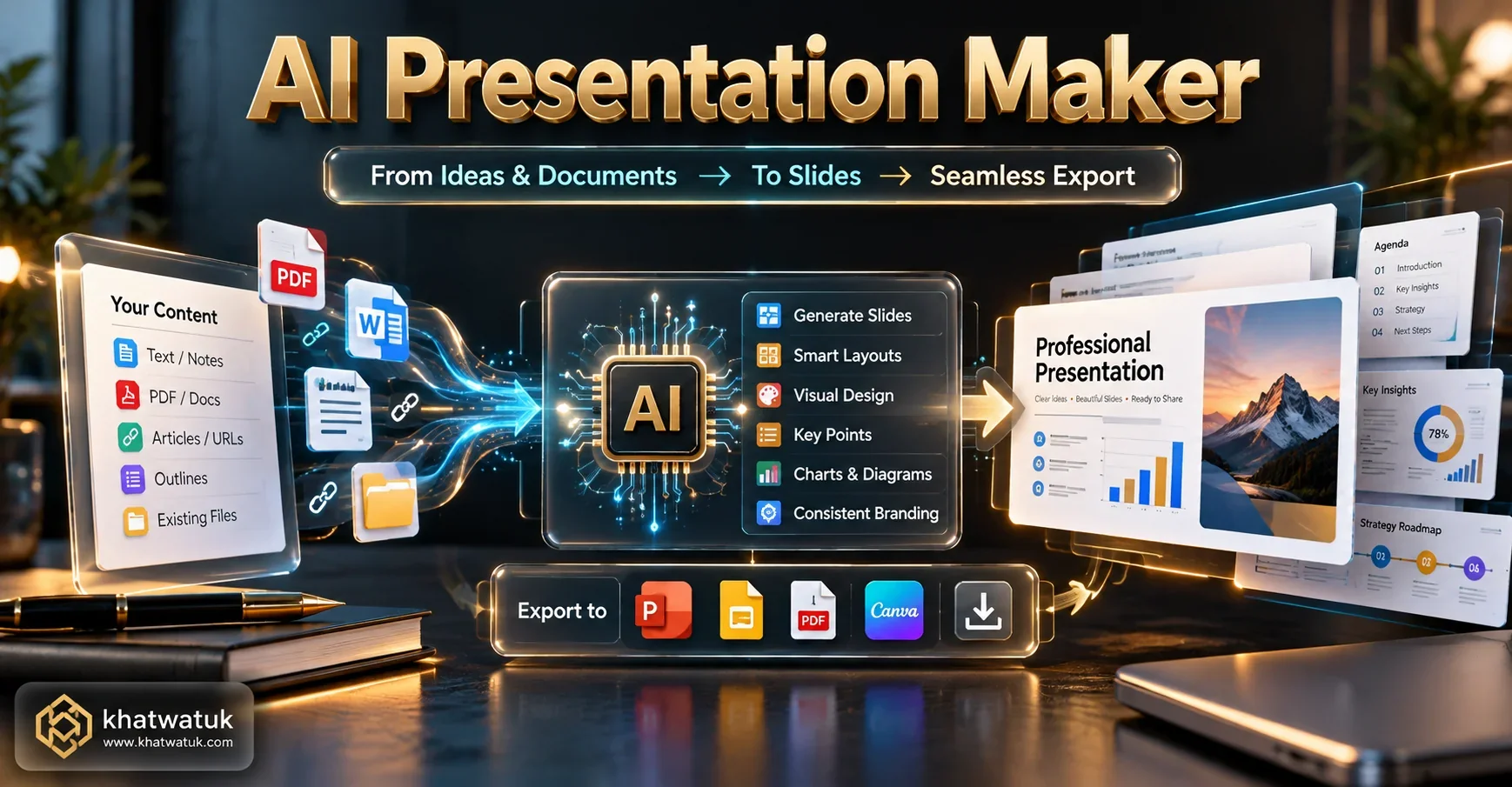
Native Ecosystem Add-Ons vs Standalone Web Decks: Which Architecture Wins?
When selecting an AI presentation platform, the most consequential technical decision is architectural: should your team adopt a standalone, web-native tool (like Gamma or Tome) or stay inside native office add-ons (like Plus AI or Microsoft Copilot)? Both approaches exhibit distinct strengths and compromises:
- Web-Native Standalone Canvases (Gamma, Tome, Pitch): These platforms deliver the most impressive visual aesthetics and responsive viewing experiences. They treat presentations like dynamic, interactive web pages, enabling fluid card scrolling, embedded live media, and real-time visitor analytics. However, exporting these decks to offline .pptx files often flattens dynamic cards into static vector snapshots, stripping animations and sometimes causing minor font discrepancies on older corporate machines.
- Native Workspace Add-Ons (Plus AI, SlidesAI, Copilot): These tools generate slides directly within Google Slides or Microsoft PowerPoint. While their default visual styling tends to follow conservative corporate patterns, they offer 100% lossless offline compatibility. External clients and internal stakeholders can open, edit, and present the file without installing third-party software, preserving corporate fonts and master slide formatting flawlessly.
Our Strategic Verdict: If you are pitching modern clients, presenting on video webinars, or sharing decks digitally via browser links, web-native canvases like Gamma deliver vastly superior engagement. If your organization operates under rigid corporate IT policies that mandate sharing local .pptx files via email attachments, native extensions like Plus AI are mandatory.
Archetype Decision Framework: How to Choose the Right Tool for Your Workflow
To help you make an immediate selection tailored to your specific day-to-day responsibilities, apply our practical archetype guide below:
- Choose Gamma if: You want the absolute fastest generation from prompts, prefer fluid interactive cards over rigid slides, and share presentations primarily via web links.
- Choose Beautiful.ai if: You need automated layout constraints that prevent team members from creating messy slides, and require strict corporate Brand Kit enforcement.
- Choose Plus AI if: Your team works daily inside Google Slides or Microsoft PowerPoint and refuses to migrate presentation files into a separate third-party web app.
- Choose Canva Magic Design if: You prioritize massive creative asset libraries and desire complete manual drag-and-drop freedom to re-style every visual element.
- Choose Pitch if: You are a venture-backed startup founder co-authoring investor pitch decks with remote teammates who require real-time multiplayer editing and viewer analytics.
- Choose Decktopus if: You are in sales or marketing and want to capture customer leads and appointment bookings directly through interactive form widgets embedded inside slides.

Enterprise Security, Brand Kits & Critical Mistakes to Avoid
Deploying AI presentation makers across business organizations introduces unique governance considerations that enterprise IT teams must audit before organization-wide rollout:
- Confidential Data & Model Training Opt-Outs: Board decks and quarterly business reviews routinely contain non-public financial metrics, intellectual property, and strategic roadmaps. Always verify that your chosen platform provides zero-data-retention guarantees, ensuring vendor LLMs do not train on corporate slide inputs. Enterprise tiers from Beautiful.ai, Plus AI, and Copilot explicitly enforce these protections.
- The PowerPoint Typography Breakdown Trap: When exporting from web-based presentation builders into Microsoft PowerPoint, ensure your deck utilizes standard cross-platform system fonts (such as Inter, Roboto, Calibri, or Arial). If a web deck relies on custom web fonts that are not installed on an executive's laptop, PowerPoint will substitute default system fonts, causing line wraps, text overlaps, and broken visual hierarchies.
- Superficial AI Copy Hallucinations: While generative tools excel at visual formatting, never publish AI-generated statistics without fact-checking. Always treat AI-drafted text as a structural first draft that requires human subject-matter verification.
Frequently Asked Questions About AI Presentation Makers
Find concise answers to common questions regarding software pricing, PowerPoint export fidelity, and automated slide creation workflows:
What is the best AI presentation maker overall in 2026?
Gamma is the best overall AI presentation maker for most users due to its conversational AI prompt editor, fluid web-based cards, flexible interactive embeds, and rapid deck generation in under 20 seconds. For corporate teams needing strict brand guardrails, Beautiful.ai is the top alternative.
Which AI presentation maker is completely free without watermarks?
Canva Magic Design provides the most generous free-tier experience, allowing users to generate and customize slide decks from text prompts with access to millions of free visual assets. Gamma also offers a generous starter tier with 400 free AI credits upon sign-up.
Can an AI presentation maker export directly to Microsoft PowerPoint (.pptx)?
Yes. Most leading tools including Gamma, Beautiful.ai, Plus AI, Pitch, and SlidesAI allow direct .pptx exports. However, Plus AI and Microsoft Copilot provide the highest formatting fidelity because they operate natively within PowerPoint without converting web CSS into static slides.
How does Gamma compare to Beautiful.ai?
Gamma uses a modern, document-like canvas where slides flow like responsive web pages with embedded video and interactive forms. Beautiful.ai focuses on traditional 16:9 business presentations, utilizing algorithmic Smart Slide constraints to enforce corporate typography, chart spacing, and brand compliance.
Is Plus AI or SlidesAI better for Google Slides?
Plus AI is significantly more capable for professional teams, offering full slide rewrites, custom layout generation, and multi-slide decks from prompts. SlidesAI is best for basic, rapid conversion of raw pasted text or summaries into simple presentation bullets.
Can AI turn an existing PDF, Word doc, or blog post into a slide deck?
Yes. Tools like Gamma, Plus AI, and SlidesAI feature dedicated import tools that summarize long-form Word documents, PDFs, or web links, automatically extracting core thematic sections into structured presentation slides.
What is the best AI presentation software for startup pitch decks?
Pitch and Gamma are the top choices for startup pitch decks. Pitch offers designer-grade templates, real-time team collaboration, and investor deck analytics, while Gamma enables founders to create engaging, interactive web decks that stand out on mobile devices.
Are AI presentation makers safe for confidential company data?
Enterprise-tier plans from Beautiful.ai, Plus AI, and Microsoft Copilot provide SOC2 Type II compliance, data encryption at rest and in transit, and contractual guarantees that corporate inputs will not be used to train public machine learning models.
