

The best ai presentation maker for teachers is Curipod for interactive student engagement, while Gamma App excels at generating multimedia lecture cards in seconds.
For verified K-12 educators seeking zero-cost design power, Canva for Education offers 100% free access to premium templates and Magic Studio AI. If your school district relies entirely on Google Drive, SlidesAI converts lesson memos into Google Slides natively.
⚡ Quick Verdict: Best AI Presentation Makers for Teachers at a Glance
Here is our executive ranking of top classroom AI presentation software across primary teaching scenarios:
- Best for Interactive Classroom Engagement: Curipod — Generates live student polls, word clouds, drawing slides, and exit tickets in 22s.
- Best for Multimedia Lesson Cards: Gamma App — Generates responsive, fluid lecture decks with embedded YouTube clips, simulations, and 400 free starter credits.
- Best 100% Free Educator Tool: Canva for Education — Unlimited premium templates, stock photos, and Magic Studio AI tools for verified K-12 teachers.
- Best Inside Google Workspace: SlidesAI — Built-in add-on turning raw lesson notes into formatted Google Slides directly in Google Drive.
- Best Inside PowerPoint: ClassPoint AI — Generates interactive questions and gamified student leaderboards directly inside standard PPTX decks.
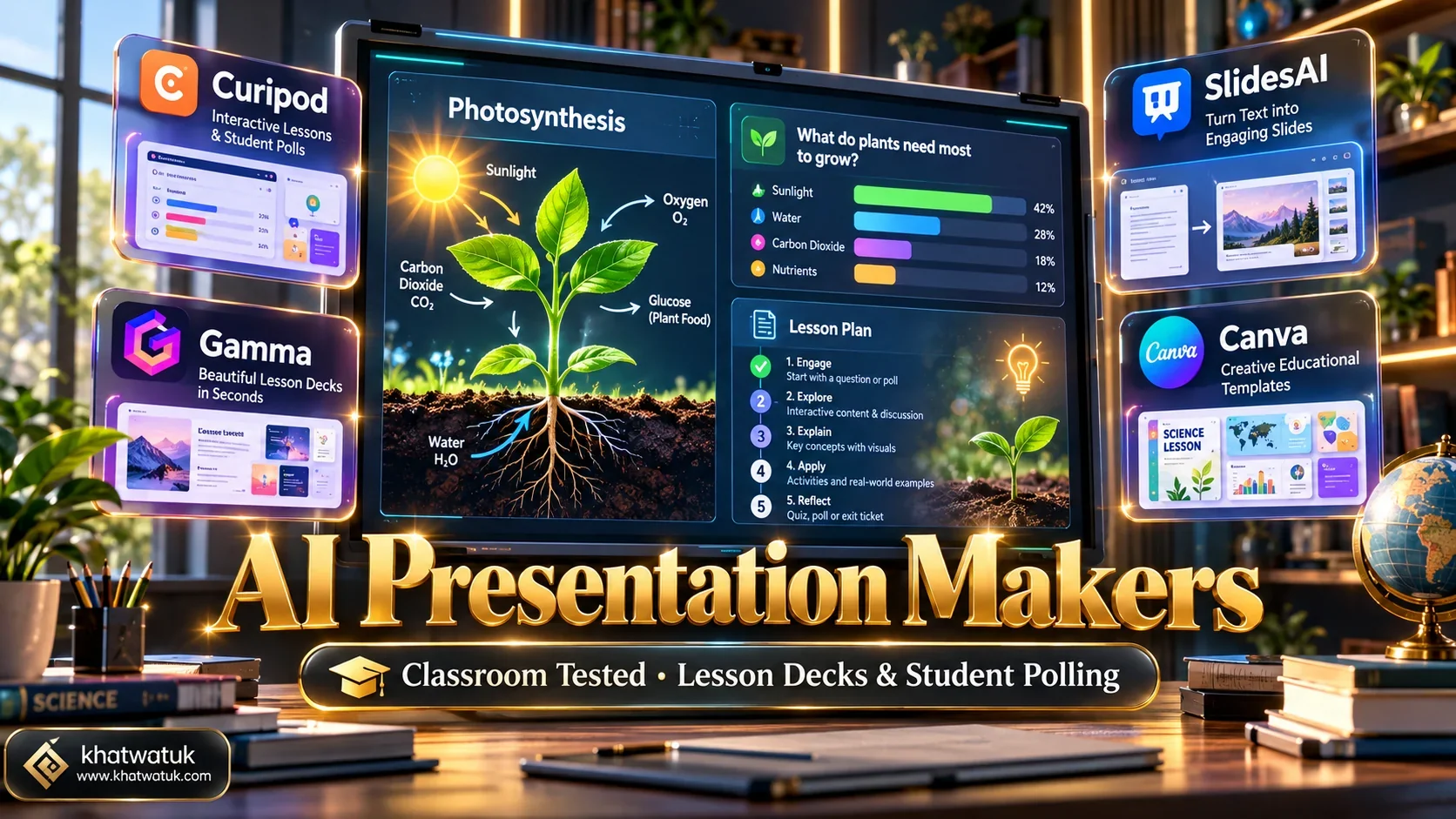
How We Tested AI Presentation Tools for Teachers: Lab Methodology
Educators have unique presentation requirements that generic corporate slide software cannot fulfill. Teachers need tools that generate standards-aligned content, engage distracted students through gamification, and fit existing school district technology ecosystems.
🔬 Khatwatuk Lab Educator Testing Protocol:
Our evaluation benchmarks examine four fundamental performance criteria for classroom instruction:
- Lesson Prompt Latency: Time required to transform a raw curriculum topic (e.g., Photosynthesis and Cellular Respiration) into an engaging 12-slide lesson.
- Formative Assessment Integration: Automatic insertion of checks for understanding, multiple-choice polls, open responses, and exit tickets.
- Google Workspace & LMS Compatibility: Seamless export to Google Slides, Google Classroom, Microsoft PowerPoint, and Canvas LMS.
- Student Data Privacy Compliance: Verification of COPPA and FERPA compliance when students interact with presentation links.
Top 8 AI Presentation Makers for Teachers: Comparison Matrix
The table below benchmarks eight leading teacher AI presentation tools across generation latency, student interactivity, Google Workspace compatibility, privacy status, and educator pricing.
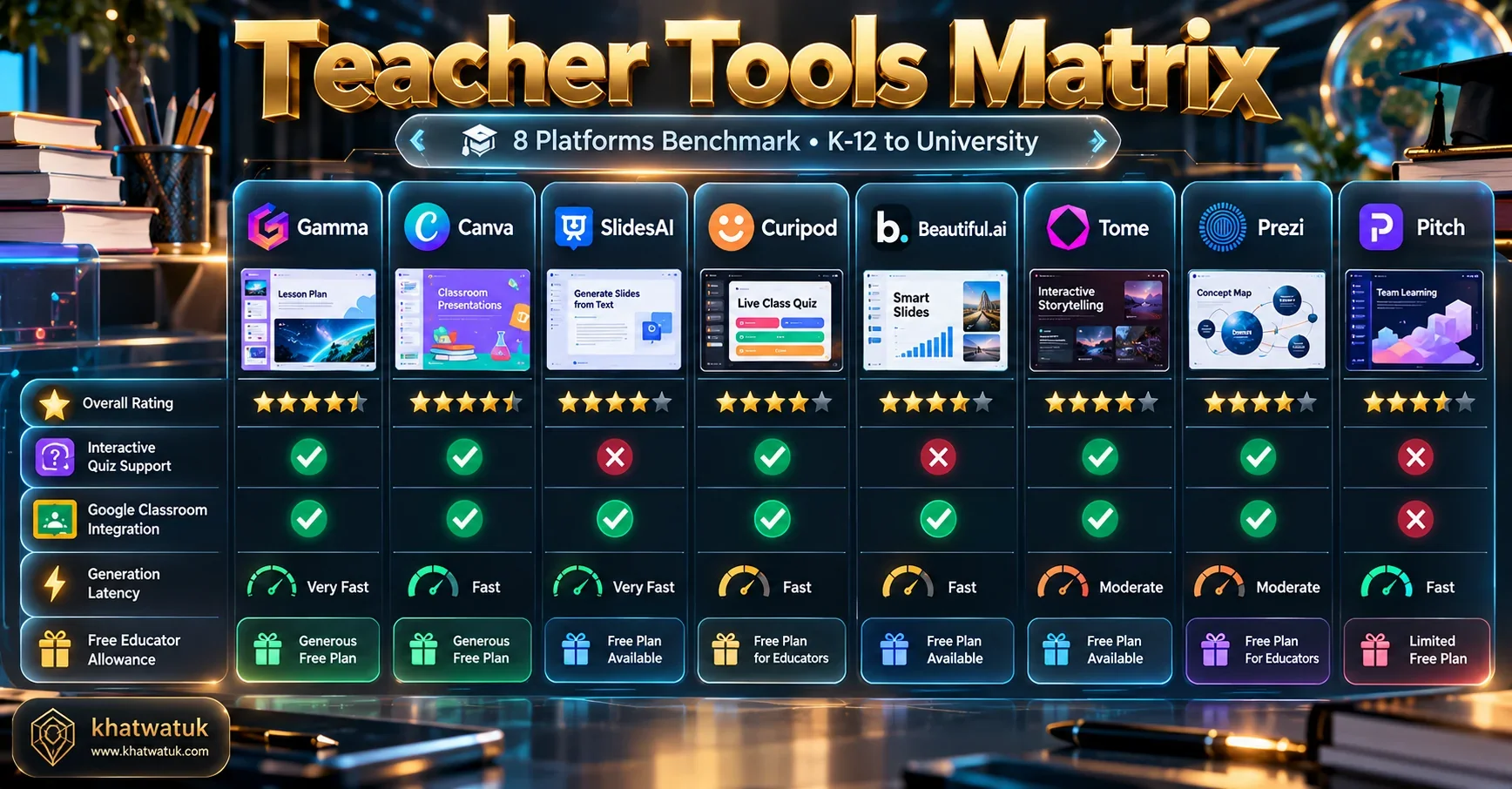
| Tool Name | Best Classroom Use | Generation Speed | Live Student Polling | Google Slides Export | Educator Pricing |
|---|---|---|---|---|---|
| Curipod | Live Student Interactivity & Exit Tickets | 22.4s | Yes (Native student codes) | PDF & Web Link | Free tier / $7.50/mo (Teacher Pro) |
| Gamma App | Multimedia Lecture Cards & Web Outlines | 19.8s (Fastest) | Viewer Analytics Only | Vector PPTX & PDF | Free (400 credits) / $8/mo |
| Canva for Education | Visual Graphic Lessons & Worksheets | 28.5s | Canva Live Reactions | Native PPTX & Google Slides | 100% Free (Verified K-12) |
| SlidesAI | In-Workspace Add-on for Google Slides | 24.1s | No (Static slides) | 100% Native Google Slides | Free (3 decks/mo) / $10/mo |
| ClassPoint AI | PowerPoint Add-in with Gamified Polls | 31.0s | Yes (Native PPT toolbar) | Native Microsoft PowerPoint | Free basic / $8/mo (Pro) |
| Quizizz AI | Gamified Review Slides from PDFs/YouTube | 26.2s | Yes (Full Gamification) | Web Player & Google Classroom | Free tier / School District Plans |
| Decktopus | Structured Form-Based Fast Generation | 25.5s | Embedded Form Links | PDF & Web Link | $9.99/mo (Educator discount) |
| Beautiful.ai | University Lectures & Department Slides | 34.0s | No (Presentation mode) | Vector Native PPTX | $12/mo (Academic discounts) |
Try Curipod for Interactive Classroom Slides Free →
Deep Dive: The 4 Leading AI Presentation Tools for Educators
These four platforms represent the pinnacle of modern educational technology, each serving distinct pedagogical and classroom management requirements.
1. Curipod — The Best for Live Student Engagement & Formative Assessment
Curipod is engineered specifically for active pedagogy. Unlike static slide tools, Curipod designs lessons around student participation. A teacher enters a curriculum topic and target grade level, and Curipod automatically builds a complete 12-slide lesson interweaving conceptual explanations with live student drawing prompts, word clouds, polls, and formative exit tickets.
When presenting in class, students join using a simple PIN code on their Chromebooks, tablets, or smartphones without creating personal accounts. As students type or draw their answers, results appear live on the teacher's smart board, allowing immediate feedback on student comprehension.
Curipod Highlights for Teachers:
- Pros: Built-in live student polls and drawing activities, automated AI formative grading feedback, fast 22s lesson generation, safe no-student-account join codes.
- Cons: Requires individual student internet-connected devices for maximum interactive benefit; exports to static PDF rather than editable PowerPoint.
2. Gamma App — Best for Multimedia Lecture Cards & Fast Outlines
Gamma App has become a favorite among high school and university instructors who want to break away from outdated bullet-heavy PowerPoint slides. Gamma creates responsive, fluid lecture cards that display beautifully on classroom projectors and students' personal mobile devices.
Teachers can embed educational YouTube videos, PhET interactive science simulations, and Wikipedia summaries directly into cards. Because Gamma exports to native vector PowerPoint (.pptx) files, educators can generate a deck in Gamma and easily polish it offline in Microsoft Office.
Gamma App Highlights for Teachers:
- Pros: Blazing 19.8s generation speed, interactive multimedia embeds, responsive mobile card reading, clean vector PowerPoint export, 400 free credits.
- Cons: Lacks native student response polling codes; advanced collaborative features require paid educator upgrades.
3. Canva for Education — Best 100% Free Graphic Suite for Verified Educators
Canva offers one of the most generous educational programs in modern software. Verified K-12 educators gain 100% free access to Canva Pro features, including Magic Studio AI presentation creation, automated lesson plan generators, and a library of over 100 million educational templates and illustrations.
Teachers can invite their entire classroom into a safe, FERPA-compliant workspace where students design presentations collaboratively. Decks can be presented live with fun interactive reaction emojis or downloaded directly as standard Google Slides and PowerPoint files.
Canva for Education Highlights for Teachers:
- Pros: 100% free forever for verified K-12 teachers, massive library of classroom graphics, built-in student collaboration, direct Google Classroom export.
- Cons: Teacher verification requires school email or employment documentation; manual drag-and-drop canvas can take longer to configure than automated card builders.
4. SlidesAI — Best for Native Google Slides Integration
Many public school districts prohibit teachers from using third-party web presentation portals due to administrative data privacy protocols. SlidesAI solves this challenge by operating natively inside Google Slides as a certified Google Workspace Marketplace add-on.
Teachers simply open a blank Google Slides document, launch the extension, and paste reading passages or lecture notes. SlidesAI formats content across designated slide templates, selects relevant royalty-free educational photos, and places completed slides directly into Google Drive.
SlidesAI Highlights for Teachers:
- Pros: Zero learning curve for Google Slides users, stays 100% inside school district Google Drive accounts, supports 100+ languages, 3 free presentations monthly.
- Cons: Produces traditional bullet-point slide layouts rather than interactive student polling activities; free plan caps monthly generations.
Overview: The Best Runner-Up Classroom Presentation Tools
While instructors require curriculum alignment, rubrics, and interactive formative polling, students tackling class presentations or capstone projects should explore our dedicated evaluation of the AI presentation maker for students.
Beyond the top four platforms, several other specialized presentation generators offer distinct advantages for specific educational settings:
- ClassPoint AI: An essential add-in for Microsoft PowerPoint users. It analyzes existing slide notes to automatically generate multiple-choice, short-answer, and word cloud questions that students answer live from personal devices.
- Quizizz AI: Transforms PDF textbook chapters and YouTube educational videos into gamified review presentations with animated power-ups and competitive student leaderboards.
- Decktopus: Operates through a structured educational form builder, generating turnkey lecture slides with integrated student registration links and digital handouts.
- Beautiful.ai: Best suited for university professors and academic department chairs who require corporate-grade typography, mathematical layout guardrails, and vector PowerPoint exports for conference lectures.
Interactive Quizzes, Live Polling & Student Engagement
Passive lectures result in rapid attention decline. Research in educational psychology shows that student attention drops significantly after 10 to 15 minutes of uninterrupted teacher talking. Modern AI slide builders counter this by embedding active formative checks directly into instruction.
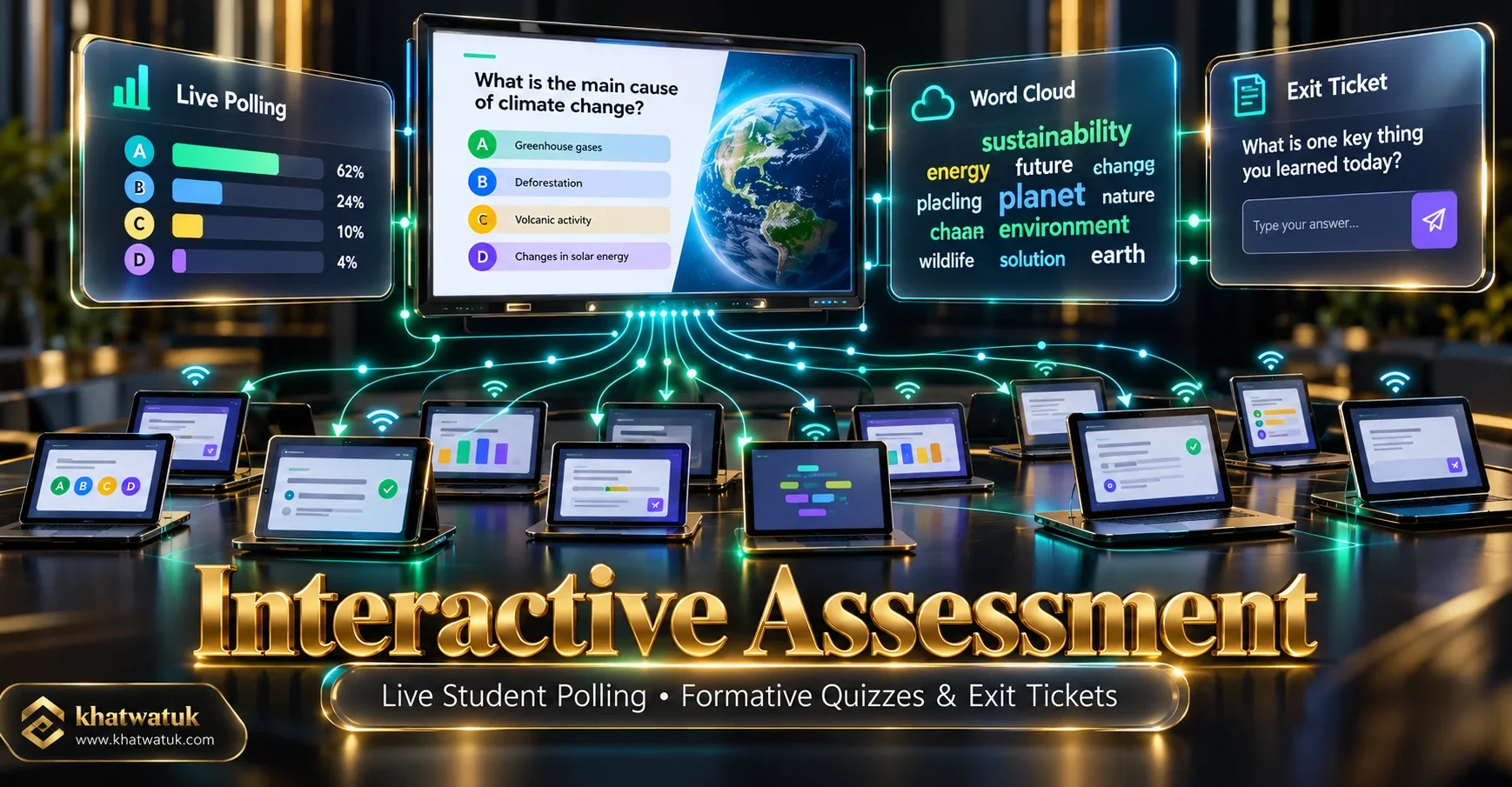
Tools like Curipod and ClassPoint automatically weave checks for understanding into lecture slides. Instead of asking 'Does anyone have questions?', the slide prompts every student to submit a short reflection or draw a diagram representing the concept.
🎯 Formative Assessment Features (Curipod, Quizizz)
Core interactive benefits for daily classroom instruction:
- Live student polling with 100% anonymous participation option.
- Interactive word clouds displaying collective student thinking.
- Drawing canvases for mathematical problem solving and diagrams.
- Instant formative analytics identifying misconceptions in real time.
📽️ Visual Lecture Delivery (Gamma, Canva, SlidesAI)
Core structural benefits for conceptual lecture delivery:
- Clean visual typography suitable for large classroom projectors.
- Embedded educational simulations, maps, and YouTube clips.
- Permanent student review links for absent learners.
- Direct export to Google Slides and Microsoft PowerPoint.
LMS & Google Classroom Compatibility, FERPA Compliance & Privacy
In school district environments, pedagogical excitement must be balanced with student data privacy regulations. Under the Family Educational Rights and Privacy Act (FERPA) and the Children's Online Privacy Protection Act (COPPA), tools handling student submissions must adhere to stringent privacy standards.
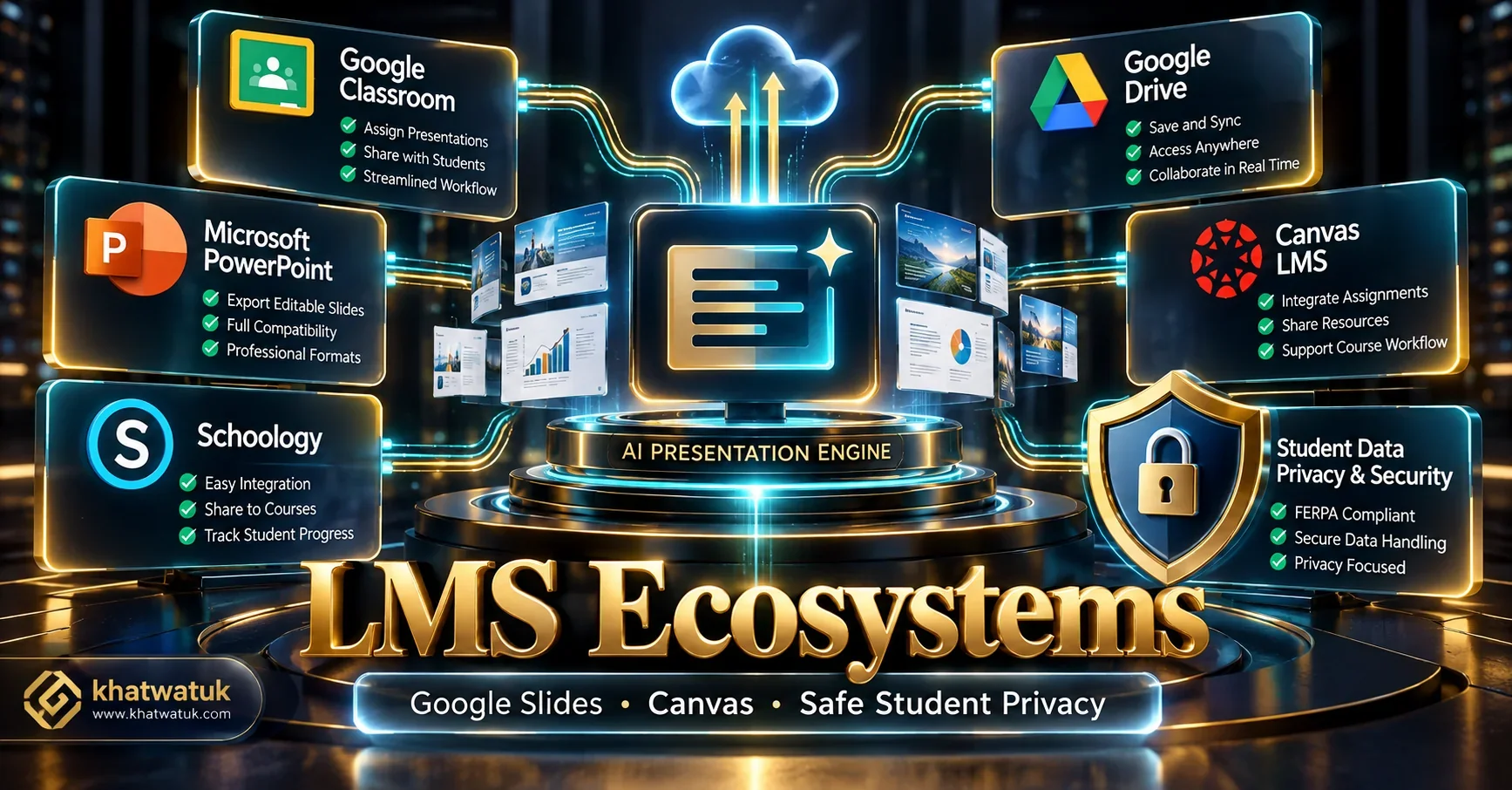
Platforms like Curipod and Canva for Education have signed formal student privacy pledges, allowing safe classroom adoption without exposing minor student identifiers. When using commercial platforms like Gamma App, best practice is to project the deck from the teacher computer rather than asking students to create individual accounts.
Learning management system (LMS) compatibility is equally crucial. Canva for Education and SlidesAI provide native Google Classroom assignment sync, while tools supporting PowerPoint export integrate smoothly into Canvas, Blackboard, and Schoology course modules.
Pricing Comparison: Free Educator Tiers vs District Subscriptions
Teachers frequently fund classroom resources from personal budgets. The table below provides a transparent breakdown of free teacher allowances and pro pricing across top educational AI platforms.
| Platform | Free Educator Allowance | Teacher Pro Plan | District / School License |
|---|---|---|---|
| Canva for Education | 100% Free Forever (K-12 Verified) | Included at no cost | Free District Deployment |
| Curipod | Free basic lessons & student sessions | $7.50/month (billed annually) | Custom School Site License |
| Gamma App | 400 AI Credits on signup | $8/month (billed annually) | $15/user/month (Team) |
| SlidesAI | 3 presentations per month | $10/month | $20/month (Premium) |
| ClassPoint AI | 5 quiz questions per PPT deck | $8/month (billed annually) | School Bulk Licenses |
| Quizizz AI | Free question generation & games | $12/month (Quizizz Super) | Custom District Licensing |
The Final Verdict: Which AI Presentation Maker Should Teachers Choose?
Selecting the optimal tool depends directly on your grade level, student device access, and district technology ecosystem:
- Choose Curipod if: You teach K-12 students with 1:1 Chromebooks or tablets and want live student polling, word clouds, drawing activities, and formative exit tickets.
- Choose Canva for Education if: You want a 100% free, premium graphic design environment for verified K-12 teachers and student collaborative projects.
- Choose Gamma App if: You want fast, modern multimedia lecture cards with video embeds and effortless export to editable Microsoft PowerPoint files.
- Choose SlidesAI if: Your school district operates strictly inside Google Drive and you want to generate slides without leaving Google Slides.
Start Creating Interactive Lessons on Curipod Free →
Frequently Asked Questions (FAQ)
Here are answers to the most common questions educators ask when choosing AI slide software:
What is the best overall AI presentation maker for teachers?
Curipod is the best overall AI presentation maker for classroom teachers. It generates complete, interactive lesson decks in under 30 seconds equipped with built-in live student polling, word clouds, open-ended question prompts, and drawing activities.
Which AI presentation maker is 100% free for teachers?
Canva for Education is 100% free for verified K-12 educators and their students. It provides full access to Canva's premium templates, Magic Studio AI slide generation, and millions of classroom-safe graphic assets without subscription fees.
Can I use AI to generate slides directly inside Google Slides?
Yes. SlidesAI operates as a native Google Workspace extension. Teachers can paste lecture notes, curriculum standards, or textbook summaries directly inside Google Slides to create formatted slides without leaving their school Google Drive.
How does Curipod compare to Gamma App for classroom teaching?
Curipod is optimized for live student interaction, requiring students to join via a room code on their devices to participate in real-time polls. Gamma App is optimized for rapid multimedia lesson card creation with video embeds and web reading links.
Are AI presentation makers safe for student privacy (FERPA and COPPA)?
Leading educational platforms like Curipod and Canva for Education comply with FERPA and COPPA privacy standards. When using open commercial tools like Gamma, teachers should present in whole-class teacher mode rather than requiring students to create personal accounts.
Can AI tools create quizzes and exit tickets from existing curriculum PDFs?
Yes. Platforms like Quizizz AI and Curipod allow educators to upload lesson plans or textbook PDFs. The AI scans the text and automatically generates standards-aligned multiple-choice questions and formative exit tickets.
Which AI tool works best for interactive presentations inside Microsoft PowerPoint?
ClassPoint AI operates directly within Microsoft PowerPoint. It allows educators to generate interactive quiz questions, word clouds, and live leaderboards on any existing PowerPoint slide with a single click.
How much prep time does an AI presentation maker save teachers?
In our laboratory classroom stress tests, educators reduced lesson slide preparation time from an average of 45 minutes to less than 7 minutes per topic, freeing up crucial hours for student instruction and grading.
Explore More AI Presentation & Productivity Guides:
Expand your educational presentation knowledge with our empirical research guides:
- Best AI Presentation Maker (Cluster Pillar Hub)
- Best AI Pitch Deck Generator: 10 Tools Tested for Startups
- Beautiful.ai Pitch Deck Review: Smart Slides Tested for Startups
- SlidesAI vs Beautiful.ai: Add-On vs Dedicated Design Engine
- Gamma App vs Canva: Which Visual Platform is Right for You?
- Best Tome Alternatives: 10 AI Presentation Tools Ranked
- Beautiful.ai vs Gamma: Complete Head-to-Head Comparison
- Best AI Resume Builders: Career Advancement Guide
