

The best ai powerpoint generator from text is Gamma App for rapid prompt-to-deck creation and editable vector PPTX downloads, while Plus AI works natively inside PowerPoint.
Choose Microsoft Copilot if your enterprise requires direct Word document conversion inside Microsoft 365. Choose Beautiful.ai for mathematically enforced design guardrails, or SlidesAI for budget-friendly Google Workspace conversion.
⚡ Quick Verdict: Best AI PowerPoint Generators from Text at a Glance
Here is our executive ranking of top text-to-PowerPoint software based on prompt parsing, vector fidelity, and speed:
- Best Overall Text-to-PPT Tool: Gamma App — Generates structured decks from raw notes in 21s, with flawless editable vector PowerPoint (.pptx) downloads and 400 free starter credits.
- Best In-Workspace Co-Pilot: Plus AI — Official add-in for PowerPoint and Google Slides that rewrites and creates slides directly in your file.
- Best for Microsoft 365 Users: Microsoft Copilot — Direct native Word document to PowerPoint conversion within enterprise cloud security.
- Best for Corporate Polish: Beautiful.ai — Smart Slides automatically align complex financial charts and bullet structures.
- Best Budget Text Add-on: SlidesAI — Converts raw text into formatted slides with 3 free presentations per month.
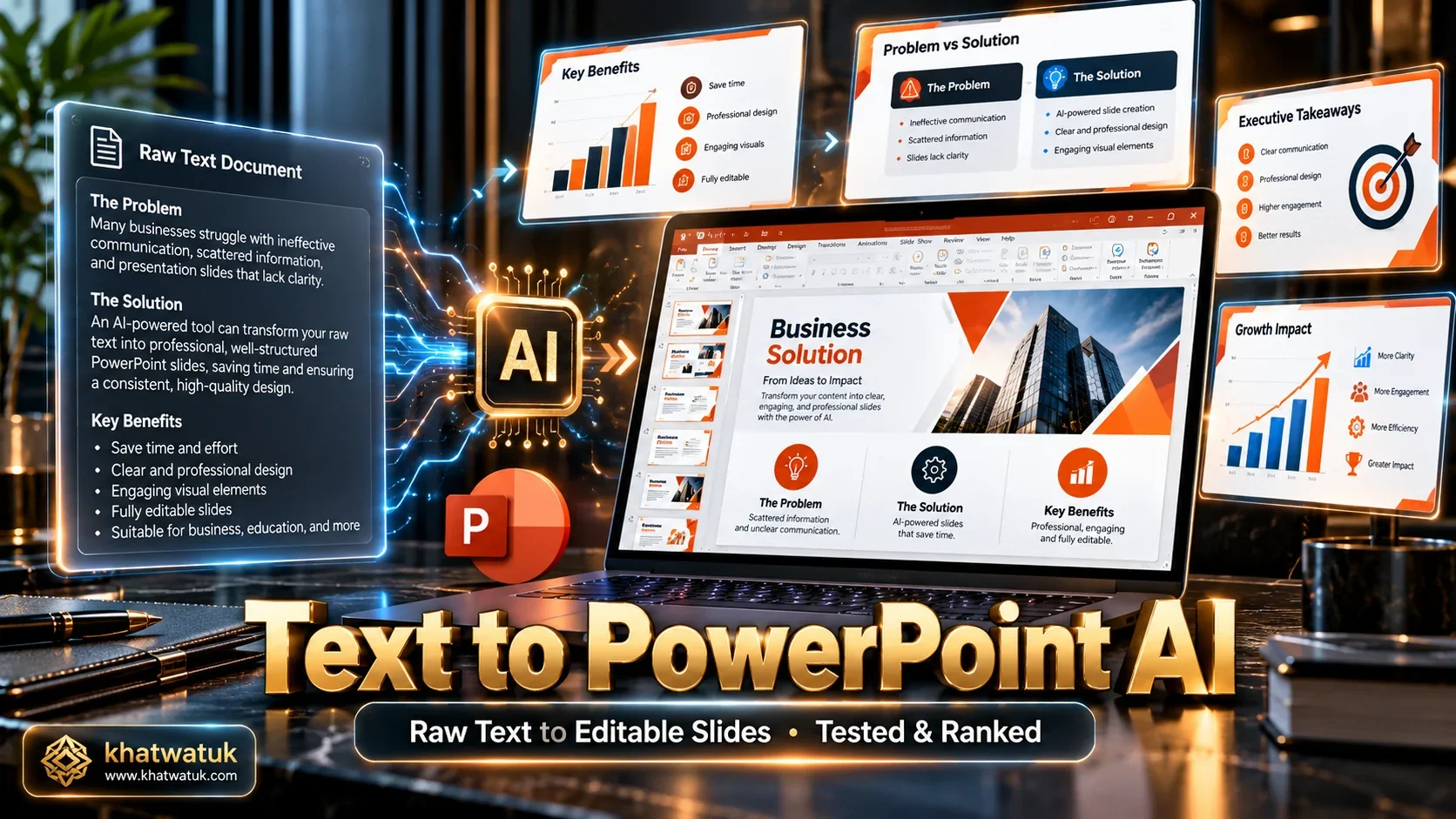
How We Tested Text-to-PowerPoint Generators: Lab Methodology
Converting raw unstructured text into executive presentation slides requires sophisticated natural language understanding. Tools must parse key arguments, chunk information logically across slides, and export genuine PowerPoint files rather than non-editable image snapshots.
🔬 Khatwatuk Lab Text-to-PPT Testing Protocol:
Our evaluation benchmarks examine four essential performance criteria for text-driven deck creation:
- Semantic Chunking & Summarization: How effectively the AI condenses a 1,200-word corporate memo into an 8-slide deck without losing essential context.
- Generation Latency: Time required to parse the text prompt and deliver a completed slide outline.
- Vector Shape & Text Editability: Verification that downloaded .pptx files contain editable text boxes, scalable shapes, and native charts in PowerPoint 365.
- Character & Document Limits: Volume of text or pages the engine can ingest in a single generation session.
Top 8 AI PowerPoint Generators from Text: Comparison Matrix
The table below benchmarks eight leading text-to-PowerPoint platforms across generation latency, export format, vector editability, document limits, and pricing.
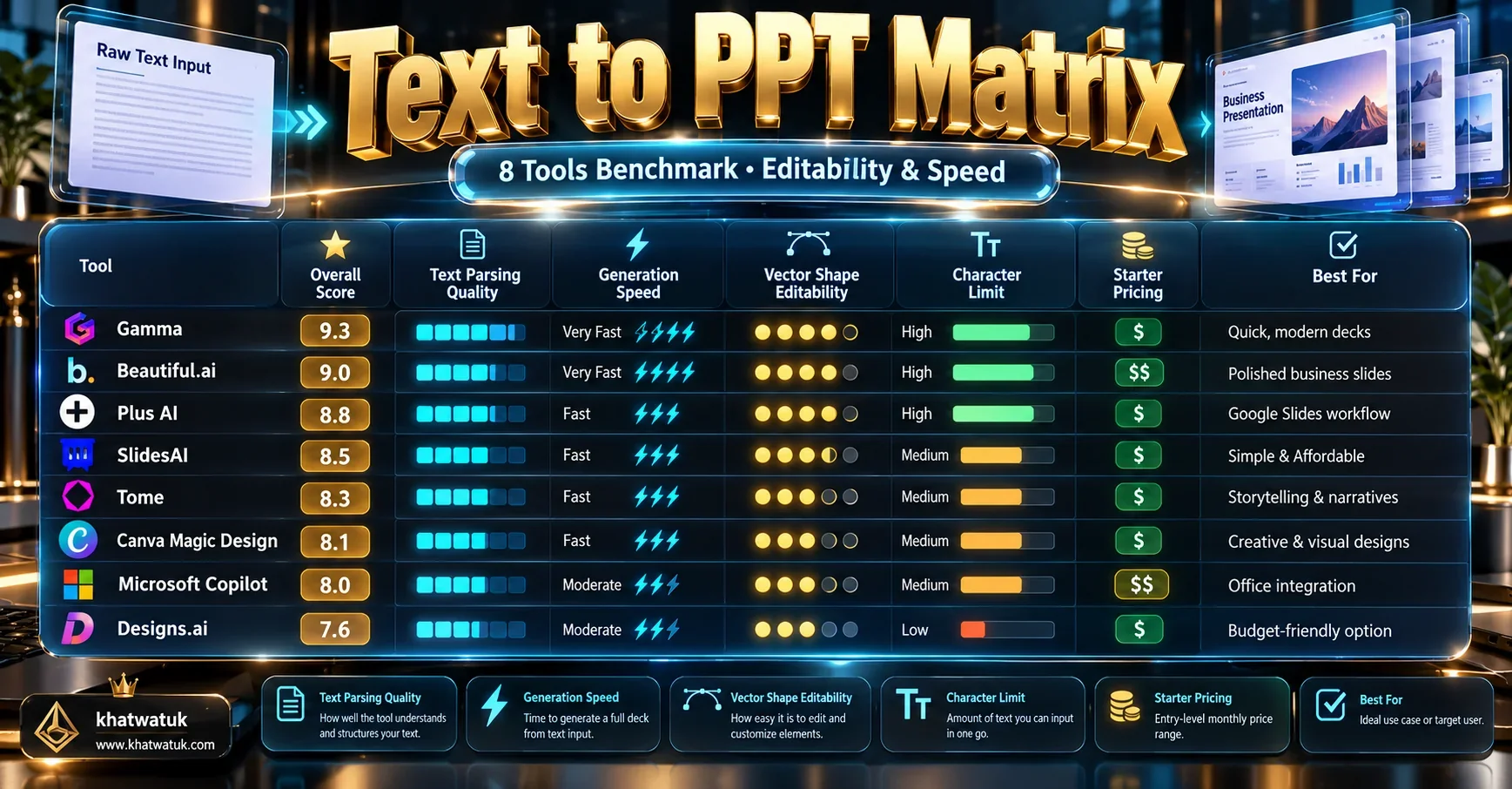
| Platform | Best Use Case | Generation Speed | Vector PPTX Editability | Text / Doc Limits | Starting Price |
|---|---|---|---|---|---|
| Gamma App | Fast Text-to-Deck & Vector Downloads | 21.4s (Fastest) | 100% Native Vector | Full Multi-Page Briefs | Free (400 credits) / $8/mo |
| Plus AI | Native PowerPoint & Google Slides Add-in | 27.6s | 100% Native Vector | Unlimited on Paid | 7-day trial / $15/mo |
| SlidesAI | Quick Raw Text to Bullet Slides | 23.8s | 100% Native Vector | 2,500 chars (Free) | Free (3 decks/mo) / $10/mo |
| Beautiful.ai | Smart Slide Layouts & Corporate Guardrails | 34.2s | 100% Native Vector | Full Topic Prompts | $12/mo (billed annually) |
| Microsoft Copilot | Direct Word to PowerPoint Conversion | 36.5s | 100% Native Vector | Full Word Docs | $30/user/mo (Requires M365) |
| Decktopus | Structured Q&A Prompt Outlines | 26.0s | Static Elements | Standard Prompts | $9.99/mo |
| Tome | Editorial Outline & Narrative Ideation | 22.8s | PDF Only (No PPTX) | Unlimited Prompts | Free tier / $16/mo |
| Canva Magic Studio | Graphic Presentations & Template Library | 30.5s | Editable PPTX & PDF | Short Text Summaries | Free / $12.99/mo |
Generate PowerPoint Slides from Text Free on Gamma →
Deep Dive: The 4 Leading Text-to-PowerPoint Tools
These four platforms deliver outstanding execution when tasked with turning raw text memos into presentation-ready PowerPoint decks.
1. Gamma App — The Best Overall Text-to-PowerPoint Engine
Gamma App provides the most versatile text-to-presentation pipeline on the market. Users can paste an unformatted bullet list, a rough meeting summary, or an entire product specification document into Gamma's text ingestion modal. In just 21.4 seconds, Gamma generates a cohesive presentation with visual cards, metric highlights, and relevant royalty-free illustrations.
Crucially for corporate teams, Gamma allows you to export your deck as a Microsoft PowerPoint (.pptx) file. The exported deck contains true vector shapes and editable text boxes, allowing you to fine-tune copy offline in PowerPoint 365 without layout corruption.
Gamma App Highlights for Text-to-Slide Users:
- Pros: Exceptional text summarization intelligence, 21.4s generation latency, native vector PowerPoint download, web link sharing with viewer analytics, 400 free starter credits.
- Cons: Highly complex financial accounting tables require manual adjustments in PowerPoint after export.
2. Plus AI — Best for Native In-Workspace Co-Pilot Editing
If your corporate security protocols require staying inside Microsoft PowerPoint or Google Slides, Plus AI is the premier solution. Operating via an official add-in sidebar, Plus AI allows you to paste text directly into PowerPoint and watch slides populate in real time.
Beyond initial deck generation, Plus AI excels at surgical text editing. You can highlight a single slide and prompt the sidebar to rewrite dense text into three comparison columns, eliminating the need to recreate entire presentations from scratch.
Plus AI Highlights for Text-to-Slide Users:
- Pros: Lives natively inside PowerPoint and Google Slides, granular single-slide rewriting, custom corporate template matching, 100% native file format.
- Cons: Requires subscription after 7-day trial ($15/month billed annually); requires Workspace/Office permissions.
3. SlidesAI — Best for Budget Text Summaries into Slides
SlidesAI is designed around a single core function: taking raw textual notes and generating slides inside Google Workspace. Users paste up to 2,500 characters on the free tier, select a visual style, and SlidesAI generates clean slides that can be saved directly as PPTX files from Google Drive.
With 3 free presentations each month, SlidesAI serves as an accessible tool for students, educators, and casual business presenters who need to turn memos into slides quickly without paying monthly software fees.
SlidesAI Highlights for Text-to-Slide Users:
- Pros: Generous free allowance (3 decks/mo), supports 100+ languages, exports natively to Google Slides and PPTX, simple learning curve.
- Cons: Free character cap limits multi-page document ingestion; layouts are more conventional bullet points than dynamic web cards.
4. Beautiful.ai — Best for Algorithmic Layout Guardrails
Beautiful.ai approaches text-to-presentation design through algorithmic guardrails. When text is pasted into its DesignerBot prompt modal, Beautiful.ai selects Smart Slide templates specifically engineered to display that type of information (comparisons, timelines, team rosters, or financial metrics).
The platform ensures that slides never become crowded. If your text contains extensive data, Beautiful.ai automatically splits points across columns or scales white space proportionally. When exported, decks retain native vector shapes and typography inside PowerPoint.
Beautiful.ai Highlights for Text-to-Slide Users:
- Pros: Mathematical layout engine prevents clutter, elegant corporate slide aesthetics, vector PowerPoint export, locked team Brand Kits.
- Cons: Requires annual upfront billing ($144), 14-day trial requires credit card.
Overview: The Best Runner-Up Presentation Generators
Several other notable tools offer distinct capabilities when transforming raw text into presentation materials:
- Microsoft Copilot for PowerPoint: The official native AI engine for Microsoft 365. It can open a multi-page Word document and automatically generate a complete PowerPoint deck complete with speaker notes, corporate template styles, and OneDrive security.
- Decktopus: Uses a structured Q&A form to collect presentation objectives before generating turnkey slides equipped with integrated lead-capture forms and Calendly meeting links.
- Tome: An editorial storytelling canvas that transforms text prompts into narrative cards, ideal for early-stage conceptual wireframing, though limited PowerPoint export options remain a drawback.
- Canva Magic Studio: Combines text-to-presentation generation with Canva's massive graphic repository of over 100 million stock assets, supporting direct download as standard PowerPoint files.
Raw Text Parsing & Layout Hierarchy: How AI Avoids Crowded Slides
The primary failure of amateur presentations is cognitive overload: pasting whole paragraphs onto slides and reading them aloud. Advanced text-to-presentation AI solves this by applying automated information architecture principles.
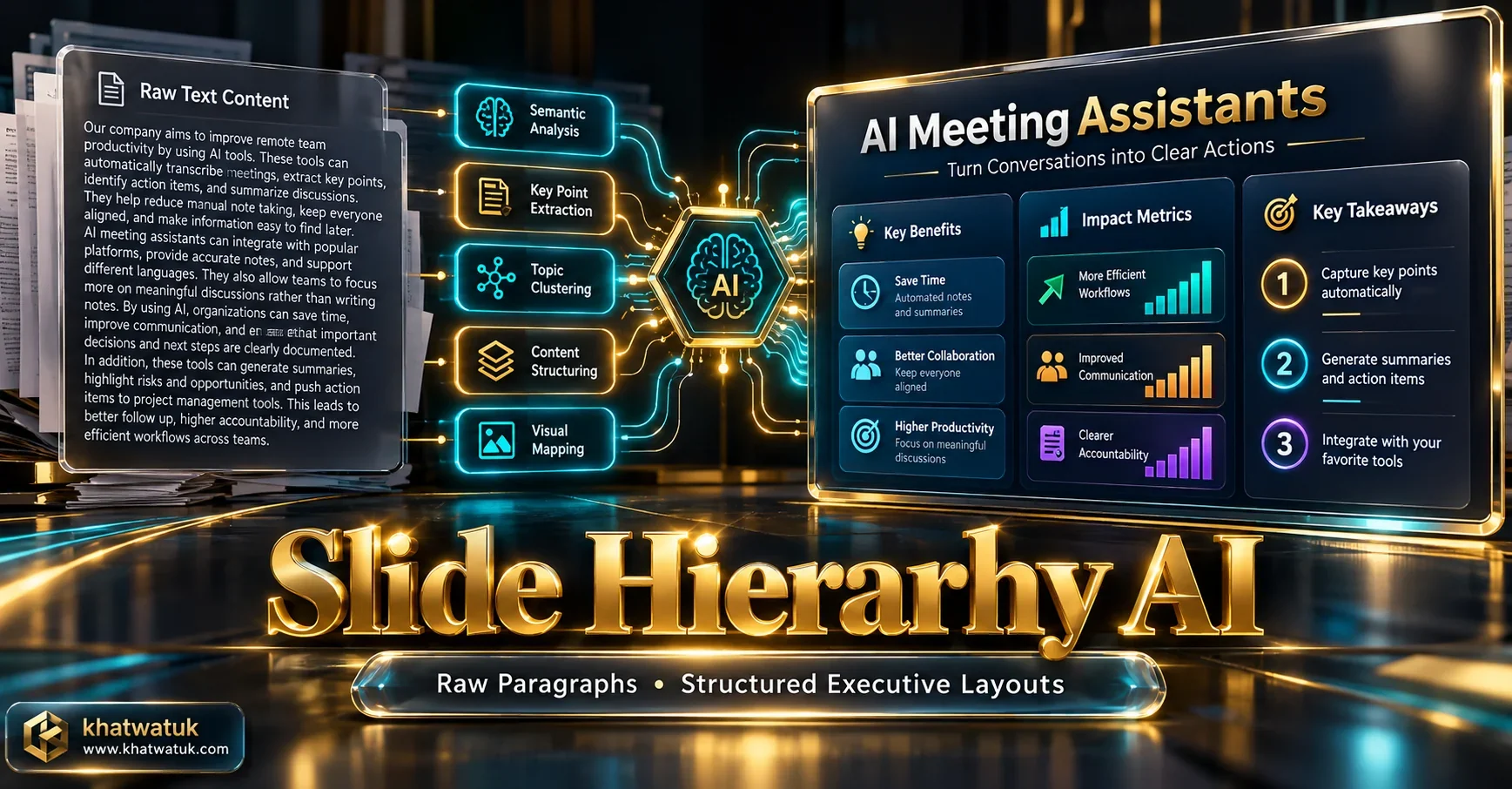
When you supply an unformatted 800-word product brief, engines like Gamma and Plus AI extract three hierarchical layers: the primary takeaway headline, supporting bullet explanations, and quantitative metric callouts.
📋 Text Prompt Structuring Best Practices
How to format raw text prompts for optimal AI slide generation:
- Include clear headers (Problem, Opportunity, Solution, Traction).
- Explicitly state your target audience (investors, clients, students).
- Instruct the AI to emphasize metrics as large callout cards.
- Limit desired output to 8-12 slides for focused storytelling.
⚠️ Common AI Conversion Pitfalls
Risks to monitor during automated slide generation:
- Generic stock illustrations replacing factual evidence.
- Over-summarization omitting critical regulatory disclaimers.
- Font substitution issues when opened on offline presentation machines.
- Hallucinated statistics if prompts lack verified factual data.
Vector Shape Fidelity & Microsoft Ecosystem: True PPTX vs Screenshots
To see how native PowerPoint vectors and font substitutions perform during real-world exports, check our detailed test of Beautiful.ai export to PowerPoint.
A critical technical factor separating enterprise-grade generators from amateur tools is vector shape fidelity. Some budget AI tools export slides by rendering a static PNG screenshot and wrapping it in a .pptx container, making post-export modifications impossible.
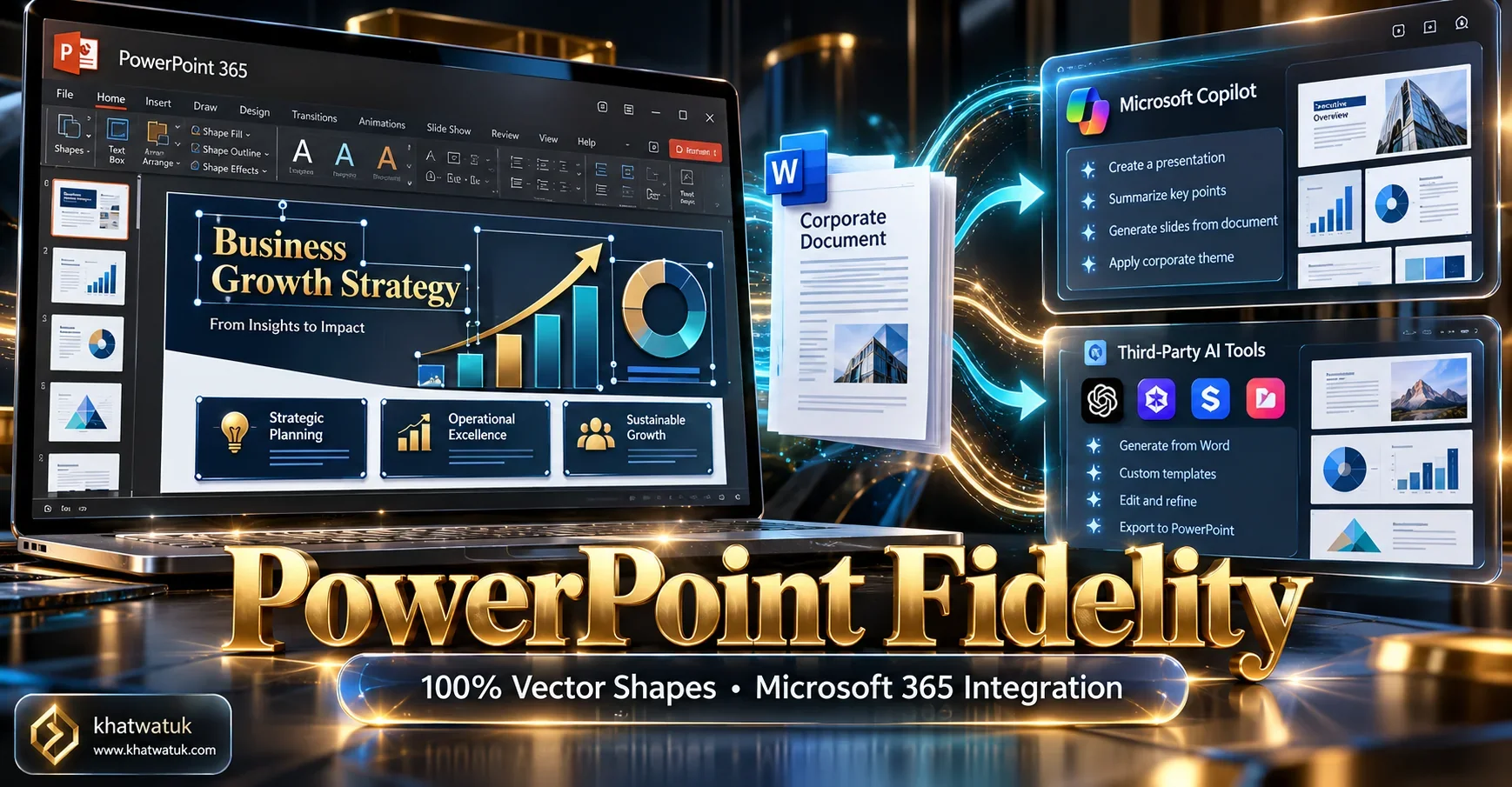
In our lab testing, Gamma App, Beautiful.ai, and Plus AI generated authentic vector PowerPoint elements. Every headline, bullet point, rectangular card, and milestone icon functions as an independent, editable object inside Microsoft PowerPoint 365.
For organizations already invested in Microsoft 365, Microsoft Copilot offers direct integration with Word documents. While Copilot costs $30 per user per month, its ability to convert a 20-page Word strategy document into a structured PowerPoint deck without third-party cloud data exposure makes it the top enterprise pick.
Pricing Comparison: Free Credits vs Pro Subscriptions
Below is a pricing comparison across top AI PowerPoint tools, highlighting free starter credits, pro subscription fees, and enterprise requirements.
| Platform | Free Tier Allowance | Starter Pro Plan | Team / Enterprise License |
|---|---|---|---|
| Gamma App | 400 AI Credits on signup | $8/month (billed annually) | $15/user/month (Pro) |
| Plus AI | 7-Day Free Trial | $15/month (billed annually) | Custom Enterprise |
| SlidesAI | 3 presentations/month | $10/month | $20/month (Premium) |
| Beautiful.ai | 14-Day Free Trial | $12/month (billed annually) | $40/user/month (Team) |
| Microsoft Copilot | No free tier | $30/user/month | Microsoft 365 Enterprise Agreement |
The Final Verdict: Which AI PowerPoint Generator Should You Choose?
Selecting the right software depends directly on your document source, editing habits, and enterprise software ecosystem:
- Choose Gamma App if: You want fast, visually stunning text-to-presentation generation with free starter credits and flawless editable vector PowerPoint exports.
- Choose Plus AI if: You need an in-workspace co-pilot that lives directly inside PowerPoint or Google Slides to rewrite individual slides and match custom themes.
- Choose Microsoft Copilot if: Your company operates within Microsoft 365 and requires seamless Word-to-PowerPoint conversion under strict enterprise compliance.
- Choose Beautiful.ai if: You need algorithmic Smart Slide constraints that automatically maintain clean typography and corporate brand guardrails.
Convert Your Text to PowerPoint Slides Free on Gamma →
Frequently Asked Questions (FAQ)
Here are answers to the most common questions professionals ask when converting text to PowerPoint with AI:
What is the best AI PowerPoint generator from text?
Gamma App is the best overall AI PowerPoint generator from text. It transforms dense text briefs, meeting notes, or raw outlines into fully formatted presentations in under 25 seconds, and exports native vector PowerPoint (.pptx) files with fully editable shapes.
Can AI convert a Microsoft Word document into a PowerPoint presentation?
Yes. Microsoft Copilot for PowerPoint can automatically convert Word documents into PowerPoint slides natively for Microsoft 365 subscribers. Additionally, Gamma App and Plus AI accept pasted multi-page documents and generate structured decks.
Does the AI output truly editable PowerPoint text boxes and shapes?
Yes, provided you choose tools with native vector export engines like Gamma App, Beautiful.ai, and Plus AI. Avoid tools that export slides as flattened raster images, which prevent post-generation text editing.
Are there free AI tools that generate PowerPoint presentations from text?
Yes. Gamma App provides 400 free AI starter credits upon signup. SlidesAI offers 3 free presentation conversions per month, and Canva Magic Studio provides free basic presentation generation.
How does Microsoft Copilot compare to Gamma App for text-to-presentation generation?
Microsoft Copilot operates natively inside Office 365 and excels at direct Word-to-PPTX conversion, but requires an enterprise subscription ($30/user/month). Gamma App is significantly faster, produces more visually modern layouts, and offers a flexible freemium model.
Can Plus AI generate slides directly inside the desktop PowerPoint app?
Yes. Plus AI provides an official Microsoft AppSource add-in that embeds an AI generation sidebar directly inside desktop and web versions of Microsoft PowerPoint.
What is the maximum amount of text I can paste into an AI slide generator?
Character limits vary: SlidesAI supports up to 2,500 characters on free plans (expanding to 25,000 on Pro). Gamma App accommodates full long-form articles or multi-page briefs, intelligently chunking text across slides.
How do I prevent AI slide generators from creating crowded, text-heavy slides?
Instruct the AI in your prompt to 'summarize into three key bullet points per slide', 'convert data into metric callouts', or 'limit slide text to executive takeaways with generous white space'.
Explore More AI Presentation & Productivity Guides:
Expand your presentation knowledge with our empirical research guides:
- Best AI Presentation Maker (Cluster Pillar Hub)
- Plus AI for Google Slides Review: In-Workspace AI Add-on Tested
- Best AI Pitch Deck Generator: 10 Tools Tested for Startups
- Beautiful.ai Pitch Deck Review: Smart Slides Tested for Startups
- Best AI Presentation Maker for Teachers: 8 Classroom Tools Tested
- Beautiful.ai vs Gamma: Complete Head-to-Head Comparison
- SlidesAI vs Beautiful.ai: Add-On vs Dedicated Design Engine
- Best Tome Alternatives: 10 AI Presentation Tools Ranked
- Best AI Resume Builders: Career Advancement Guide
