

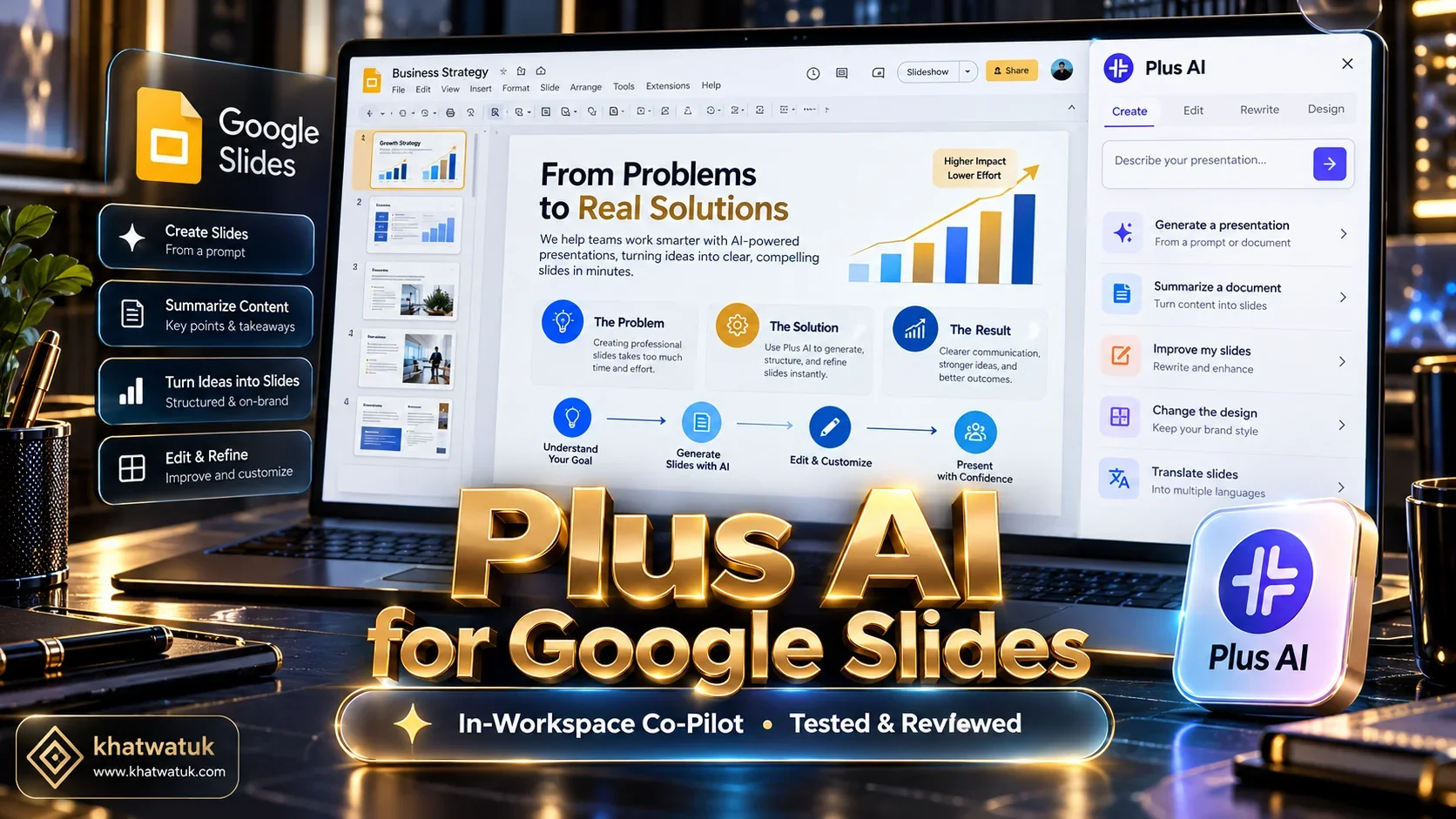
In our hands-on plus ai for google slides review, Plus AI proved to be the top in-workspace presentation add-on for granular single-slide rewriting and custom corporate theme matching.
Operating directly inside Google Slides via a native sidebar, Plus AI eliminates the friction of switching to standalone web portals. For standalone web interactivity, Gamma App remains superior, while Beautiful.ai offers tighter algorithmic guardrails.
⚡ Quick Verdict: Is Plus AI Worth It for Google Slides Users?
Our extensive lab teardown reveals the core strengths and limitations of Plus AI for business and educational presentations:
- The Bottom Line: Plus AI is the best AI presentation co-pilot for professionals whose daily workflow lives inside Google Workspace and Microsoft Office.
- Top Advantage: Surgical single-slide editing — add a new slide, condense text, or redesign individual layouts without regenerating the whole deck.
- Ecosystem Strength: Native Google Drive file format means 100% vector shape integrity and standard team sharing permissions.
- Primary Trade-Off: Lacks a permanent free generation tier after the 7-day trial; starting price is $15/month billed annually.
How We Tested Plus AI for Google Slides: Lab Methodology
Most reviews evaluate presentation software by generating an initial 10-slide deck from a basic prompt. However, real business workflows require editing existing decks, aligning layouts to custom branding, and collaborating within Google Drive.
🔬 Khatwatuk Lab Plus AI Testing Protocol:
Our evaluation benchmarks examine four fundamental operational dimensions for workspace presentations:
- In-Workspace Sidebar Latency: Time required to load the extension, process a complex business prompt, and render completed slides directly inside Google Drive.
- Surgical Slide Rewriting Fidelity: Ability to rewrite or reformat an individual slide without modifying or corrupting surrounding content.
- Custom Theme Alignment: Accuracy in matching existing enterprise font pairings, company hex palettes, and corporate layout grids.
- Multi-Format Ecosystem Portability: Quality of vector shapes and fonts when exported to Microsoft PowerPoint 365 and PDF.
Plus AI vs Top Google Slides Alternatives: Comparison Matrix
The table below benchmarks Plus AI against the four leading presentation platforms utilized by Google Slides and business professionals.
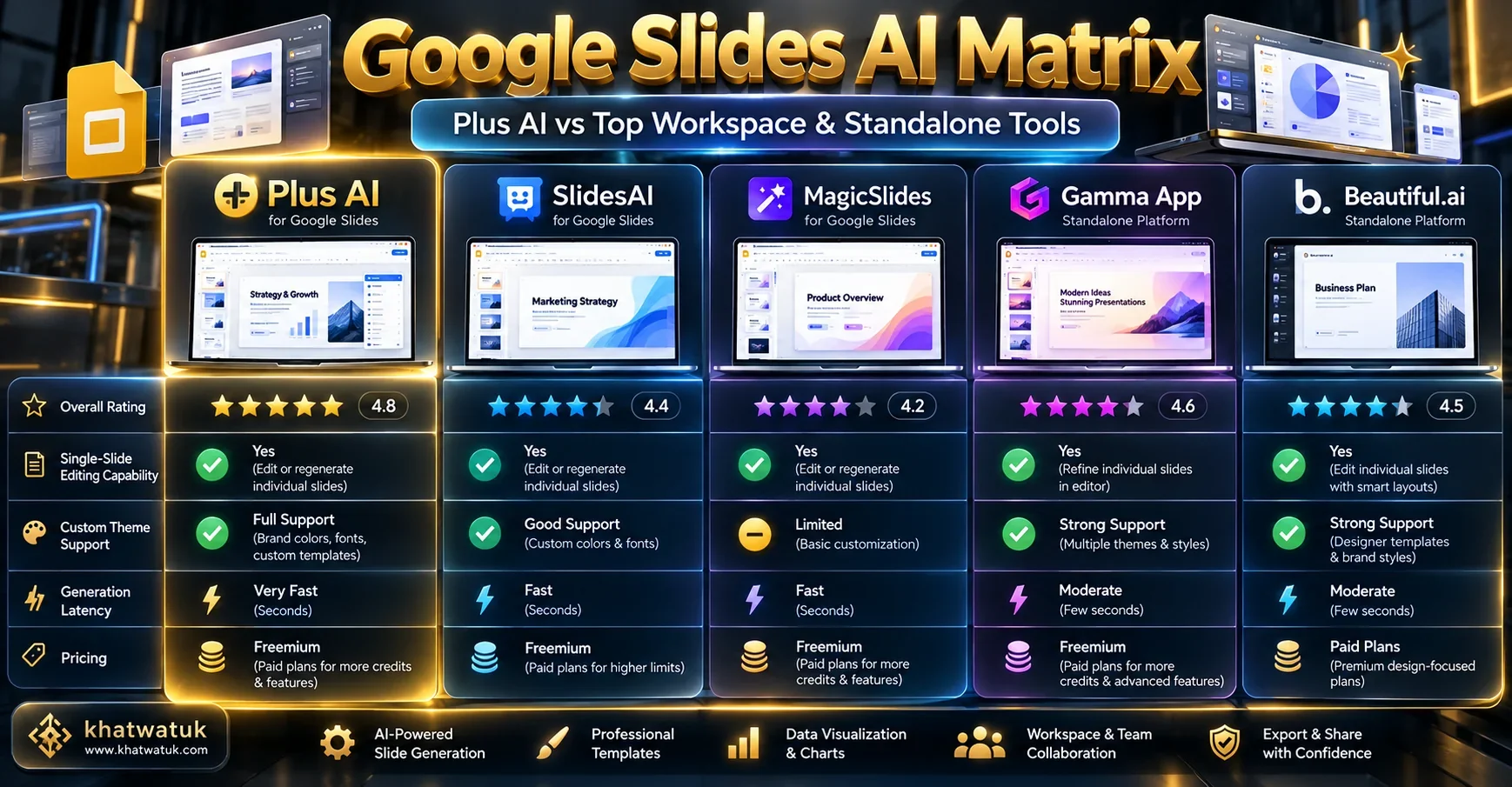
| Platform | Integration Mode | Single-Slide Rewrite | Custom Theme Sync | PPTX Compatibility | Starting Price |
|---|---|---|---|---|---|
| Plus AI | Native Google Slides & PPT Add-on | Yes (Full Co-pilot) | Yes (Custom Themes) | 100% Native Vector | 7-day trial / $15/mo |
| SlidesAI | Native Google Slides Add-on | Basic Replace | Preset Palettes | 100% Native Vector | Free (3 decks/mo) / $10/mo |
| MagicSlides | Native Google Slides Add-on | No (Full Deck Only) | Standard Templates | 100% Native Vector | Free (3 decks/mo) / $12/mo |
| Gamma App | Standalone Web Platform | Yes (Card Chatbot) | Yes (Web Themes) | Vector Native PPTX | Free (400 credits) / $8/mo |
| Beautiful.ai | Standalone Web Platform | Yes (Smart Slides) | Yes (Brand Kits) | Vector Native PPTX | $12/mo (billed annually) |
Install Plus AI for Google Slides Free →
Deep Dive: Plus AI Core Features & Google Workspace Sidebar
Plus AI approaches AI presentation generation not as an isolated destination, but as an invisible layer within your existing tools. After installing the add-on from the Google Workspace Marketplace, a dedicated Plus AI sidebar appears on the right edge of Google Slides.
From this sidebar, users can select whether to generate a completely new deck from a text brief, paste unformatted research notes to turn into slides, or modify an existing presentation. In our tests, Plus AI generated an 8-slide executive quarterly business review in 27.6 seconds, using proper hierarchy, callout boxes, and metric cards.
Plus AI Core Functional Highlights:
- Pros: Zero context switching away from Google Slides, granular single-slide editing tools, custom brand template matching, PowerPoint add-in included.
- Cons: No permanent free tier after the 7-day trial, requires granting Google Drive file permissions upon installation.
Overview: Top Google Slides Alternatives Compared
Depending on your specific presentation needs and budget constraints, several alternatives to Plus AI offer notable strengths:
- SlidesAI: The most direct competitor inside Google Slides. It excels at taking long text documents and breaking them down into bullet slides, offering 3 free presentations every month.
- MagicSlides: A lightweight Google Slides add-on optimized for summarizing YouTube videos, Wikipedia articles, and short text blurbs across multiple languages.
- Gamma App: A standalone visual platform that replaces traditional slides with responsive, fluid web cards. Ideal for creators who want modern web interactivity and prototype embeds.
- Beautiful.ai: A dedicated standalone design engine whose algorithmic Smart Slides enforce strict mathematical layout rules and enterprise Brand Kits.
Native Workspace Integration vs Standalone Tools: Why In-Slide AI Matters
When evaluating AI presentation software, the most important architectural distinction is between standalone platforms and native workspace add-ons.
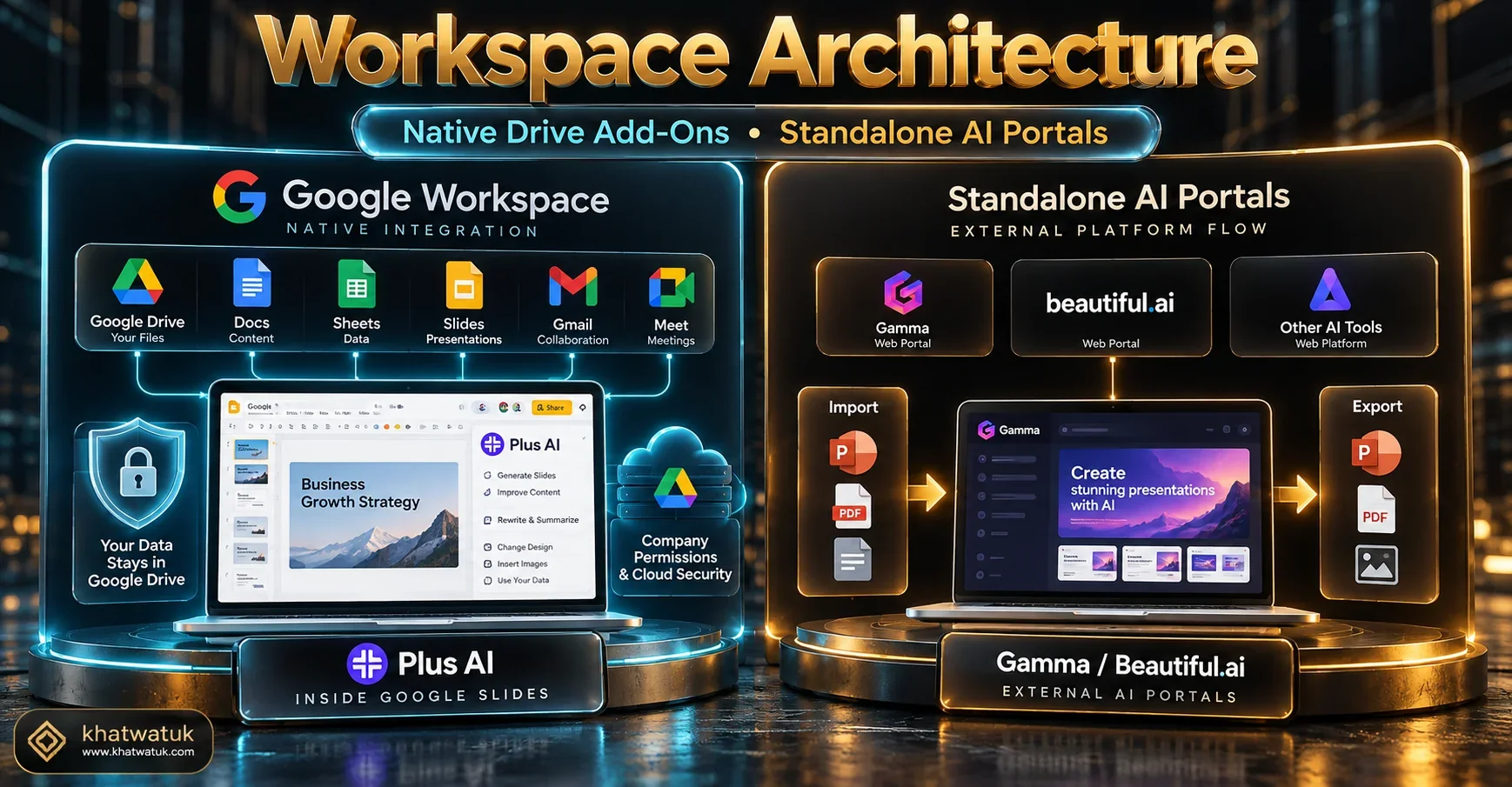
Standalone tools like Gamma require users to build presentations in their proprietary web editor. While powerful, this breaks established enterprise collaboration routines. Teams must export files, deal with potential font substitutions, and re-upload assets to company drives.
🔌 Native Add-on Workflow (Plus AI, SlidesAI)
Core workflow advantages of in-workspace extensions:
- Files remain securely inside your corporate Google Drive.
- Standard Google Slides sharing and commenting permissions.
- No export/import file conversion errors or font loss.
- Edit alongside colleagues in real-time Google multiplayer.
🌐 Standalone Web Portals (Gamma, Beautiful.ai)
Core workflow advantages of dedicated web design suites:
- Unconstrained by legacy 16:9 slide formatting limits.
- Embeds live interactive prototypes (Figma, Loom, widgets).
- Fluid web cards adapt automatically to mobile viewports.
- Specialized viewer tracking analytics built into web links.
Single-Slide Rewrites, Content Expansion & Custom Theme Matching
The standout capability that separates Plus AI from basic text-to-slide add-ons is its surgical co-pilot functionality. When preparing high-stakes presentations, users rarely want to regenerate an entire 20-slide deck when only slide 7 needs improvement.
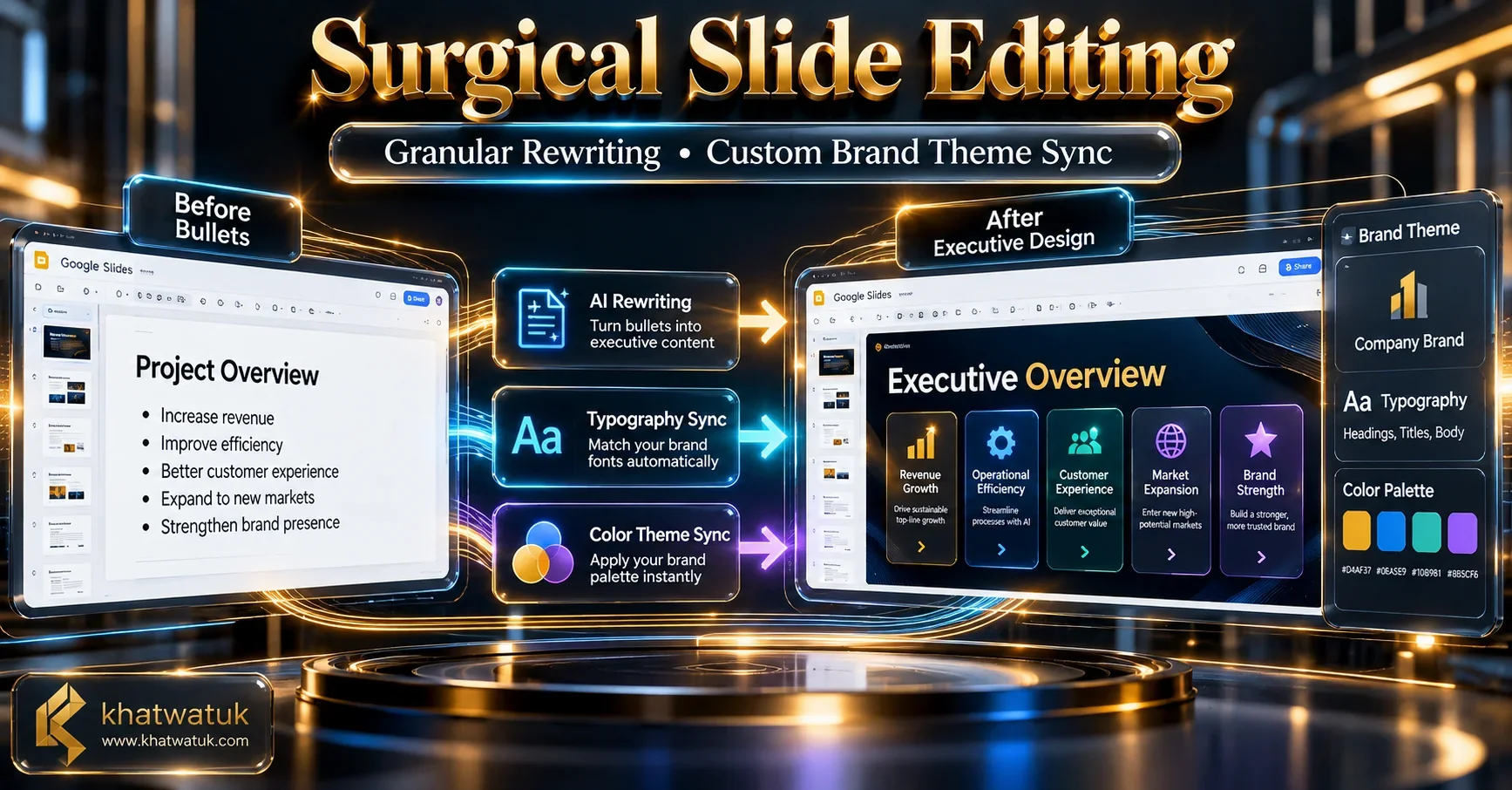
With Plus AI, you can highlight a single slide and ask the AI sidebar to 'Rewrite this in a more professional executive tone', 'Convert these bullets into three comparison columns', or 'Expand on this metric'. The tool modifies only that specific slide while preserving the formatting of the rest of the presentation.
Furthermore, Plus AI supports Custom Themes. You can upload an existing Google Slides template or company master deck, and the AI will analyze the master slide masters to generate new slides using your exact corporate brand colors and typography.
Pricing Teardown: Free Trial Policies vs Pro Subscription ROI
Plus AI does not offer a permanent free tier for unlimited generation. Below is a breakdown of its subscription tiers and credit policies.
| Plan Tier | Price (Billed Annually) | Monthly Billing Option | Core Features Included | Best Use Case |
|---|---|---|---|---|
| 7-Day Free Trial | Free (Card required) | N/A | Full AI generation & editing access | Testing workflow on real presentations |
| Basic Plan | $15/month ($180 billed annually) | $20/month | Unlimited AI generations, single-slide rewrites | Individual analysts, teachers, consultants |
| Pro Plan | $20/month ($240 billed annually) | $25/month | Custom themes, longer context windows | Startup founders, marketers, agency teams |
| Team Plan | Custom Enterprise Pricing | Custom | Shared brand themes, centralized billing, SOC 2 | Corporate enterprises & school districts |
The Final Verdict: Should You Subscribe to Plus AI?
Plus AI is the clear winner for professionals who cannot afford to leave the Google Slides or Microsoft PowerPoint ecosystems:
- Choose Plus AI if: You want a co-pilot that lives inside your Google Slides sidebar, allows surgical single-slide editing, and matches your custom corporate slide templates.
- Choose SlidesAI if: You only need simple text-to-slide conversion and want a permanent free tier with 3 monthly presentations.
- Choose Gamma App if: You want modern responsive web cards with embedded prototypes and video links rather than traditional 16:9 slides.
Try Plus AI for Google Slides Free →
Frequently Asked Questions (FAQ)
Here are answers to the most common questions professionals ask when evaluating Plus AI for Google Slides:
What is Plus AI for Google Slides?
Plus AI is an artificial intelligence presentation add-on that operates natively inside Google Slides and Microsoft PowerPoint. It generates entire slide presentations from prompts, rewrites existing slides, and formats text to match custom themes.
Is Plus AI free to use inside Google Slides?
Plus AI offers a 7-day free trial that provides full access to generation features. After the trial, paid subscriptions start at $15 per month (billed annually at $180 upfront) for the Basic plan.
How does Plus AI compare to SlidesAI?
SlidesAI focuses primarily on converting raw text memos into a new set of slides with 3 free presentations per month. Plus AI is a more comprehensive co-pilot that allows surgical single-slide rewriting, content expansion, and custom corporate theme training.
Can Plus AI edit my existing presentations without overwriting them?
Yes. One of Plus AI's strongest advantages is granular slide editing. You can insert a single new slide into an existing deck, rewrite selected text blocks, or reformat individual layouts without disrupting surrounding slides.
Does Plus AI work in Microsoft PowerPoint as well?
Yes. Plus AI offers an official Microsoft Office add-in available via AppSource, allowing users to experience the same AI sidebar generation and rewriting tools inside desktop PowerPoint.
Can Plus AI match my company's custom Google Slides theme?
Yes. Plus AI includes custom theme matching technology. It analyzes your company's master slide templates, typography, and hex color codes to generate new slides that seamlessly blend with existing brand collateral.
Do presentations made with Plus AI export cleanly to PDF and PowerPoint?
Yes. Because Plus AI builds directly on top of native Google Slides text boxes and shapes, your decks remain 100% standard Google Slides files that export to PDF and editable PPTX with zero visual degradation.
Is Plus AI secure for enterprise Google Drive data?
Plus AI adheres to Google Workspace Marketplace security standards, encrypts data in transit and at rest, and does not train public AI models on private user presentation contents.
Explore More AI Presentation & Productivity Guides:
Expand your presentation knowledge with our empirical research guides:
- Best AI Presentation Maker (Cluster Pillar Hub)
- SlidesAI vs Beautiful.ai: Add-On vs Dedicated Design Engine
- Best AI Pitch Deck Generator: 10 Tools Tested for Startups
- Beautiful.ai Pitch Deck Review: Smart Slides Tested for Startups
- Best AI Presentation Maker for Teachers: 8 Classroom Tools Tested
- Gamma App vs Canva: Which Visual Platform is Right for You?
- Best Tome Alternatives: 10 AI Presentation Tools Ranked
- Beautiful.ai vs Gamma: Complete Head-to-Head Comparison
- Best AI Resume Builders: Career Advancement Guide
