

To master how to check resume for ats compatibility before submitting job applications, job seekers must conduct a two-phase audit: a manual structural inspection (the 60-second Notepad plain-text test to verify document hierarchy and text layers) and an automated algorithmic scan using platforms like Teal, ResyMatch, or Rezi. This verification ensures your resume avoids fatal formatting traps—such as unreadable multi-column tables, floating graphics, and non-standard section headers—while matching 75% to 85% of critical job description keywords required by enterprise recruitment systems like Workday, Taleo, and Greenhouse.
Quick Verdict: Best Ways to Check Resume for ATS in 2026
For applicants wanting a real-time keyword tracking workspace integrated with job board bookmarks, Teal offers the most fluid free diagnostic experience. For a 100% free standalone resume match checker requiring zero account creation, ResyMatch.io provides instant skill gap reports. If you want to build a structurally guaranteed plain-text resume that passes every parser while receiving a live 100-point audit, Rezi delivers flawless ATS compliance backed by lifetime access.
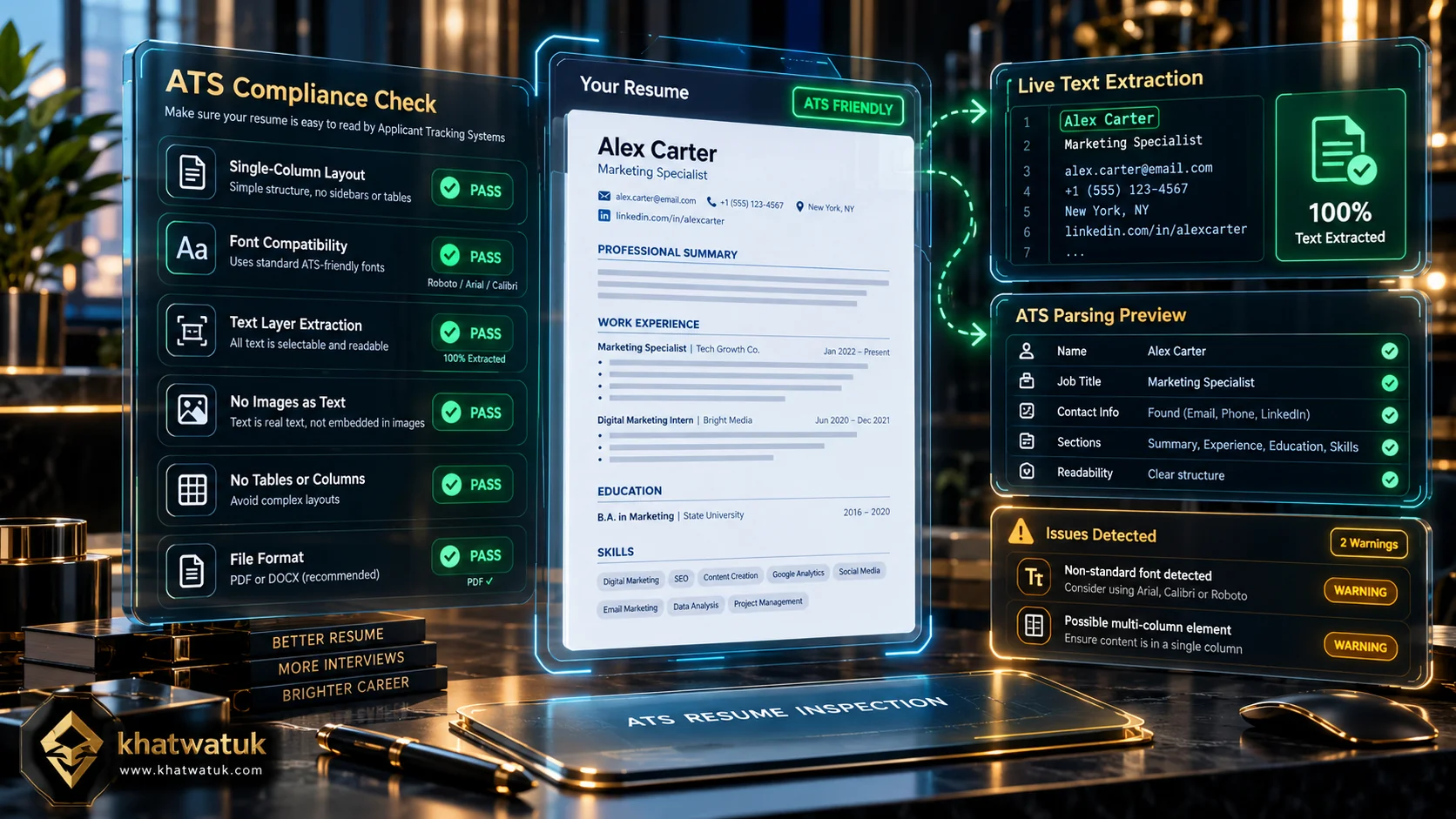
Learning how to check resume for ATS compliance enables job seekers to identify layout traps and keyword gaps before corporate filters discard their application.
The 6-Point ATS Resume Formatting Checklist
Before submitting your resume through automated candidate gateways, verifying document architecture is vital. Over 70% of resume rejections occur because digital applicant tracking software cannot extract text cleanly from heavily stylized layouts. Audit your document against these six fundamental formatting benchmarks:
- 1. Single-Column Linear Structure: Modern recruitment algorithms parse text sequentially from left to right and top to bottom. Multi-column resumes, floating sidebars, and graphical layout grids cause parsers to scramble unrelated sections together, merging your job titles with volunteer experience or dates. Always construct your resume in a clean single-column linear format.
- 2. Standard ATS-Safe Typography: Stick to universal system typefaces such as Arial, Calibri, Georgia, Helvetica, Times New Roman, or Garamond. Avoid downloading custom decorative web fonts or icon-based glyphs (such as envelope or phone icons for contact details), as parsers frequently translate custom glyphs into corrupted machine characters (e.g., question marks or null symbols).
- 3. Universal Standard Section Headers: ATS engines look for predictable keyword anchors to sort your data into database fields. Use standard headers: Work Experience, Education, Skills, and Certifications. Creative alternatives like 'Where I Have Been' or 'Career Milestones' fail parser recognition, leaving candidate profiles blank.
- 4. Live Selectable Text Layer (No Scanned Images): If you export your resume from Canva, Photoshop, or design tools as a flattened PDF, the document consists of an image rather than encoded digital text. An ATS cannot read text flattened inside an image without Optical Character Recognition (OCR), which corporate systems rarely run. Always highlight text with your cursor to confirm it is selectable before saving.
- 5. Contact Information in Document Body: Never place your phone number, email address, LinkedIn profile, or physical location inside Microsoft Word or Google Docs header or footer zones. Many legacy parsing filters (including versions of Taleo and BrassRing) routinely strip header and footer code entirely to prevent recurring page noise, erasing your contact information.
- 6. Acronyms Paired with Spelled-Out Phrases: Corporate ATS boolean filters may search for either the abbreviated or full formal title depending on recruiter preference. Always include both variations: write 'Search Engine Optimization (SEO)', 'Amazon Web Services (AWS)', or 'Certified Information Systems Security Professional (CISSP)' at least once.
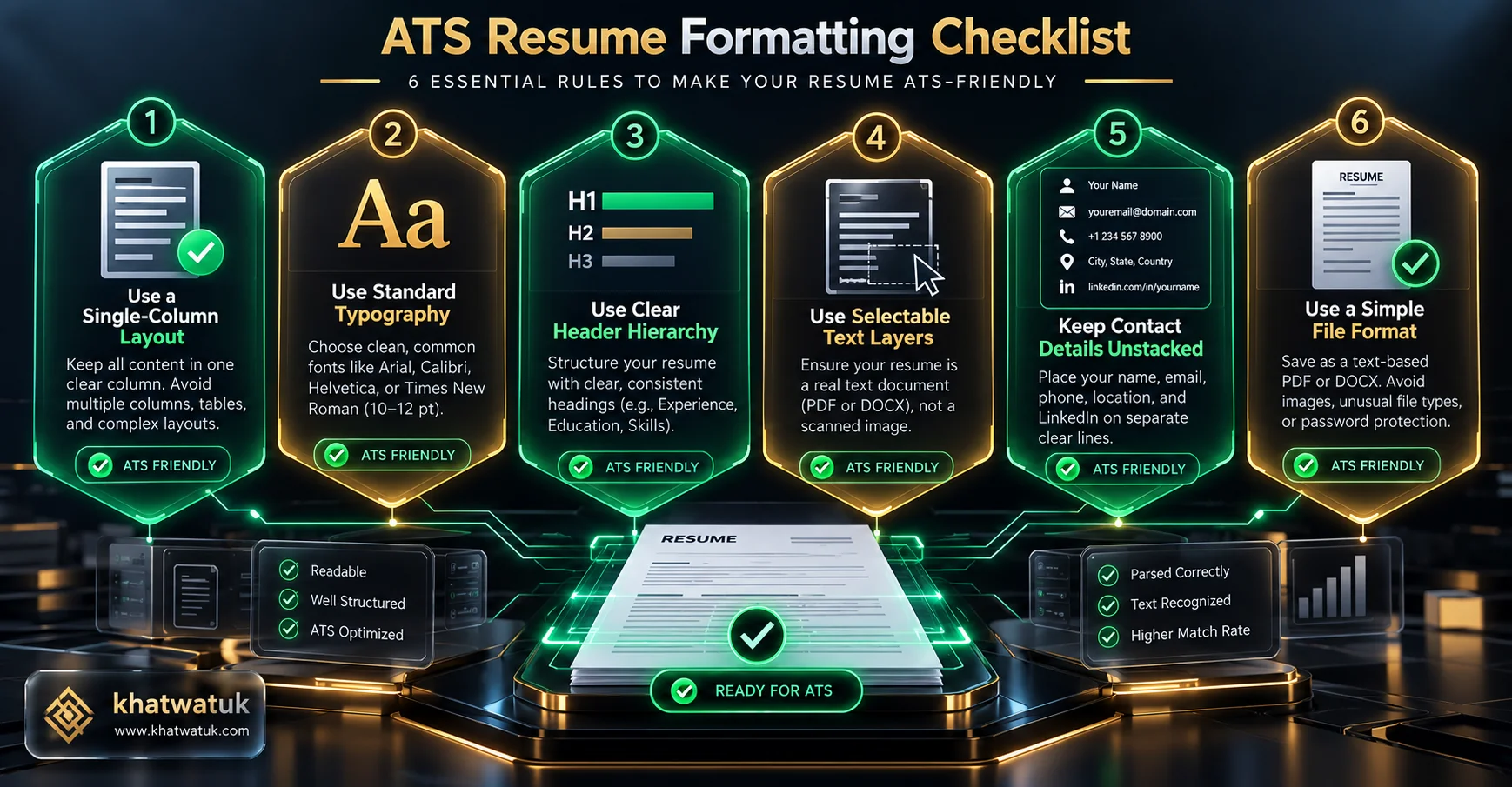
The 6-point ATS formatting checklist ensures document headers, typography, margins, and text layers are fully readable by corporate parsing algorithms.
The 60-Second Notepad Test: How to Inspect Your Text Layer
The most reliable, zero-cost diagnostic test you can perform at home is the 60-second Notepad test. Because every Applicant Tracking System begins its workflow by stripping away styling to convert your resume into raw, unformatted text, this simple test allows you to see exactly what the machine sees.
To execute this audit, open your final PDF or Word resume on your computer. Press Ctrl+A (or Cmd+A on Mac) to select all text, press Ctrl+C to copy it, and open a plain-text editor like Windows Notepad or TextEdit (set to plain text mode). Press Ctrl+V to paste the raw text. Carefully review the resulting output:
- Logical Reading Order: Does your career history flow chronologically from top to bottom? If your contact info or sidebar skills appear randomly in the middle of a past job description, an ATS parser will misclassify those details.
- Preserved Section Titles: Are your section headers clearly distinguished from your company names and job titles? If headers blend into bullet points without clear paragraph breaks, the ATS may fail to categorize your skills.
- Absence of Scrambled Characters: Check for strange symbols like empty squares, diamond question marks, or gibberish words. This typically happens when fancy bullet point characters or non-standard font ligatures are copied.
- No Disappearing Content: Verify that all dates of employment, degrees, and core competencies made it across into the plain-text window. If text placed inside tables or decorative shapes disappeared, the ATS will miss it too.
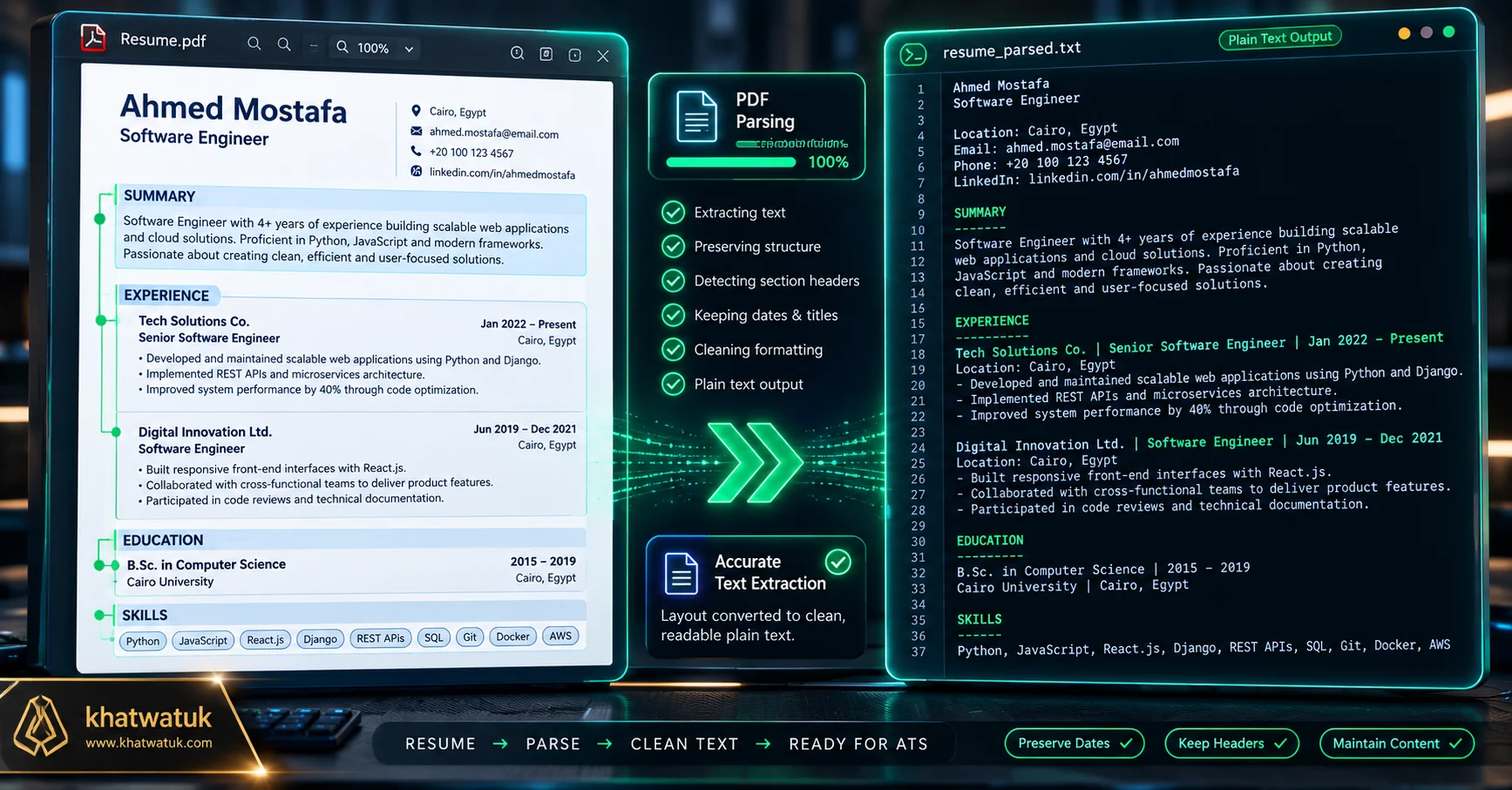
The 60-second Notepad test reveals whether an Applicant Tracking System can read your resume's chronological sequence without scrambling sections.
Comparison Matrix: Top 5 Tools to Check Resume for ATS (2026)
Once your physical document passes the manual formatting audit, the next critical phase is algorithmic verification. Evaluating your resume against target job descriptions using dedicated software uncovers keyword gaps and match score benchmarks. Below is our comparative breakdown of the top 5 ATS verification engines available in 2026:
| Platform | Primary Verification Model | Free Monthly Allowance | Key Audit Strength | Upgrade Pricing |
|---|---|---|---|---|
| Teal | Job Match Checklist | Unlimited job tracking & match checklist | In-line keyword matching with Chrome job board capture | Free / $29/mo (Teal+) |
| ResyMatch.io | Dual-Text Match Score | 100% Free (Zero scan limits) | Instant hard vs soft skill weighting with no login required | 100% Free |
| Rezi | 100-Point Rezi Score | Free live builder audit (1 export) | Guaranteed plain-text formatting with real-time score updates | Free / $29/mo or $129 Lifetime |
| Jobscan | 0-100% Match Rate | 5 free scans per month | Simulates enterprise boolean search filters and hard skill parsing | Free / $49.95/mo ($89.85/qtr) |
| Resume Worded | 0-100 Impact & Readability | Free instant high-level review | Recruiter-designed rubric scoring bullet point metrics and verb strength | Free / $49/mo Pro |
To select your best approach: Choose Teal if you want an active Chrome extension to bookmark vacancies and match skills in your daily tracker. Choose ResyMatch.io if you simply want a quick, 100% free match percentage check without signing up. Choose Rezi if you need to build a guaranteed ATS-compliant plain-text resume from scratch with real-time scoring.
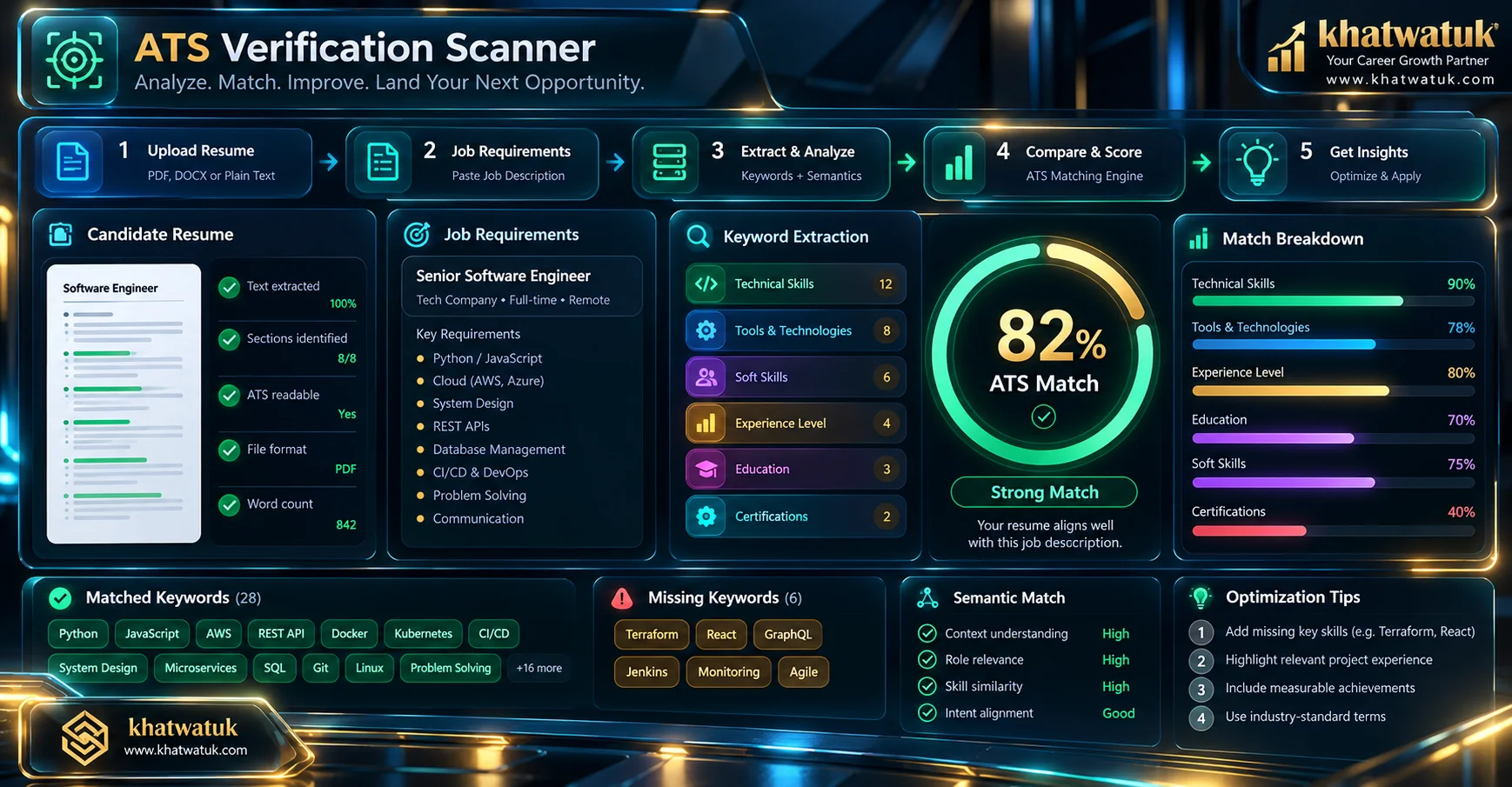
Automated ATS scanners compare resume text against target job descriptions, outputting match scores and keyword gap telemetry.
The 4 Best Methods to Check Your Resume for ATS
Depending on your career goals, application volume, and technical preferences, there are four proven pathways to test your resume before hitting submit. Each method addresses specific facets of applicant screening, from formatting validation to complex keyword relevancy.
1. Application Trackers with In-Line Matchers (Teal)
Teal provides the most streamlined workflow for candidates managing dozens of active applications. Instead of testing resumes in isolation, Teal pairs an ATS-compliant resume builder with a job tracking board and Chrome extension. You capture job descriptions directly from LinkedIn or Indeed, and Teal immediately compares your resume text against the posting, displaying matched keywords in green and missing skills in red.
Because Teal focuses on guiding you through continuous tailoring rather than locking scans behind strict paywalls, it provides unmatched daily value. To understand how automated scoring platforms compare in detail, read our in-depth guide on how to check ATS score metrics and algorithmic calculations.
2. 100% Free Standalone Diagnostic Scanners (ResyMatch.io)
If you want an immediate diagnostic check without signing up for an account, entering personal details, or hitting monthly scan limits, ResyMatch.io is an exceptional free resource. Developed by career strategist Austin Belcak at Cultivated Culture, ResyMatch lets you paste your raw resume text on the left and the job description on the right.
Within seconds, the tool calculates an overall match score and segments keywords into hard skills, soft skills, and high-frequency terms. For job seekers actively seeking a dependable free alternative to Jobscan that eliminates subscription restrictions, ResyMatch provides instant, transparent utility.
3. Real-Time Plain-Text Builders (Rezi)
If your primary concern is preventing structural formatting errors, Rezi offers an architectural safeguard. Rezi does not allow you to insert multi-column sidebars, floating graphics, or complex tables. Every document is built upon a validated, single-column plain-text architecture engineered to parse perfectly in Workday, Taleo, Greenhouse, and iCIMS.
As you draft your experience, Rezi's real-time 100-point audit dynamically grades your content, penalizing buzzwords, flagging missing metrics, and scoring keyword alignment against target jobs. As explored in our head-to-head review of Teal vs Rezi, Rezi is particularly compelling for candidates seeking a one-time lifetime license instead of recurring monthly software charges.
4. Dedicated Benchmark Scanners (Jobscan)
Jobscan remains the pioneer of algorithmic resume scanning. It reverse-engineers the boolean search patterns and entity-extraction models used by major enterprise systems. Jobscan parses your document, identifies hard skills, soft skills, job title matches, and education credentials, producing a detailed match percentage alongside formatting alerts.
While free users receive 5 scans per month, Jobscan provides a rigorous simulation of corporate recruitment filters. To evaluate similar diagnostic engines, review our comprehensive roundup of the best free ATS scanner platforms. To run a full multi-stage simulation of your document through simulated enterprise workflows, follow our complete guide on how to test your resume against ATS.
What Is a Good ATS Score? (The 75% to 85% Sweet Spot Rule)
When job seekers run their resumes through scanning software for the first time, a common instinct is to chase a 100% score. However, veteran recruiters and talent acquisition leads agree: striving for a 100% match score is both counterproductive and dangerous.
The 75% to 85% Sweet Spot: In modern corporate hiring workflows, enterprise ATS algorithms do not expect candidates to possess 100% of listed qualifications. Most job requisitions include a mix of mandatory minimum requirements and aspirational 'nice-to-have' skills. Achieving a match score between 75% and 85% ensures your resume comfortably exceeds automated qualification cutoffs while keeping your content genuine and realistic.
The Danger of Keyword Stuffing: Attempting to reach 95% or 100% invariably forces applicants to cram unnatural keywords into every bullet point. While an over-optimized resume might clear an automated parser, it ultimately lands on the desk of a human recruiter. A recruiter will instantly spot repetitive keyword stuffing and discard the application due to awkward phrasing. To master the art of natural keyword placement, consult our dedicated tutorial on how to add keywords to resume documents seamlessly.
The 100% Free DIY Method: Using ChatGPT and Claude as an ATS Checker
If you have exhausted your free monthly scans on commercial platforms and do not wish to subscribe to premium plans, large language models (like ChatGPT-4o or Claude 3.5 Sonnet) can serve as an exceptionally capable ATS auditor at zero cost. By using a structured recruiter prompt, you can simulate an enterprise ATS parser within seconds.
Copy the prompt template below and paste it into ChatGPT or Claude alongside your plain-text resume and the target job description:
# ROLE & OBJECTIVE
Act as a Senior Technical Recruiter and enterprise Applicant Tracking System (ATS) algorithm modeling Workday and Taleo.
# INSTRUCTIONS
1. Compare the candidate's resume against the provided job description.
2. Extract all mandatory hard skills, technologies, methodologies, and certifications from the job posting.
3. Calculate an estimated ATS match percentage score from 0% to 100%.
4. Output a Markdown table listing: [Keyword/Skill] | [Found in Resume: Yes/No] | [Frequency in JD] | [Importance: High/Medium/Low].
5. Identify formatting red flags (tables, multi-columns, ambiguous job titles).
6. Provide 3 rewritten achievement bullet points incorporating missing high-priority keywords naturally with quantifiable metrics.
# INPUT DATA
TARGET JOB DESCRIPTION: [Paste full job posting here]
CANDIDATE RESUME: [Paste plain-text resume here]
This DIY prompt framework gives you unlimited, high-fidelity skill gap analysis with zero recurring costs. For candidates evaluating complete resume creation platforms, explore our comprehensive guide on the best AI resume builder solutions available today.
How to Fix a Failing ATS Resume: 4 Practical Steps
If your diagnostic scan or Notepad test reveals a failing ATS score (below 65%), do not panic. Improving your resume's machine readability and keyword alignment is a straightforward process when approached systematically. Follow this 4-step remediation protocol to boost your score into the 80%+ bracket:
- Step 1: Strip Out Layout Traps and Design Frills: Open your source document and remove all two-column structures, text boxes, tables, graphic rating bars, and embedded icons. Rebuild the document using standard single-column margins (0.5 to 1 inch) with consistent tab stops. Ensure your contact info sits firmly in the body text above your professional summary.
- Step 2: Isolate High-Frequency Hard Skills: Review your target job description and highlight the top 8 to 12 technical proficiencies, tools, and certifications mentioned repeatedly. Group these competencies into a prominent, dedicated 'Technical Skills' section categorized logically (e.g., Languages, Frameworks, Cloud Platforms, Methodologies).
- Step 3: Embed Missing Keywords into Experience Bullets: Do not rely solely on your skills list. Enterprise parsers evaluate term context and frequency. Integrate missing keywords directly into your past job achievements using the Google X-Y-Z formula: 'Accomplished [X] as measured by [Y] by doing [Z]'. This proves to both machine algorithms and human reviewers that you have practical hands-on experience.
- Step 4: Re-Scan and Export to a Clean PDF: Run your revised resume back through your chosen scanner (or the Notepad test). Once your match score reaches 75% to 85%, export your document as a clean, text-searchable PDF (or DOCX if the job application explicitly requests Word format). Name your file professionally: 'FirstName-LastName-Resume.pdf'.
Frequently Asked Questions (FAQ)
Below are detailed answers to the most common questions job seekers ask regarding ATS resume testing, scanner limitations, and formatting standards:
How do I check if my resume is ATS friendly for free?
The fastest free method to check if your resume is ATS friendly is the 60-second Notepad test: copy all text from your resume (Ctrl+A / Ctrl+C) and paste it into plain-text Notepad. If the text appears in clean reading order without scrambled sections or missing headers, your layout is machine-readable. For keyword matching, use free tools like ResyMatch.io (100% free with zero limits) or Teal's free job tracker.
Can ATS read PDF resumes or should I use Word?
Modern ATS platforms (including Workday, Taleo, Greenhouse, and iCIMS) parse PDF files flawlessly, provided the PDF contains a live selectable text layer. However, avoid flattened image PDFs exported from design software like Canva. Microsoft Word (.docx) is universally parsed by all legacy and modern systems. When in doubt, follow the specific file type requested on the job portal; if both are accepted, a text-based PDF preserves formatting best.
What is the 60-second Notepad test for resumes?
The 60-second Notepad test is a manual self-audit where you copy all content from your finished resume and paste it into a plain-text editor like Windows Notepad or TextEdit. Because an ATS strips styling and processes raw plain text, this test shows you whether tables, sidebars, or graphic elements cause text to scramble, lose dates, or hide contact details.
Do tables on a resume mess up ATS?
Yes. Multi-column tables and text boxes are the leading causes of ATS parsing failures. While tables may look tidy to human eyes, parsing algorithms read left-to-right across table cells, frequently merging company names, dates, and duties across adjacent columns into an unreadable string. Always format your resume using single-column margins with tab stops instead of tables.
What fonts are 100% ATS safe?
Standard system fonts installed across all operating systems are 100% ATS safe. Recommended sans-serif fonts include Arial, Calibri, Helvetica, and Trebuchet MS. Safe serif fonts include Georgia, Times New Roman, and Garamond. Avoid downloading custom decorative web fonts or using icon glyphs for phone and email symbols, which parsers often misinterpret as corrupted characters.
What is a passing ATS match score?
A match score between 75% and 85% is considered a passing ATS score. Enterprise systems rarely require a 100% score to advance a candidate, as job requisitions contain nice-to-have qualifications. Aiming for 75% to 85% clears algorithmic filters while avoiding the awkward phrasing and recruiter penalties associated with keyword stuffing.
Can I use ChatGPT to check my resume for ATS compatibility?
Yes. By copying your plain-text resume and the target job description into ChatGPT or Claude with a structured recruiter prompt, the AI can simulate enterprise ATS screening. It extracts required hard skills, calculates an estimated match percentage, identifies formatting red flags, and suggests tailored bullet point improvements at zero cost.
Why did my qualified resume fail an ATS scan?
Qualified candidates often fail ATS scans due to formatting barriers or missing exact-match terminology. Common culprits include contact details hidden inside headers/footers, non-standard section headers (like 'Career Odyssey' instead of 'Work Experience'), flattened image PDFs without selectable text, or failing to include standard industry acronyms alongside spelled-out terms.
