

To master how to automate job applications safely in 2026, job seekers must execute a supervised three-stage workflow: establishing a centralized profile repository, aligning resume keywords to enterprise ATS requisitions, and deploying browser copilots for 1-click form autofill across portals—while maintaining strict human verification to eliminate bot detection and account bans.
Filling out repetitive enterprise applications manually takes roughly 45 minutes per submission. Modern application automation compresses that investment to under two minutes per role while significantly improving your recruiter interview invitation rate.
Quick Verdict: The Safest Automation Strategy
For the vast majority of professionals, the highest-converting method is a supervised browser copilot rather than an unmonitored mass-apply bot. Deploy an intelligent application assistant like Teal to organize bookmarks and autofill complex portal fields with 1 click, paired with Jobscan for ATS keyword auditing. Autonomous bot engines such as LazyApply or Sonara should strictly adhere to conservative daily caps to prevent account penalties.
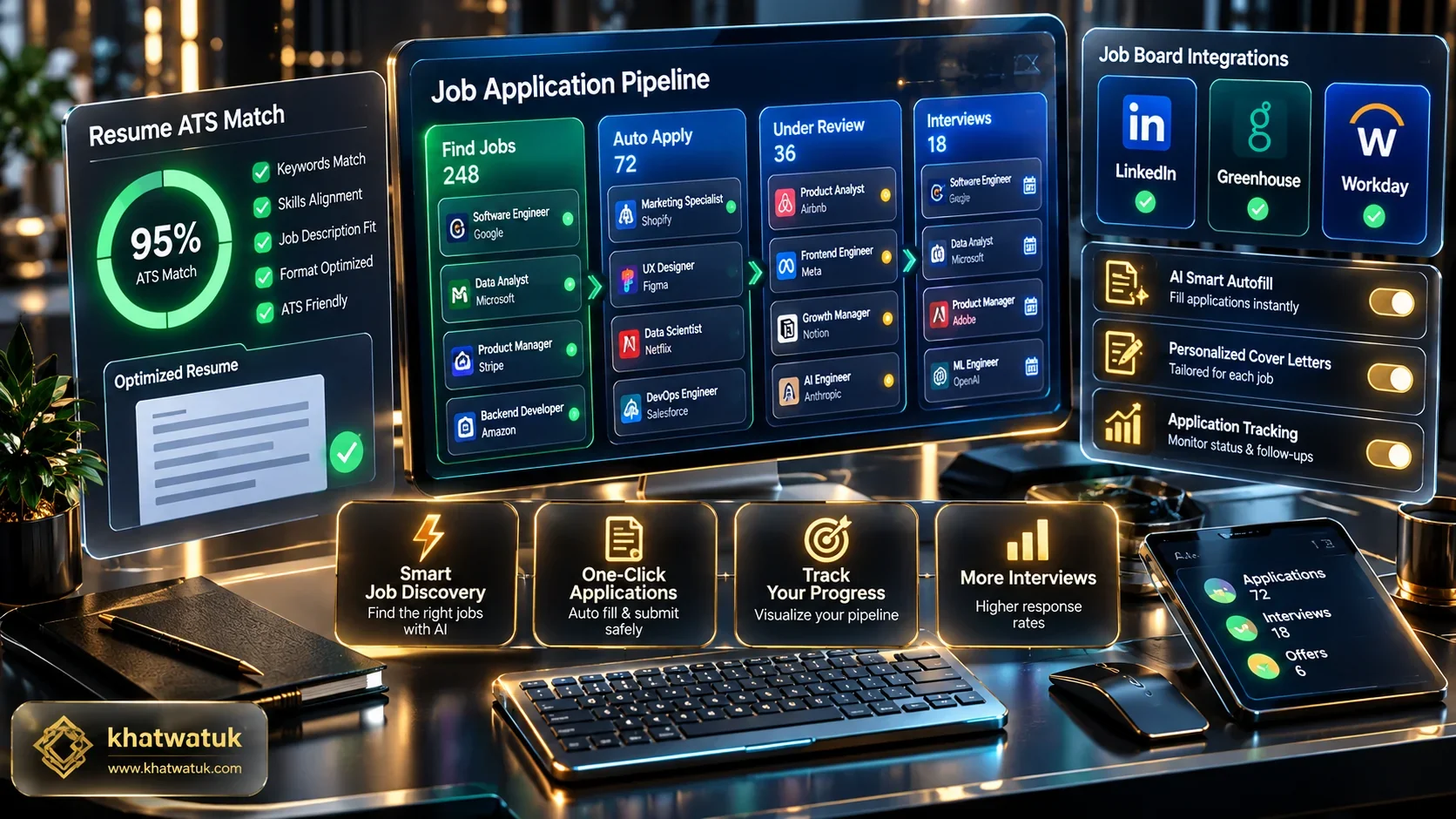
The 2026 Application Bottleneck: Why Manual Submissions Fail
Modern talent acquisition relies heavily on sophisticated candidate management stacks. Between custom demographic disclosures, work authorization questionnaires, and duplicate profile registrations, submitting manually to 10 enterprise openings can consume an entire working day.
This structural friction creates severe candidate burnout. By adopting intelligent automation tools, job seekers reclaim dozens of hours while optimizing their qualifications for corporate screening algorithms.
The Exhaustion of 45-Minute Enterprise Forms
Corporate applicant tracking portals like Workday and Taleo frequently force applicants to parse their resume and then manually re-type every job title, start date, and supervisor phone number across multiple disconnected pages.
This friction causes up to 60% of qualified talent to drop off mid-funnel. Smart browser autofill engines eliminate this manual drudgery completely by populating standard form fields in seconds.
Why Indiscriminate Bot Spamming Gets You Blacklisted
In reaction to form fatigue, some candidates deploy unmonitored scraping scripts that fire 500 applications overnight. This indiscriminate blast approach almost always backfires.
Enterprise recruiting teams use velocity triggers and keyword relevance thresholds that flag automated blasts. True application automation requires surgical precision rather than mindless spray-and-pray tactics.
The 3-Tier Architecture: How to Automate Job Applications Safely
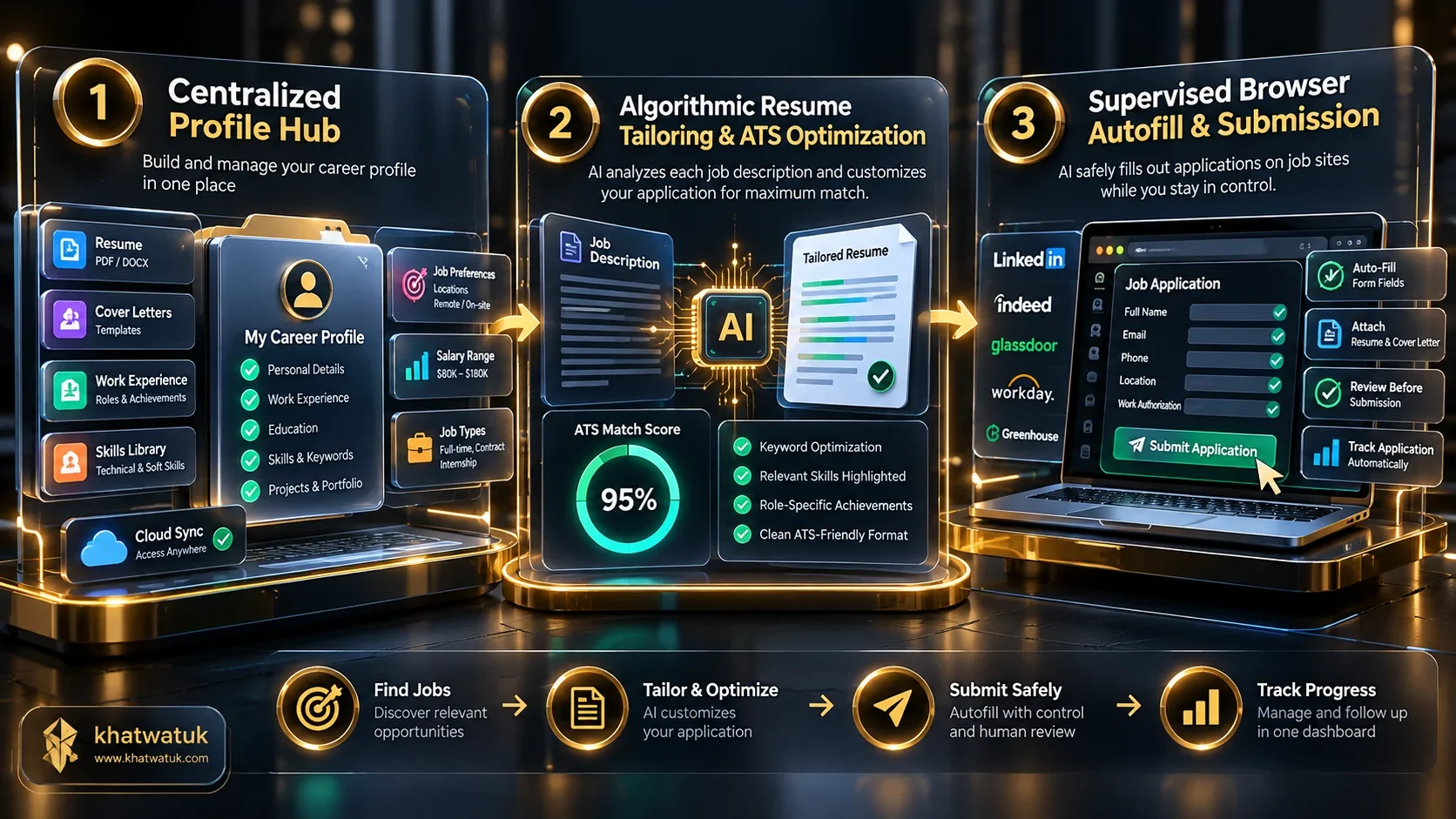
To achieve both speed and maximum interview conversion, high-performing job seekers operate within a structured three-tier automation pipeline.
Phase 1: The Centralized Candidate Profile Repository
The foundation of safe automation is a single verified database of your career history. Instead of re-entering employment details repeatedly, save your comprehensive achievements, salary requirements, and portfolio links in a dedicated career platform.
Having a centralized repository guarantees that every autofilled application pulls consistent, typo-free career data across every employer site.
Phase 2: Dynamic Resume and Keyword Alignment
Submitting an uncustomized resume rarely passes modern enterprise filters. Before submitting, run the target job description through an ATS optimization scanner to identify critical hard skills and certifications.
Tailor your bullet points so your match score reaches at least 80% before initiating form completion. For comprehensive resume building workflows, consult our guide on best AI resume builder in 2026 to ensure ATS compliance.
Phase 3: Supervised 1-Click Browser Autofill Across Portals
The final phase connects your tailored materials directly to corporate applicant tracking systems via specialized Chrome extensions. When landing on Greenhouse, Lever, or Workday, the extension populates standard fields instantly.
By keeping human eyes on the final review button, you verify that salary disclosures and custom questions match the employer context perfectly before submission.
Top 5 Tools to Automate Job Applications Compared
We tested leading automation platforms against real corporate applicant tracking portals. The comparison matrix below outlines pricing, automation models, and optimal candidate use cases.
| Tool Name | Automation Type | Key Strengths | Daily Submission Limit | Pricing Model |
|---|---|---|---|---|
| Teal | Supervised Copilot & Chrome Autofill | 1-click autofill across 50+ portals, built-in CRM tracker | No platform cap (User supervised) | Freemium / $9/wk - $29/mo |
| LazyApply | Autonomous High-Volume Bot | Automated applying on LinkedIn and Indeed | Up to 150/day (Configurable) | From $99 Lifetime |
| LoopCV | Algorithmic Match & Automated Loop | Automated email outreach & portal submission | 20 to 100/day by tier | From $49/month |
| Sonara | Autonomous Career Concierge | AI fills complex questionnaires automatically | 15 to 35/day curated | From $19.99/month |
| Jobscan | ATS Keyword Matcher & Application Assistant | Reverse-engineers ATS ranking filters | Manual pacing per job match | Freemium / $49.95/quarter |
Streamlining your workflow with the right platform saves countless hours while keeping your candidate profile safe from algorithmic penalties:
Review the profiles below to select the tool that best fits your job hunt style:
- Choose Teal if you want a free, human-in-the-loop Chrome copilot that organizes your job pipeline while autofilling applications safely across 50+ career portals.
- Choose LazyApply if you prioritize raw submission volume and want hands-free execution across LinkedIn Easy Apply and Indeed boards.
- Choose LoopCV if you need algorithmic matching with automated daily email and portal outreach loops.
- Choose Sonara if you want an autonomous career concierge that answers custom screening questionnaires on your behalf.
- Choose Jobscan if your primary priority is passing strict corporate ATS keyword scans before submitting your tailored resume.
Safe Daily Submission Limits: Avoiding Account Bans
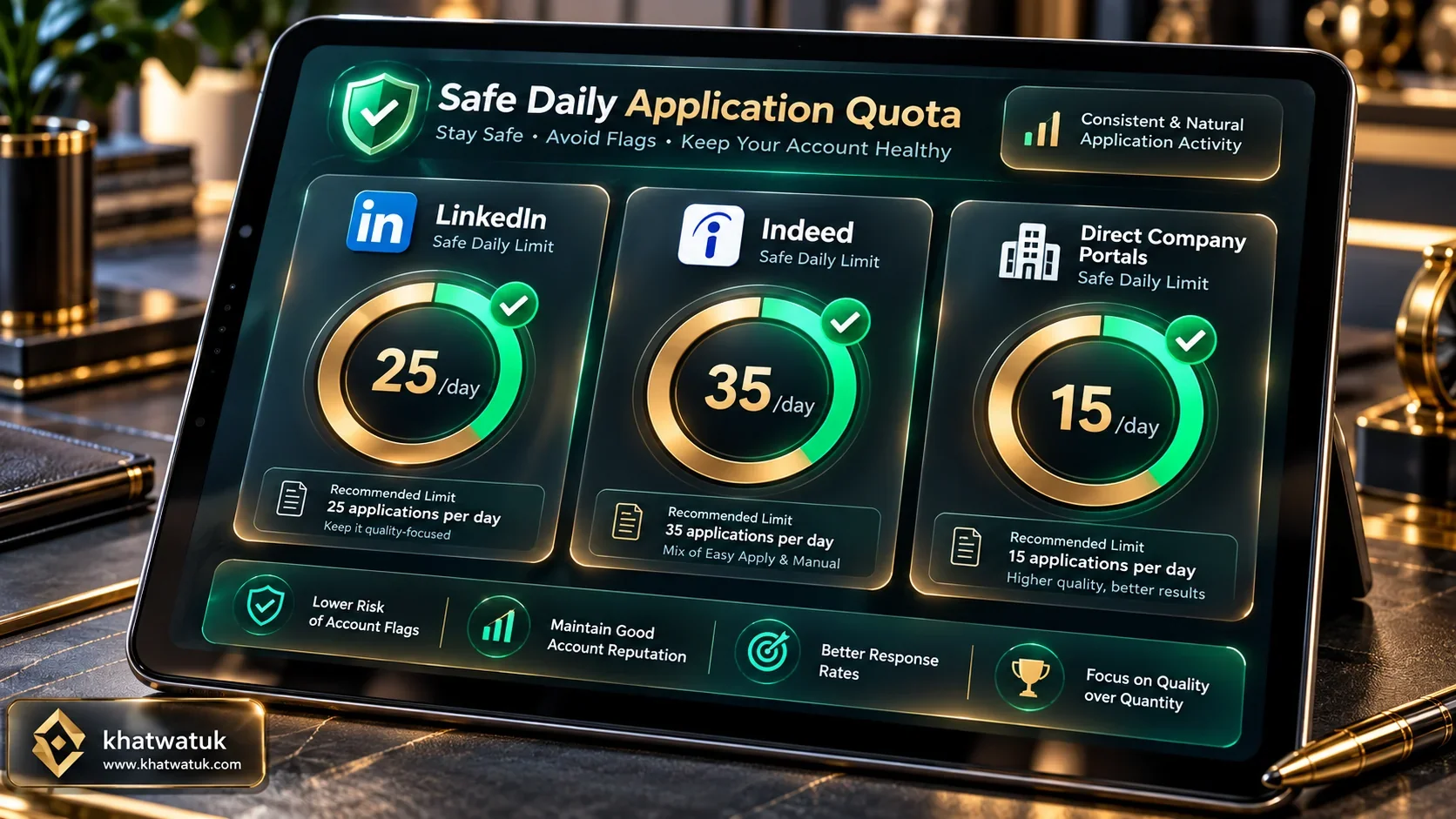
Career boards enforce strict rate limits to deter automated bots. Exceeding normal submission thresholds can trigger CAPTCHA challenges or temporary account freezes.

The table below details safe daily application ceilings across primary channels to protect your credentials:
| Job Portal / Channel | Safe Daily Limit | Risk Threshold | Enforcement Action |
|---|---|---|---|
| LinkedIn Easy Apply | 20 - 30 applications | > 50 per day | Account restriction or CAPTCHA loops |
| Indeed Direct Apply | 30 - 40 applications | > 70 per day | IP throttling and shadow-banning |
| Workday / Enterprise Portals | 15 - 20 applications | > 35 per day | ATS rejection flags on candidate records |
| Greenhouse / Lever Boards | 20 - 25 applications | > 45 per day | Automated candidate deduplication |
Handling Workday and Greenhouse Custom Questionnaires
Corporate forms frequently include unique screening prompts like legal eligibility, willingness to relocate, and compensation ranges. Autonomous bots often fail or submit generic answers here.
With supervised copilot extensions, pre-program your compensation expectations and work authorization answers into your profile to ensure prompt, error-free completion.
Edge Case Scenarios and Mistakes to Avoid
While automation provides unprecedented speed, careless execution creates glaring errors that recruiters spot immediately. Steer clear of these four frequent pitfalls:
- Leaving Unresolved Bracketed Placeholders: Submitting cover letters containing text like "[Insert Company Name]" guarantees an instant rejection.
- Ignoring Match Relevance Scores: Firing automated applications for roles where you match less than 50% of core qualifications exhausts your daily limits fruitlessly.
- Exceeding Daily Portal Velocity Limits: Applying to 100 roles in two hours triggers platform anti-scraping flags and can lock your LinkedIn profile.
- Skipping the Final Form Audit: Failing to glance through autofilled fields before clicking submit can lead to mismatched address formats or transposed salary fields.
Step-by-Step Tutorial: Submitting Your First Automated Application
Follow this structured 15-minute tutorial to execute your first high-converting automated job submission safely.
1. Ingesting Job Descriptions into Your Keyword Engine
When you identify an open role on LinkedIn or a company careers page, bookmark it using your career assistant extension. The tool extracts hard skills, required software proficiencies, and experience prerequisites.
This structured data ingestion feeds directly into your ATS keyword optimizer, highlighting exactly which phrasing to feature prominently in your resume.
2. Validating Match Scores Above 80%
Before filling the application form, cross-reference your resume against the target description in Jobscan. Make sure your match score surpasses 80% to clear automated enterprise filters.
Once your resume matches the opening requirements, export the clean ATS-friendly PDF file to your desktop.
3. Reviewing Form Fields Before Final Submission
Navigate to the corporate portal application page and click your autofill copilot icon. In 3 seconds, your contact info, work history, education, and social links are filled.
Perform a 20-second visual scan to verify all custom questionnaire responses and demographic disclosures. Click submit with full confidence in a tailored, professional application.
Explore Related AI Career & Job Application Guides
Frequently Asked Questions (FAQ)
Here are answers to the most common questions regarding how to automate job applications safely and effectively:
Can employers detect when you automate job applications?
Employers cannot detect supervised browser copilot autofill because the data is entered directly through client-side browser events. However, unmonitored mass-apply bots can be detected through inhuman submission speeds, identical generic resumes, and high-frequency IP traffic.
Does LinkedIn ban accounts for using automated application extensions?
LinkedIn actively monitors automated scraping behavior. Supervised tools like Teal that operate as workflow copilots comply with user guidelines, but hands-free scraping bots submitting over 50 applications daily can trigger temporary restrictions or CAPTCHA verification challenges.
What is the safest tool to automate job applications in 2026?
The safest tool stack combines Teal for supervised browser copilot form autofill and job tracking with Jobscan for ATS keyword match auditing. This hybrid approach keeps you in total control while eliminating manual data entry.
How many jobs should I apply to per day with automation?
The optimal target is 15 to 25 highly tailored applications daily across corporate portals and LinkedIn. Submitting more than 50 applications daily triggers platform rate limits and dilutes your quality focus.
Can AI automate writing custom cover letters for each job?
Yes, modern AI career assistants can generate tailored cover letters based on the target job requirements and your background. You should always review the draft to ensure factual accuracy and a natural personal tone.
Is an automated application bot better than a manual application?
A supervised copilot workflow is vastly superior to pure manual data entry and unmonitored bots alike. It delivers 90% time savings while preserving the bespoke resume customization necessary to impress hiring managers.
How do Applicant Tracking Systems (ATS) handle automated applications?
Applicant tracking systems do not disqualify candidates simply because an autofill extension entered their information. They evaluate parsed text structure, relevant qualifications, and keyword match scores against the role requisitions.
What is the biggest mistake candidates make when automating job applications?
The biggest mistake is firing off unreviewed AI applications with bracketed placeholders, inaccurate years of experience, or low match scores. Always combine AI speed with a 20-second human verification before hitting submit.
