

When comparing invideo vs pictory for automated AI video creation, the decisive winner depends on your starting material. InVideo AI is the superior choice for creating complete YouTube videos from scratch using natural language text prompts and rich stock b-roll.
For an overarching comparison across all video production tools, consult our best AI video generator guide.
Meanwhile, Pictory leads the industry in repurposing existing long-form content by converting blog posts, Zoom recordings, and podcasts into short, caption-rich clips.
⚡ Quick Verdict: InVideo vs Pictory at a Glance
- Overall Winner for Prompt-to-Video & YouTube Automation: InVideo AI (Score: 9.5/10) - Generates complete structured rough cuts from a simple prompt with intelligent scene pacing and conversational prompt adjustments.
- Overall Winner for Long-Form Repurposing & Blog-to-Video: Pictory (Score: 9.3/10) - Seamless URL scraping to convert articles into video summaries, plus automated transcript-based webinar and podcast highlight extraction.
- Winner for Voiceover Quality & Realism: InVideo AI - Direct ElevenLabs integration delivers lifelike emotional modulation, human breathing pauses, and natural vocal timbre.
- Winner for Subtitling Styles & Text Trimming: Pictory - Highly dynamic, karaoke-style animated captions with one-click filler word removal directly from transcripts.
- Winner for Stock Media Variety: InVideo AI - Access to 16M+ premium assets from iStock, Shutterstock, and Storyblocks compared to Pictory Getty Images library.
- Winner for Mobile Editing Agility: InVideo AI - Full-featured iOS and Android mobile applications allowing video generation on the go.
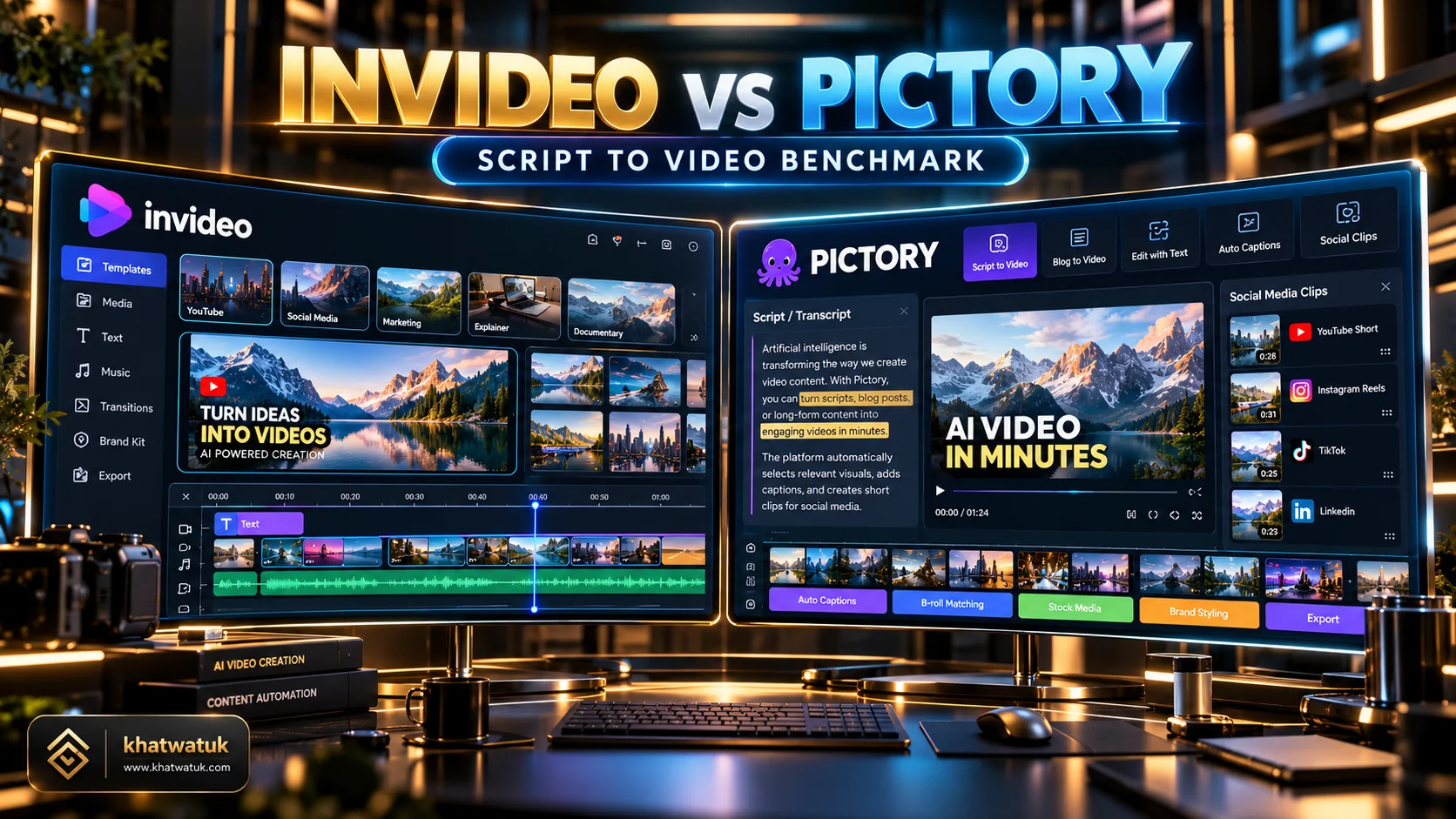
InVideo vs Pictory: The Two Philosophies of Automated Video AI
The explosion of short-form video on TikTok, YouTube Shorts, and Instagram Reels has forced creators and marketing teams to produce high volumes of visual content at breakneck speed. Traditional video editing workflows—manually sifting through stock libraries, synchronizing audio waveforms, and animating title cards—simply cannot scale.
In response, script-to-video artificial intelligence platforms have emerged to automate rough cut assembly.
When evaluating pictory vs invideo, creators frequently assume these tools are interchangeable. However, our rigorous laboratory testing reveals two fundamentally different product architectures tailored to opposing starting points:
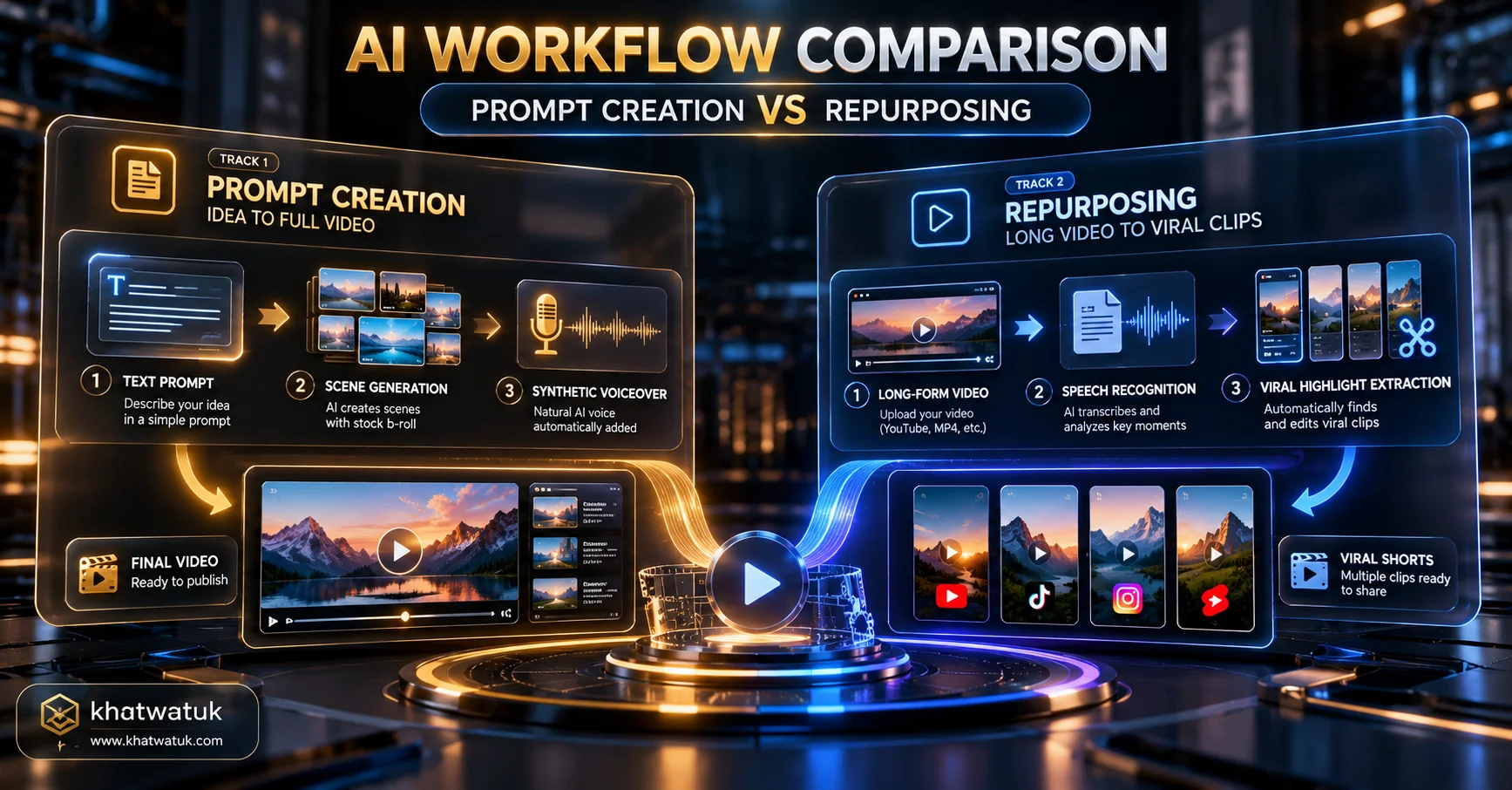
- InVideo AI (The Generative Director): InVideo is architected for creators starting from a blank page or a raw concept. You feed it a prompt—such as "Create an 8-minute documentary on the history of space exploration with an authoritative tone"—and InVideo acts as an automated director. It writes the script, segments scenes, pairs each sentence with contextual stock footage from iStock, adds an AI voiceover, overlays subtitles, and renders a ready-to-publish video in minutes.
- Pictory (The Repurposing Engine): Pictory is architected for content teams that already possess extensive written or recorded material. Rather than generating scripts from scratch, Pictory excels at extracting value from existing assets. It scrapes blog posts via URL to create summarized video teasers, and ingests multi-hour webinar recordings to automatically isolate bite-sized highlight clips with karaoke-style subtitles.
Neither platform is intended to replace studio digital avatar platforms (like HeyGen or Synthesia, compared in our HeyGen vs Synthesia teardown) or non-linear editors (covered in our guide to the best ai video editor suites).
Instead, InVideo and Pictory specialize in rapid stock b-roll assembly and script automation.
Script-to-Video Generation: InVideo AI Prompts vs Pictory Article-to-Video
To benchmark script-to-video fidelity, we ran both platforms through identical stress tests: generating a 3-minute video on 'The Future of Renewable Energy' and converting a 1,200-word published blog post into a concise video summary.
Here is how pictory ai vs invideo performed in real-world creative execution.
InVideo AI: Conversational Magic and Iterative Prompting
InVideo AI greatest triumph is its natural language prompt box. When InVideo generates an initial rough cut, you do not need to manually slice timeline clips if something looks off.
Instead, you can type conversational commands into the AI assistant: 'Change the voiceover to an energetic American male', 'Delete scene 4 and make the intro more dramatic', or 'Replace the stock footage in scene 2 with modern solar panel farms'.
InVideo AI re-indexes the project and applies these modifications in seconds without disrupting audio-video alignment. Furthermore, if you prefer surgical control, InVideo provides an advanced multi-track timeline editor where you can adjust text animations, swap stock footage from iStock, and mix background audio tracks manually.
Pictory: The King of Blog-to-Video URL Scraping
Where Pictory shines is its effortless text extraction. By pasting a live blog post URL into Pictory's 'Article to Video' module, the platform automatically parses the HTML, filters out navigation headers and ads, and uses natural language processing to extract the most impactful sentences.
You can use an AI summary slider to specify whether you want a short 30-second teaser or a detailed 3-minute overview.
Once summarized, Pictory creates a scene-by-scene storyboard, assigning relevant stock video clips from Storyblocks and Getty Images based on semantic keywords. However, editing in Pictory is strictly text-based: you cannot use conversational prompt adjustments like InVideo, nor does Pictory offer a traditional multi-layer video timeline.
Master Head-to-Head Comparison Matrix: Features, Voices & Stock Libraries
To determine which platform delivers superior workflow efficiency, we compiled our comprehensive Khatwatuk Laboratory benchmark matrix comparing InVideo AI and Pictory across 10 critical operational dimensions.
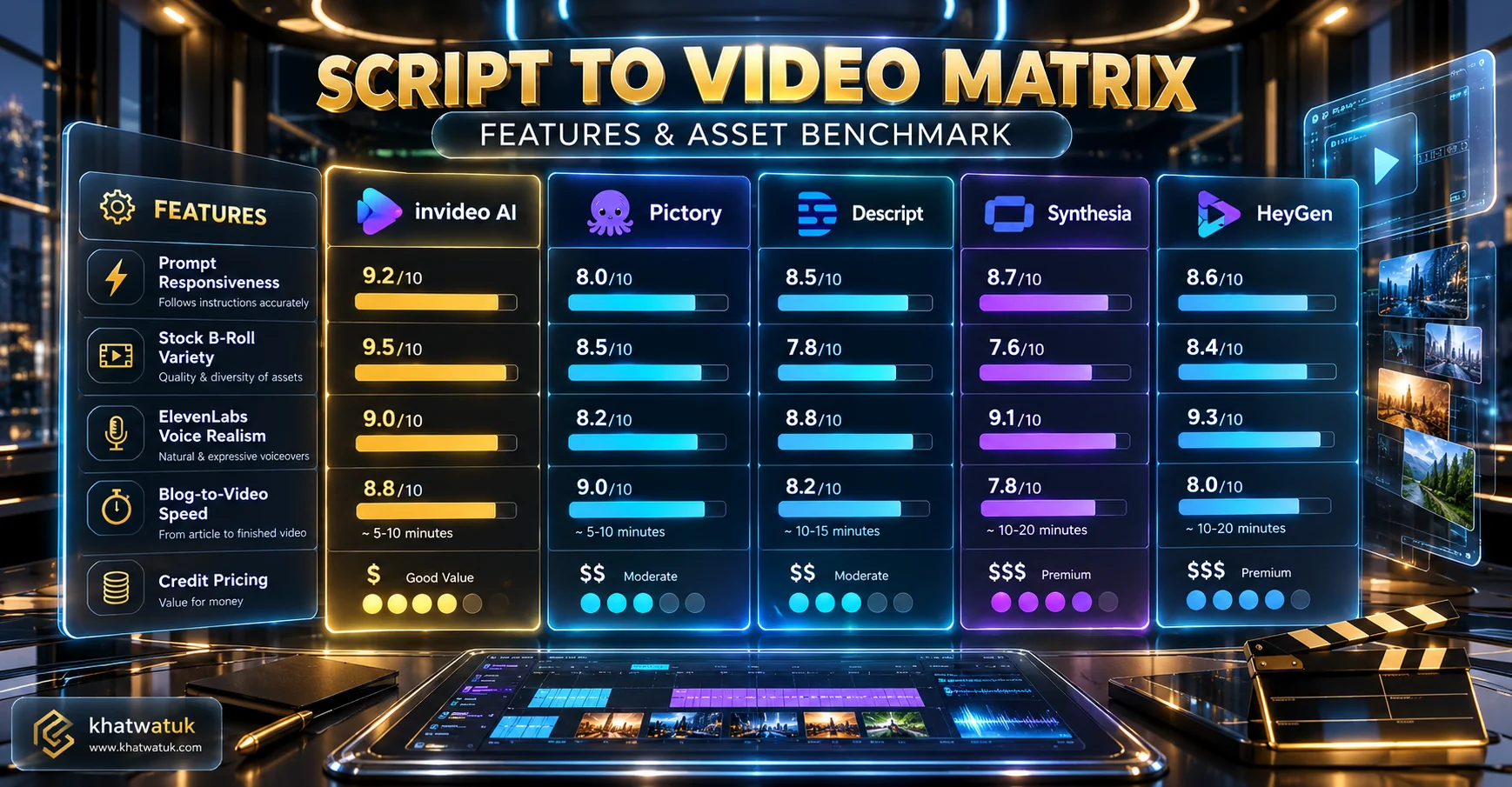
| Feature Dimension | InVideo AI (Lab Score: 9.5/10) | Pictory (Lab Score: 9.3/10) | Category Winner |
|---|---|---|---|
| Primary Architecture | Generative prompt-to-video with conversational AI editing | Content repurposing, URL scraping, and transcript-based slicing | Tie (Use Case Dependent) |
| Prompt-to-Script AI | Full script, title, description, and scene layout from single prompt | Requires pre-written script or article URL paste | InVideo AI (Decisive) |
| Stock Footage Catalog | 16M+ assets from iStock, Shutterstock, and Storyblocks | 10M+ assets from Getty Images and Storyblocks | InVideo AI (Volume) |
| AI Voiceover Quality | ElevenLabs neural integration with lifelike pacing and tone | Clear but robotic standard neural text-to-speech voices | InVideo AI (Realism) |
| Blog-to-Video Scraping | Supports script generation from URLs with basic summarization | Deep HTML parsing, automatic key sentence extraction, and summary slider | Pictory (Decisive) |
| Long Video Repurposing | Manual clip trimming and timeline splitting | Automatic highlight detection, transcription trimming, filler word removal | Pictory (Superpower) |
| Caption & Subtitle Styling | Standard animated text overlays and customizable font presets | Viral karaoke-style animated captions with word-by-word highlights | Pictory (Captions) |
| Timeline Control | Full advanced multi-track timeline editor (audio, b-roll, text layers) | Scene-based storyboard only; no multi-track timeline | InVideo AI (Flexibility) |
| Mobile Application | Dedicated iOS and Android mobile apps for prompt creation | Web browser desktop interface only | InVideo AI (Mobile) |
| Starting Price (Annual Billing) | $20 / month (50 min/mo AI generation) | $19 / month (30 video projects/mo) | InVideo AI (Value) |
Audio, Voiceovers & Captioning: ElevenLabs Realism vs Automatic Subtitles
A script-to-video production is only as compelling as its voiceover. Viewers can forgive minor stock footage mismatches, but robotic, monotone voice narration immediately signals spam and drives bounce rates through the roof.
In this category, InVideo AI achieves a decisive victory thanks to its direct integration with ElevenLabs, the reigning gold standard in neural voice synthesis.
When you generate a video in InVideo AI, you can select from dozens of ultra-realistic human voices with distinct accents (American, British, Australian, South African) and vocal personalities (documentary narrator, enthusiastic marketer, thoughtful educator).
The voices feature natural respiratory pauses, subtle pitch micro-variations, and appropriate emotional emphasis that sound virtually indistinguishable from professional voice actors.
Pictory, by contrast, relies on standard cloud text-to-speech engines. While Pictory voices are clear and enunciate syllables properly, they lack emotional dynamism and sound noticeably synthetic. However, Pictory compensates with industry-leading caption styling.
It automatically generates dynamic word-by-word highlighted captions (the famous 'Alex Hormozi style') that keep mobile viewers locked into silent social feeds.
Long-Form Video Repurposing: Slicing Webinars & Podcasts into Viral Clips
While InVideo AI is built for generative creation, Pictory core superpower is repurposing. For podcasters, coaches, B2B marketers, and course creators sitting on hours of recorded video footage, Pictory functions as an automated clipping assistant:
- Automatic Highlight Extraction: You upload a 60-minute Zoom call or YouTube podcast video. Pictory transcribes the entire dialogue in under 3 minutes, then utilizes NLP models to score sentences based on emotional resonance and key takeaways, recommending 5 to 10 viral short clips automatically.
- Transcript-Based Trimming: Editing long videos in Pictory is as simple as editing a Microsoft Word document. If a speaker stumbles or says 'um' or 'ah', you simply delete the text from the transcript, and Pictory slices out the corresponding video frames automatically without touching a timeline razor tool.
- Smart 9:16 Aspect Ratio Reframing: Pictory automatically tracks the active speaker in horizontal footage and reframes them into a centered vertical 9:16 format optimized for TikTok and Instagram Reels.
InVideo AI vs Pictory Pricing: Credit Costs, Watermarks & Export Limits
Evaluating invideo ai vs pictory pricing requires understanding how both platforms measure usage: InVideo prices by generation minutes, whereas Pictory prices primarily by video projects.
For avatar presentations, see our Synthesia vs InVideo review, or check out Opus Clip alternatives for viral social shorts.
| Plan & Tier | Billed Annually | Generation / Project Allowance | Stock Media Access | Voiceover Engine |
|---|---|---|---|---|
| InVideo AI Plus | $20 / month | 50 minutes / month AI video generation | Standard iStock & Storyblocks | ElevenLabs Realistic Voices |
| Pictory Standard | $19 / month | 30 videos / month (up to 10 min each) | Standard Storyblocks assets | Standard Neural Voices |
| InVideo AI Max | $48 / month | 200 minutes / month AI video generation | Full Premium iStock (320/mo) | Voice Cloning Integration |
| Pictory Premium | $39 / month | 60 videos / month (up to 20 min each) | Full Getty Images Library | Extended AI Voices & Dubbing |
Practical Selection Guide: Which Script-to-Video AI Should You Choose?
Choosing the best script to video ai 2026 depends fundamentally on whether your business model focuses on generating new video topics or maximizing ROI from existing digital content.
Choose InVideo AI If:
- You run faceless YouTube automation channels or produce explainer videos from text prompts.
- You require hyper-realistic human voiceovers powered by ElevenLabs with authentic emotional tone.
- You value iterative conversational prompt editing to adjust scenes without manual splicing.
- You need a multi-track timeline editor for fine-grained manual adjustments when desired.
- You want to produce videos from mobile devices using dedicated iOS and Android applications.
Choose Pictory If:
- You already publish blog articles and want to automatically turn web page URLs into summary videos.
- You record webinars, Zoom coaching calls, or podcasts and need to extract viral short clips automatically.
- You prioritize karaoke-style animated captions and one-click filler word removal directly from transcripts.
- You prefer a simple, streamlined storyboard interface with zero multi-track timeline complexity.
- You manage corporate content pipelines integrating with modern automation tools (explore our guide to best ai automation tools).
Frequently Asked Questions (FAQ)
Is InVideo better than Pictory for YouTube videos?
Yes. InVideo AI is decisively better for creating complete YouTube videos from scratch. It generates comprehensive video scripts from a single text prompt, matches relevant premium b-roll from its 16M+ stock library, adds realistic human voiceovers powered by ElevenLabs, and allows iterative conversational prompt editing.
How does InVideo vs Pictory pricing compare?
InVideo AI starts at $20 per month (Plus plan billed annually) providing 50 minutes of AI video generation per month. Pictory starts at $19 per month (Standard plan billed annually) allowing you to create 30 video projects per month.
InVideo delivers superior minute-for-dollar value for active creators producing long-form video content.
Which tool is better for turning blog posts into videos?
Pictory is the recognized market leader for converting blog posts and text URLs into videos. Its Article-to-Video engine scrapes web pages directly, intelligently summarizes key sentences, and automatically builds structured video scenes with contextual stock clips and animated subtitles.
Does InVideo AI or Pictory offer better voiceovers?
InVideo AI offers vastly superior voiceovers through its native ElevenLabs neural voice synthesis integration, delivering authentic vocal warmth, emotional pacing, and natural human inflections. Pictory provides standard text-to-speech voices that are clear and serviceable, but sound noticeably more mechanical.
Can Pictory turn long Zoom webinars into short clips?
Yes. This is Pictory's signature feature. You can upload an hour-long Zoom recording, podcast video, or webinar, and Pictory will transcribe the dialogue, highlight the most engaging moments using AI, and automatically cut multiple vertical 9:16 short-form clips with animated captions.
Is InVideo AI completely free to use?
InVideo AI offers a free plan that grants 10 minutes per week of AI video generation. However, free exports carry visible InVideo watermarks and limit stock media access. Removing watermarks and accessing premium iStock footage requires upgrading to the Plus plan.
What are the best alternatives to InVideo and Pictory?
The top alternatives to InVideo and Pictory include Descript (best for timeline text-based video and audio editing), CapCut Pro (best for mobile and TikTok viral video automation), and Runway (best for generative VFX and AI video diffusion).
Does InVideo or Pictory have better stock footage libraries?
InVideo AI possesses a larger and more varied stock footage catalog, boasting over 16 million royalty-free assets aggregated from iStock, Shutterstock, and Storyblocks. Pictory partners primarily with Getty Images and Storyblocks, which is excellent but slightly less diverse for niche topics.
