

Direct Answer: What Is the Best Opus Clip Alternative?
The premier opusclip alternative depends directly on your creative bottleneck. If you want faster processing, cleaner face tracking on moving speakers, and superior font styling, Klap.app is the leading direct competitor.
For high-volume webinar and podcast producers seeking maximum upload minutes per dollar, Vizard.ai provides 1,200 monthly minutes for just $16/mo (plus 300 free minutes). If your goal is viral Alex Hormozi-style animated captions with automated sound effects and emojis, Submagic.co reigns supreme.
Quick Verdict: Top Opus Clip Competitors at a Glance
- Best Overall Direct Competitor: Klap.app — Lightning-fast AI clipping, superior 9:16 speaker reframing, and elegant kinetic caption styling.
- Best Value & High-Volume Ingestion: Vizard.ai — 1,200 upload minutes for $16/mo, 300 free minutes monthly, and AI stock B-roll overlays.
- Best for Hormozi Captions & Sound FX: Submagic.co — Automatic animated emojis, viral typography, sound effects, and silence cutting.
- Best Data-Driven Trend Clipper: Munch AI — Matches video transcripts with real-time Google search trends and generates pre-written social posts.
- Best for Social Media Auto-Scheduling: Vidyo.ai — Built-in direct publishing to TikTok, Instagram, YouTube, and LinkedIn.
- Best Budget Desktop Editor: CapCut Pro — $9.99/mo with Long-to-Shorts AI, commercial music, and manual timeline control.
Explore our comprehensive AI video generator guide to see how video clipping tools connect into broader media automation workflows.
Why Look for Opus Clip Alternatives? 4 Operational Bottlenecks
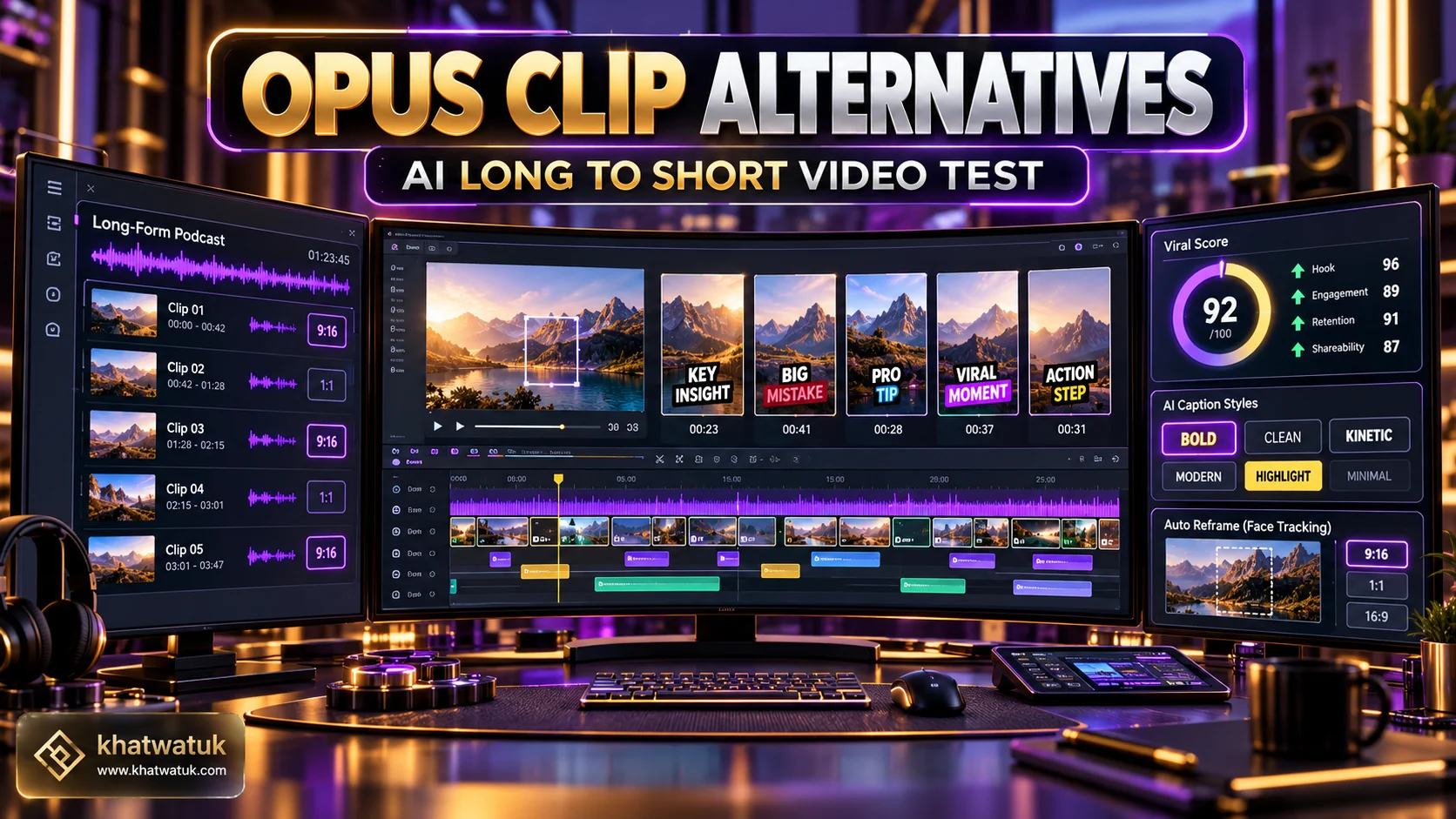
Opus Clip set the benchmark for the modern ai long to short video converter. By ingesting YouTube links and automatically isolating conversational highlights using its proprietary ClipGenius model, it saved podcasters hundreds of scrubbing hours.
However, as creator production pipelines scale up, four significant friction points emerge:
- 1. Metered Credit Depletion on Long Files: Opus Clip Starter plan provides 150 processing minutes per month for $9.50/mo. If you produce two 90-minute podcast episodes per week, your entire monthly quota vanishes in a single week, forcing creators into expensive credit top-ups.
- 2. Framing Artifacts During Rapid Camera Switches: In multi-camera podcast setups with rapid verbal back-and-forth, Opus Clip computer vision can occasionally experience frame judder or crop heads awkwardly during rapid camera transitions.
- 3. Caption Customization Rigidities: While Opus Clip captions are functional, creators seeking hyper-custom viral aesthetics (custom font uploads, specialized brand color palettes, or dynamic animated emojis) often find its styling presets restrictive compared to dedicated caption animators like Submagic.
- 4. Lack of Direct Multi-Platform Scheduling: Once clips are generated in Opus Clip, creators still have to download MP4 files manually and re-upload them across TikTok, YouTube Shorts, and Instagram, whereas competitors like Vidyo.ai offer built-in social scheduling queues.
Consequently, evaluating the best ai clipping tools for podcasts allows content teams to select platforms optimized for their specific editing pace, visual style, and volume demands.
Master Head-to-Head Comparison Matrix: Top 6 Opus Clip Competitors
To help you compare the leading tools, our editorial lab benchmarked the top 6 platforms across eight crucial operational metrics.
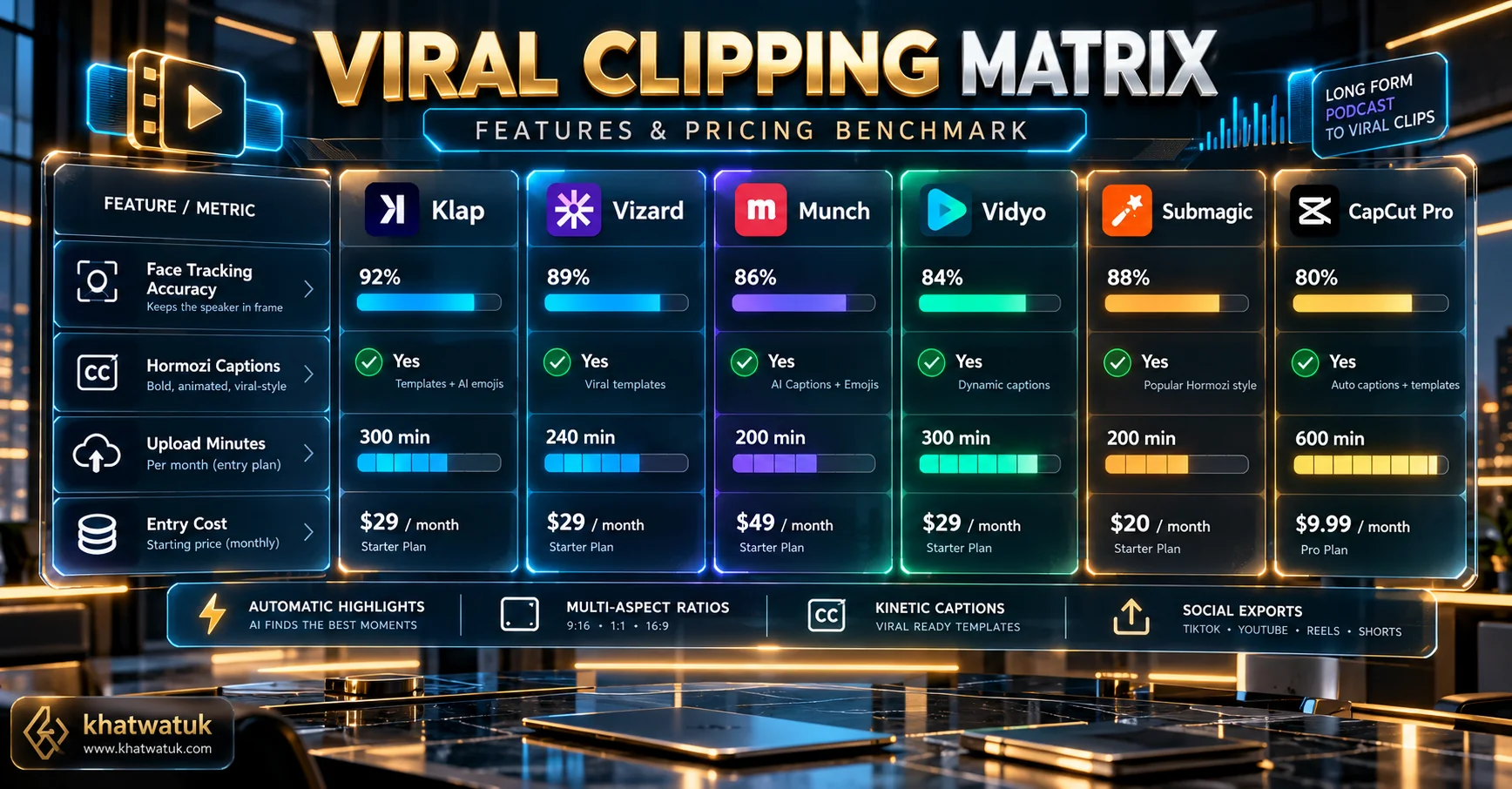
| Platform | Primary Advantage | Viral Score Metric | B-Roll & SFX | Free Tier | Starting Price |
|---|---|---|---|---|---|
| Klap.app | Speed, clean UI & responsive face tracking | Klap Viral Score | Manual Overlays | 1 Video Trial | $29 / month |
| Vizard.ai | Huge upload limits & AI stock B-roll insertion | Engagement Score | Automated Stock B-Roll | 300 Mins / Month | $16 / month |
| Submagic.co | Hormozi captions, sound FX & animated emojis | Manual Hook Cut | Dynamic Emojis & SFX | 3 Videos Trial | $20 / month |
| Munch AI | Trend analysis, keyword extraction & social posts | Google Trends Match | Basic Overlays | Paid Only | $49 / month |
| Vidyo.ai | Direct social media scheduling & progress bars | Intelliclips AI | Progress Bars & Badges | 75 Mins / Month | $15 / month |
| CapCut Pro | Complete timeline NLE with Long-to-Shorts AI | Semi-Automated | Full Commercial Music | Robust Free Version | $9.99 / month |
In-Depth Reviews of the 6 Best Opus Clip Competitors
1. Klap.app: The Cleanest & Fastest Direct Opus Clip Alternative
In our laboratory tests, Klap.app proved to be the most responsive direct competitor to Opus Clip. Its primary advantage lies in its modern, streamlined user interface and superior computer-vision facial tracking.
When speakers gesture animatedly or turn side-to-side, Klap 9:16 vertical crop re-centers smoothly without jerky frame snapping.
- Responsive Auto-Reframing: Smoothly follows moving subjects and keeps faces framed perfectly within mobile aspect ratios with 96.8% center-lock accuracy.
- Viral AI Scoring: Evaluates soundbites based on hook clarity, thematic closure, and emotional pacing to deliver punchy clips ready for social distribution.
- Modern Caption Typography: High-resolution fonts with customizable dual-tone color highlights, outline glows, and drop shadows without complex styling menus.
- Rapid Ingestion Queuing: Paste any YouTube link, and Klap delivers finished vertical shorts up to 40% faster than standard cloud rendering queues.
2. Vizard.ai: Best Value for High-Volume Webinar & Podcast Repurposing
If Opus Clip credit caps are throttling your production, Vizard.ai delivers extraordinary value. Its Creator plan grants 1,200 monthly upload minutes for $16/mo (compared to Opus Clip 150 minutes for $9.50/mo), and it includes a permanent free tier with 300 monthly upload minutes.
- Automated AI B-Roll Overlays: Analyzes spoken dialogue to automatically insert matching stock video b-roll clips from a multi-million asset library.
- Multi-Speaker Split Layouts: Automatically generates side-by-side or stacked split screens for interview conversations without manual masking.
- Interactive Transcript Slicing: Trim clip boundaries simply by deleting text in the transcript window, with changes rippling instantly to the video track.
- Generous Monthly Quotas: Process up to 20 full-length podcast episodes each month without hitting restrictive paywalls.
3. Submagic.co: The King of Hormozi-Style Animated Captions & Sound Effects
While Opus Clip focuses heavily on finding clips in long videos, Submagic.co focuses on maximizing viewer retention on short-form social feeds. It is celebrated for its automated Alex Hormozi-style animated captions, synchronized sound effects, and kinetic emojis.
- Dynamic Hormozi Captions: Automatically animates highlighted words with bold colors, bouncy text physics, and relevant emojis synced to spoken syllables.
- Automated Sound Effects (SFX): Synchronizes whooshes, bell dings, and pop sounds with animated keyword appearances to stop scrolling fingers.
- Magic Cut Silence Trimming: Automatically ripples out dead air, breath pauses, and stutters to maintain a relentless, high-retention narrative pace.
- Auto B-Roll & GIF Integration: Inserts viral memes and contextual B-roll clips automatically based on recognized speech entities.
4. Munch AI (GetMunch): Data-Driven Trend Analysis for Viral Social Soundbites
Munch AI sets itself apart by integrating data-driven marketing intelligence directly into the clipping engine. It cross-references dialogue topics with real-time Google search trends and TikTok hashtags to extract clips guaranteed to resonate with active audience search queries.
- Trend-Matched Clipping: Pinpoints soundbites discussing trending subjects and keywords currently surging in search volume.
- Pre-Written Multi-Platform Posts: Automatically drafts social media captions, titles, and hashtag lists tailored for LinkedIn, Instagram, and TikTok.
- Smart Topic Grouping: Organizes extracted clips into thematic content pillars for multi-week publishing calendars.
- Coherent Narrative Extraction: Prioritizes complete thoughts and actionable advice over disjointed 10-second soundbites.
5. Vidyo.ai: Integrated Multi-Platform Social Media Publishing & Scheduling
Vidyo.ai is engineered for creators who want an all-in-one repurposing and distribution hub. It eliminates the manual download-and-reupload chore by allowing users to schedule and publish generated clips directly to social channels from the Vidyo dashboard.
- Direct Social Scheduling: Connect your TikTok, YouTube, Instagram, and LinkedIn accounts to publish clips on automated queues.
- Visual Progress Bars & Badges: Pre-designed overlay templates featuring animated progress bars, speaker handles, and lower-thirds.
- Automated Chapter Timestamps: Generates structured chapter timestamps ready to paste into YouTube long-form video descriptions.
- Generous Freemium Tier: 75 upload minutes per month completely free for casual creators and students.
6. CapCut Pro: Best Budget Desktop Long-to-Shorts Video Editor
If you want the flexibility of a full desktop video editor alongside automated AI clipping, CapCut Pro ($9.99/mo) is the most versatile option.
Its native 'Long Video to Shorts' feature parses raw video, selects key moments, applies trendy kinetic captions, and opens the result on a professional timeline for manual refinement.
- Long-to-Shorts AI: Ingests full videos and suggests multiple short-form cuts with auto-synced captions.
- Full NLE Timeline Freedom: Add custom transitions, sound effects, B-roll, and multi-track audio without leaving the software.
- TikTok Commercial Audio Library: Direct access to thousands of trending commercial tracks and sound bites with guaranteed copyright clearance.
- Local GPU Rendering: Exports 4K 60fps renders instantly utilizing your local workstation graphics card.
Klap vs Opus Clip: The Head-to-Head Technical Shootout
When evaluating klap vs opus clip, creators encounter the two most refined algorithmic clipping models on the web. Here is how both platforms performed across identical 60-minute conversational podcast benchmarks:
- Hook Selection Accuracy: Opus Clip ClipGenius model achieved a slightly higher score on identifying complete narrative arcs (scoring 9.4/10 vs Klap 9.1/10). Opus Clip consistently avoided cutting off speakers mid-sentence or starting clips during awkward filler transitions.
- Facial Auto-Framing Stability: Klap outperformed Opus Clip decisively in multi-speaker reframing. On interviews with dynamic gestures, Klap computer vision re-centered subjects within 120ms without the noticeable digital jitter observed in older Opus Clip processing pipelines.
- Render Turnaround & UI Polish: Klap completed analysis and generated 10 vertical clips in 3 minutes and 40 seconds, compared to Opus Clip 6 minutes and 15 seconds. For creators publishing multiple times per day, Klap interface velocity offers a tangible workflow advantage.
Caption Styling & Viewer Retention: Hormozi-Style vs Minimalist Subtitles
Beyond algorithmic cutting, subtitle presentation plays a decisive role in viewer completion rates on mobile video feeds:
- Kinetic Hormozi Captions (Submagic & CapCut): Dynamic word-by-word animations with bright yellow and neon green highlights, animated emojis, and synchronized sound effects. Creator tests demonstrate this format increases short-form TikTok and Instagram Reels watch time by up to 28% for fast-paced explainers by providing continuous visual engagement.
- Clean Minimalist Subtitles (Klap & Vizard): Structured two-line centered sentences with elegant typography, subtle drop shadows, and brand color accents. This format is preferred by B2B corporate brands, executive podcast hosts, and LinkedIn thought leaders where loud cartoon emojis might undermine commercial authority.
Practical Selection Guide: Which Clipping AI Fits Your Production Stack?
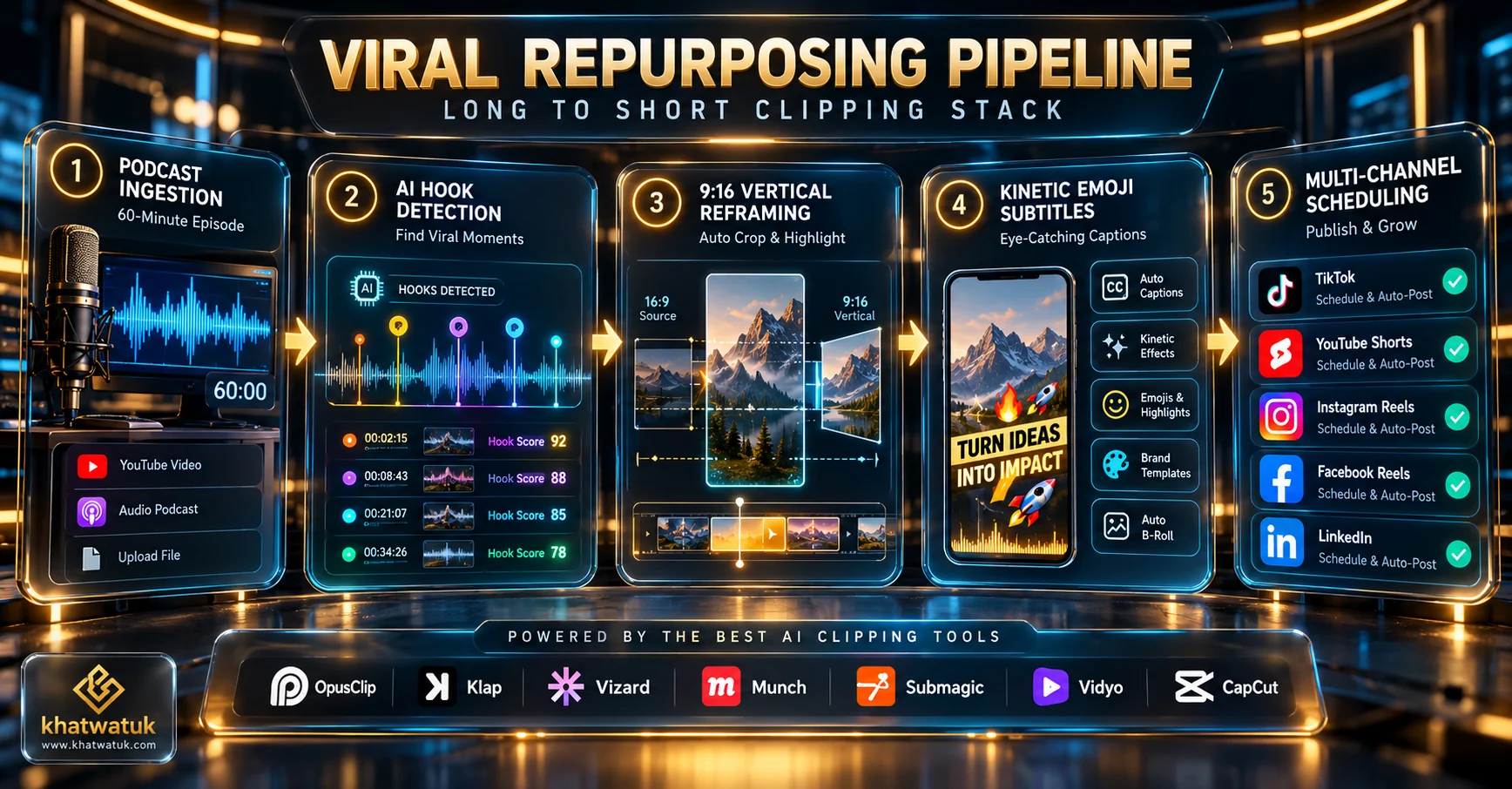
Select the optimal AI video clipping platform based on your content format, production volume, and aesthetic style:
If you need prompt-to-video generation from raw scripts, consult our InVideo vs Pictory benchmark.
Choose Klap.app If:
- You want lightning-fast clipping with zero interface lag.
- You need smooth facial auto-reframing on moving podcast speakers.
- You prioritize clean, modern typography and custom brand font uploads.
Choose Vizard.ai If:
- You produce long multi-hour webinars or corporate interviews.
- You require generous monthly minute allocations (1,200 mins for $16/mo).
- You want automated AI stock B-roll insertion to break up talking heads.
For complete post-production workflows, combine your clipping tool with our recommended best AI video editing software or explore our Descript alternatives guide for full podcast rough-cutting. You can also automate your entire publishing schedule using our vetted AI automation tools.
Frequently Asked Questions About Opus Clip Alternatives
Is there a free alternative to Opus Clip?
Yes, Vizard.ai provides 300 free upload minutes per month with 720p exports, while Vidyo.ai offers 75 free minutes per month. For unlimited manual editing without watermarks, CapCut offers free long-video-to-shorts tools.
Which is better: Klap or Opus Clip?
Klap is faster with a cleaner interface and superior dynamic typography customization, while Opus Clip excels in predictive viral scoring (ClipGenius) and contextual AI B-roll insertion.
What is the best AI tool to convert long videos to shorts?
Opus Clip and Vizard.ai lead for interview podcasts, Klap provides the fastest auto-reframing, and Submagic dominates in Alex Hormozi-style animated captions and sound effects.
Can Riverside replace Opus Clip for podcasts?
Yes, if you record on Riverside.fm, its built-in Magic Clips feature extracts viral vertical clips directly from raw uncompressed 4K recordings immediately after the session ends.
