

Learning how to track job application status in 2026 is critical to prevent applications from disappearing into corporate black holes. The most effective approach combines a visual career CRM like Teal with a structured status decoding methodology. By translating ambiguous portal labels into milestone checkpoints and sending calibrated follow-up notes every 5 to 7 business days, candidates stay organized and maximize interview callbacks.
Quick Verdict: The Optimal Way to Track Application Statuses
To maintain full pipeline visibility, use Teal (Free / $9/wk) to organize applications across a visual Kanban board, decode portal labels (like Workday's 'In Process' or Greenhouse's 'Under Review'), and schedule follow-ups every 5 to 7 business days. For deep stage customization, Huntr serves as a powerful tracking tool, while Jobscan ensures high ATS keyword scores before applications enter review.
Tested Performance Metric: Candidates utilizing a centralized visual CRM with scheduled follow-up milestones report a 34% higher response rate compared to job hunters relying on passive portal checking.
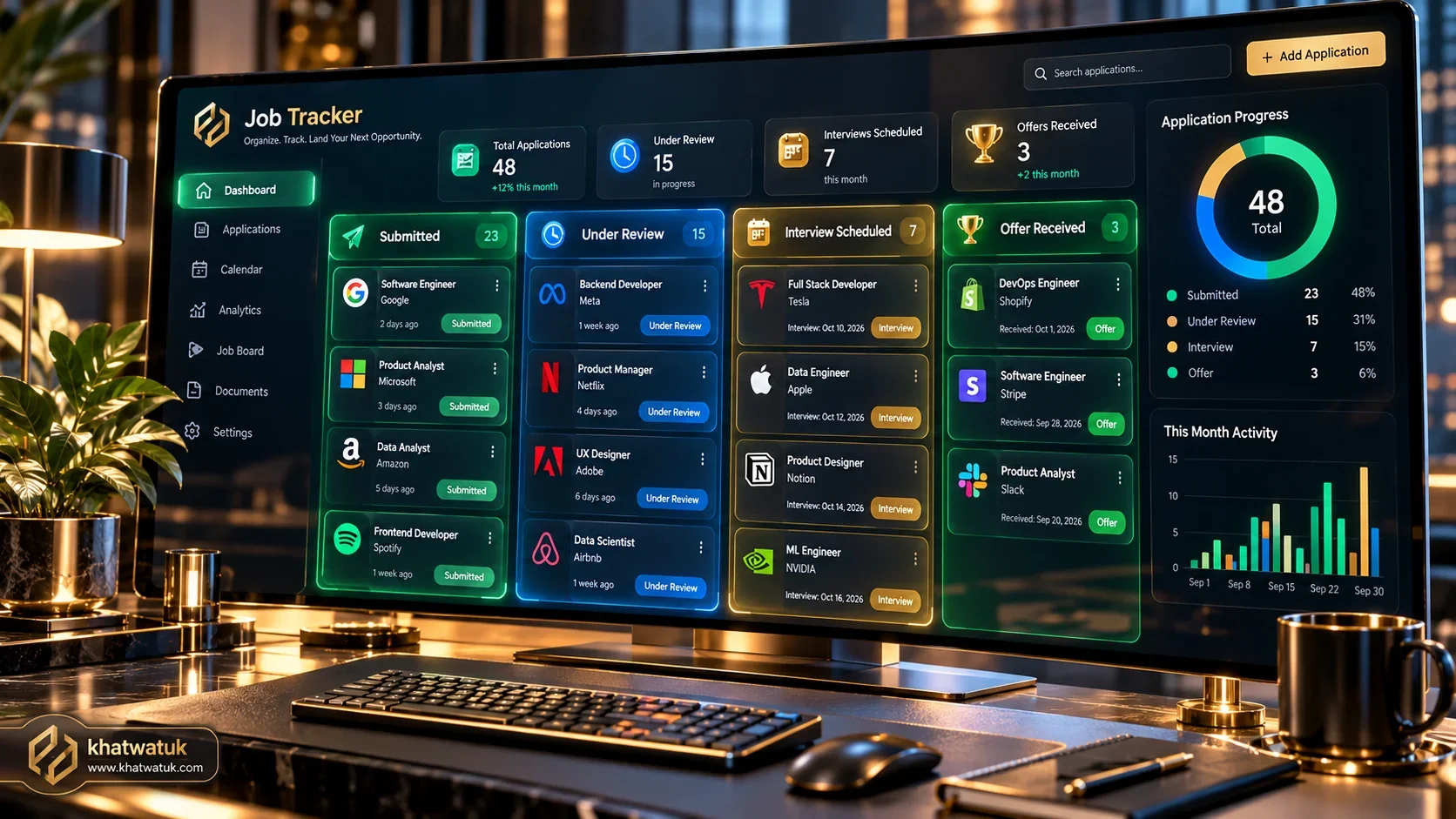 Managing job application statuses with an organized visual CRM eliminates uncertainty in 2026.
Table of Contents
- • The Status Decoder: What ATS Labels Actually Mean
- • Tracking Methodologies: Manual Spreadsheets vs Automated Kanban CRM
- • Top 5 Tools to Track Job Application Status Compared
- • The Professional Follow-Up Protocol: Timelines and Email Scripts
- • Linking Status Monitoring with ATS Resume Refinement
- • Step-by-Step Setup Guide: Launching Your Tracking Funnel in 15 Minutes
- • Frequently Asked Questions (FAQ)
The Status Decoder: What ATS Labels Actually Mean
When you submit an application to a company using Workday, Greenhouse, Lever, or Taleo, your candidate record enters an Applicant Tracking System (ATS). These platforms display generic status tags that confuse candidates. Understanding what each status signifies behind the scenes is essential for setting expectations.
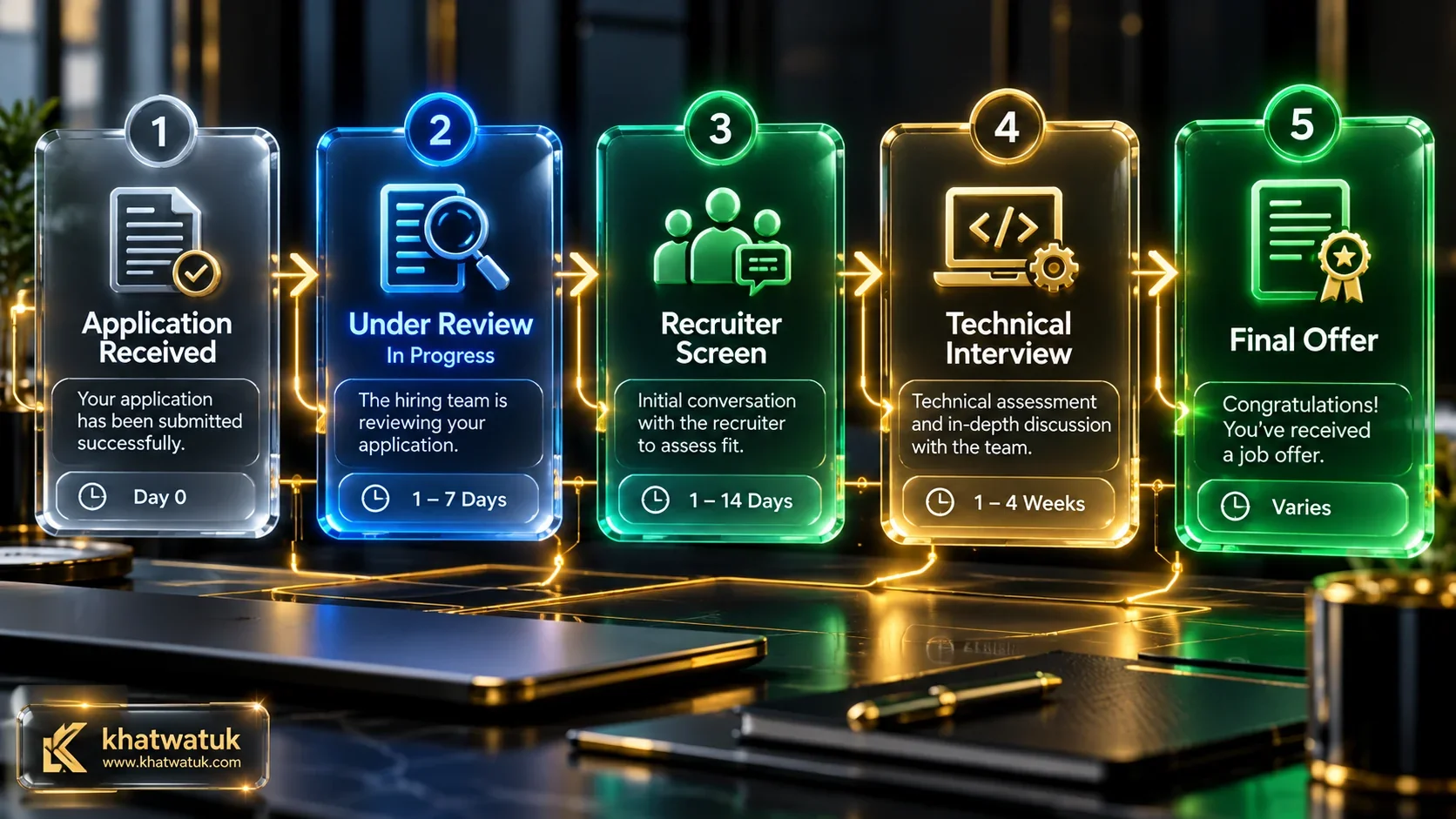 Understanding the progression of ATS statuses helps candidates time their follow-up communications accurately.
Deciphering 'Application Received' and 'Submitted'
Application Received simply confirms that your resume file and form submissions successfully populated the database tables. No human recruiter has examined your qualifications at this point. In automated enterprise systems, the software parses text elements, checks knockout questions (such as legal right to work), and calculates keyword alignment before flagging the application for recruiter review.
The Critical 'Under Review' and 'In Process' Stages
When your status transitions to Under Review or In Process, your file has cleared automated knockout filters and sits in the hiring coordinator's queue. On Workday, In Process can persist for several weeks as candidates are batched for committee review. If this status remains unchanged after 7 business days, sending a professional follow-up inquiry is appropriate.
Understanding 'Screen', 'Assessment', and 'Closed'
A status of Screen indicates you have been selected for an initial recruiter conversation. Conversely, if a status abruptly flips to Closed or No Longer Under Consideration without correspondence, the vacancy was likely filled internally, canceled due to budget adjustments, or your resume failed automated ATS scoring thresholds.
Tracking Methodologies: Manual Spreadsheets vs Automated Kanban CRM
Managing a multi-company job search requires an organized operational workflow. Candidates typically choose between manual spreadsheets and specialized career customer relationship management (CRM) software.
The Pitfalls of Disorganized Status Spreadsheets
Spreadsheets in Excel or Google Sheets require constant manual data entry. When applying to 20 or 30 positions per month, logging URLs, compensation numbers, and portal passwords creates friction. Most importantly, static spreadsheets lack automated alert triggers when an application stays dormant for over a week, leading to forgotten follow-up opportunities.
How Visual Kanban Boards Streamline Multi-Application Management
A visual Kanban board groups job applications into clear operational stages: Applied, Under Review, Interviewing, and Offer. Dragging cards across columns provides instant clarity on where your momentum lies and signals when you need to send recruiter follow-ups or source fresh vacancies.
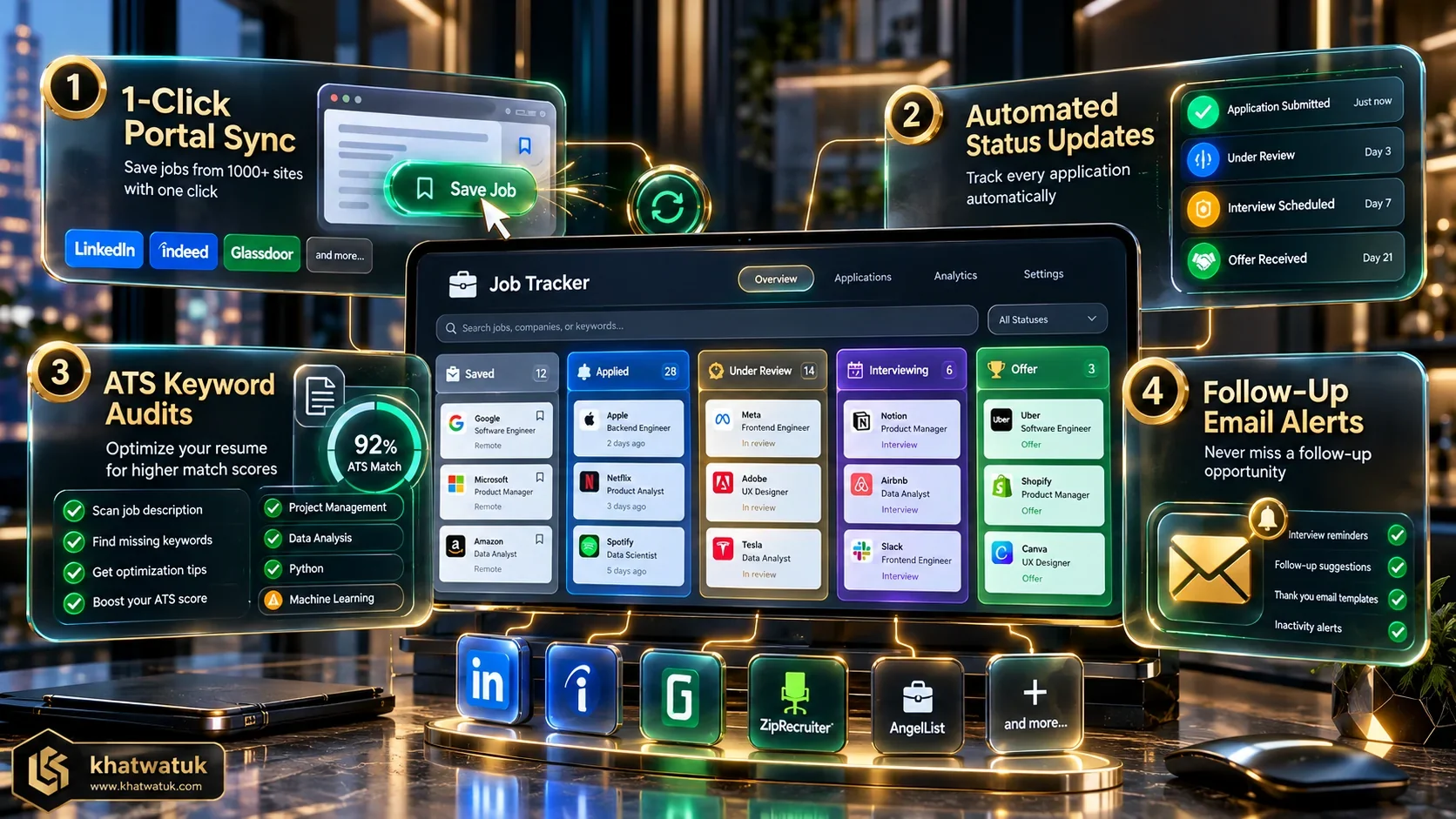 Leading tracking platforms balance automated portal scraping, Kanban organization, and resume tailoring.
Top 5 Tools to Track Job Application Status Compared
To help you select the optimal software to monitor your applications, we tested five leading career platforms across status logging, visual Kanban management, and recruiter communication features.
| Tool | Tracking Model | Pricing Structure | Kanban Features | Best For |
|---|---|---|---|---|
| Teal | Visual Kanban CRM & Browser Copilot | Free / $9/wk ($29/mo) | Custom Stages & Follow-Up Prompts | Comprehensive status tracking, CRM, and resume tailoring |
| Huntr | Dedicated Job Search Pipeline CRM | Free / $40/mo (Pro) | Advanced Multi-Board Kanban | Granular pipeline customization and activity logging |
| Simplify | Autofill Copilot & Application Log | 100% Free | Standard Pipeline Dashboard | Instant form autofill with automatic submission history |
| Careerflow | AI Career Copilot Extension | Free / $19.99/mo (Premium) | LinkedIn Integrated Board | Tracking LinkedIn outreach and networking follow-ups |
| Jobscan | ATS Keyword Matcher & Prep Tracker | Free / $49.95/mo ($89.95/qtr) | Interview Match Score Tracker | Ensuring resume keyword match before status enters review |
Decision Framework: Selecting Your Ideal Platform
- Choose Teal if: You want an intuitive all-in-one platform linking status updates to resume optimization and recruiter contact cards. Explore our in-depth Teal review and career features analysis.
- Choose Huntr if: You need deep multi-column Kanban customizations and complex interview logging.
- Choose Simplify if: You want fast form autofill with an automatic archive of submitted jobs.
- Choose Careerflow if: You prioritize tracking networking outreach alongside job applications.
- Choose Jobscan if: You want to verify that your resume matches target job keywords to ensure your status advances to review.
The Professional Follow-Up Protocol: Timelines and Email Scripts
Tracking application status is only valuable if you know when and how to take action. Sending follow-up messages too soon annoys recruiters, while waiting too long allows opportunities to go cold.
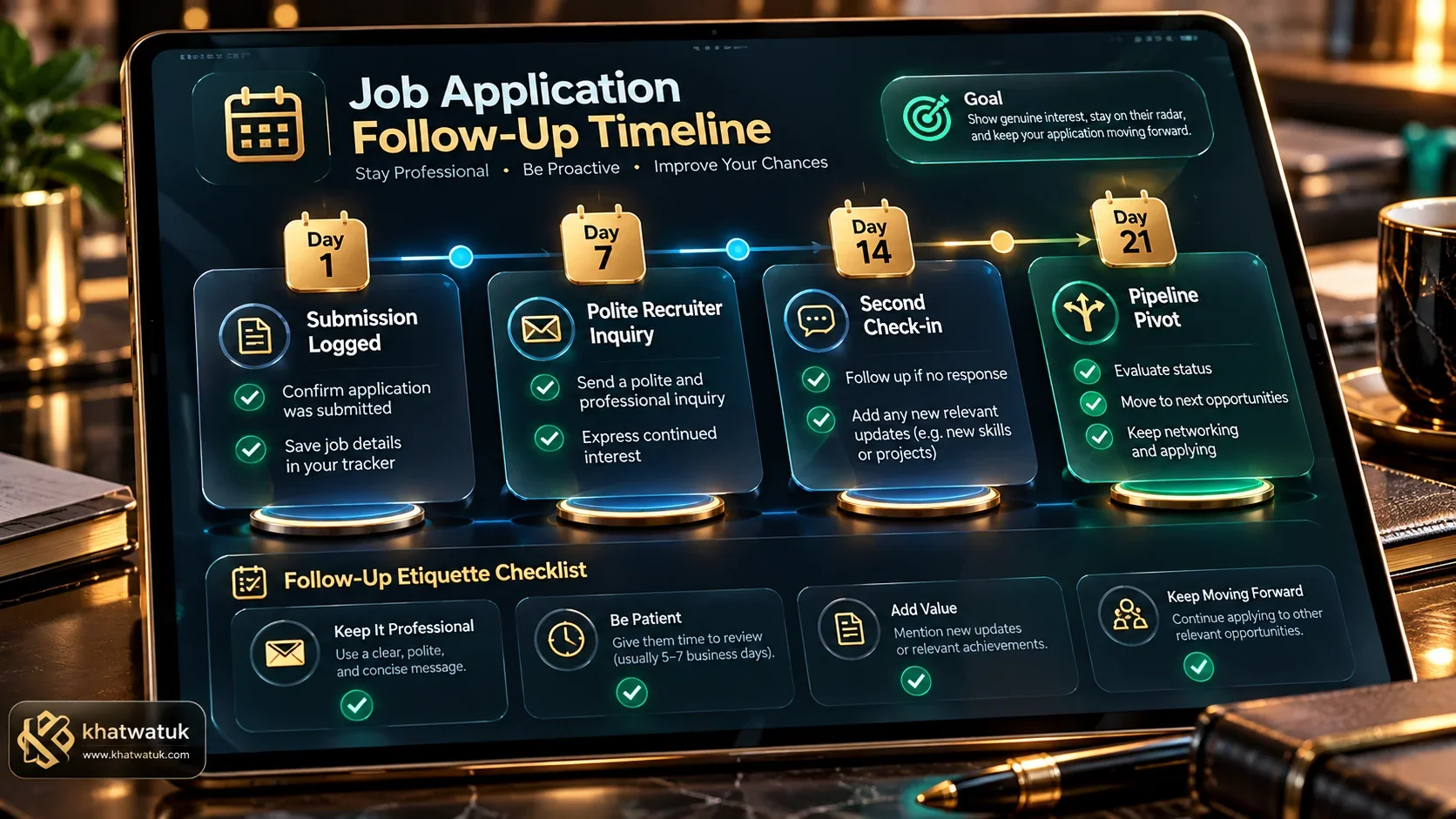 Following a structured 5 to 7-day follow-up protocol keeps your candidacy top-of-mind without appearing pushy.
The Golden Rule of Timing: The 5 to 7 Business Day Window
Allow five full business days after submitting your application before reaching out. This provides the recruitment team adequate time to review candidate batches. If your status remains Under Review or In Process after day seven, a concise, value-focused inquiry reinforces your enthusiasm.
Word-for-Word Follow-Up Templates by Application Milestone
Use this calibrated email script when inquiring about an application stuck in review:
Subject: Status Inquiry – [Job Title] – [Your Name]
Dear [Hiring Manager Name], I submitted my application for the [Job Title] role at [Company Name] and noticed my portal status is listed as Under Review. Given my experience in [Core Skill], I remain excited to support your team.
Please let me know if I can provide additional details to assist your review. Best regards, [Your Name] | [LinkedIn URL].
Linking Status Monitoring with ATS Resume Refinement
If multiple applications remain frozen in Submitted status or flip to Closed within 48 hours, the root cause is almost always low ATS keyword scoring.
Diagnosing Low Conversion from 'Submitted' to 'Under Review'
Applicant Tracking Systems score incoming resumes against hard skill requirements listed in the job description. If your resume achieves less than a 75% keyword match, recruitment algorithms push your profile to the bottom of the recruiter's sorting queue.
Optimizing Future Applications to Accelerate Status Progression
Before submitting your next application, scan your resume against the target job description using Jobscan. Integrating high-frequency skills into your experience bullet points ensures your application status rapidly advances to Under Review. For additional resume strategies, consult our review of the best AI resume builder tools in 2026.
Step-by-Step Setup Guide: Launching Your Tracking Funnel in 15 Minutes
Set up an organized status monitoring funnel in 15 minutes by executing this structured deployment protocol:
1. Ingesting Active Applications into a Centralized Dashboard
Install the Teal or Huntr browser extension. Navigate through your email inbox or portal accounts, clipping every active application into your new CRM with company name, job title, and submission date.
2. Setting Up Kanban Milestone Stages and Target Alert Dates
Structure your pipeline into four core columns: Submitted, Under Review, Interviewing, and Archived. Assign target check-in dates for each card so your dashboard highlights dormant applications automatically.
3. Scheduling Automated Recruiter Follow-Up Reminders
Set recurring calendar alerts for 5 to 7 business days following submission. When alerts fire, deploy our word-for-word template to confirm receipt and demonstrate continued enthusiasm.
Explore Related AI Career & Job Application Guides
Frequently Asked Questions (FAQ)
Find answers to common questions about tracking job application status, portal labels, and follow-up strategies:
How do I track my job application status effectively?
Use a centralized visual career CRM like Teal or Huntr. Log each role as you apply, map portal status labels into milestone columns, and set automatic reminders to follow up with recruiters after 5 to 7 business days.
What does 'Under Review' mean on a job application portal?
'Under Review' indicates your application cleared automated knockout questions and has entered the recruiter's active evaluation queue. It means your candidacy is viable and awaiting comparative screening.
How long should I wait before following up on an application status?
Wait 5 to 7 business days after submission before sending your first polite inquiry. This allows the recruitment team time to process incoming batches without feeling pressured.
What does 'In Process' mean on Workday career portals?
On Workday, 'In Process' is a broad default status indicating your file is active within the hiring workflow. It encompasses everything from initial resume sorting to committee candidate shortlisting.
What is the best app or tool to track job application statuses?
Teal is the best overall tool. It integrates a 1-click browser extension for saving roles, a visual Kanban pipeline CRM for monitoring statuses, and built-in resume keyword tailoring.
Does 'Application Received' mean a human has read my resume?
No. 'Application Received' is an automated database acknowledgment confirming your submission succeeded. It indicates that your resume is indexed in the ATS awaiting recruiter action.
What should I do if my application status has not changed in three weeks?
Send a polite final follow-up email inquiring about the hiring timeline. If there is no response after another week, move the role to your CRM archive column and focus energy on active pipeline opportunities.
Why did my application status change to 'Closed' without an interview?
This usually occurs because the position was filled by an internal candidate, canceled due to corporate budgeting shifts, or your resume failed minimum ATS keyword relevance thresholds.
