

Teal vs Kickresume is the comparison every serious job seeker runs in 2026 before committing to an AI resume builder. Both platforms dominate the current conversation, but they solve fundamentally different problems: one is a job search command center, the other is a design-and-writing powerhouse.
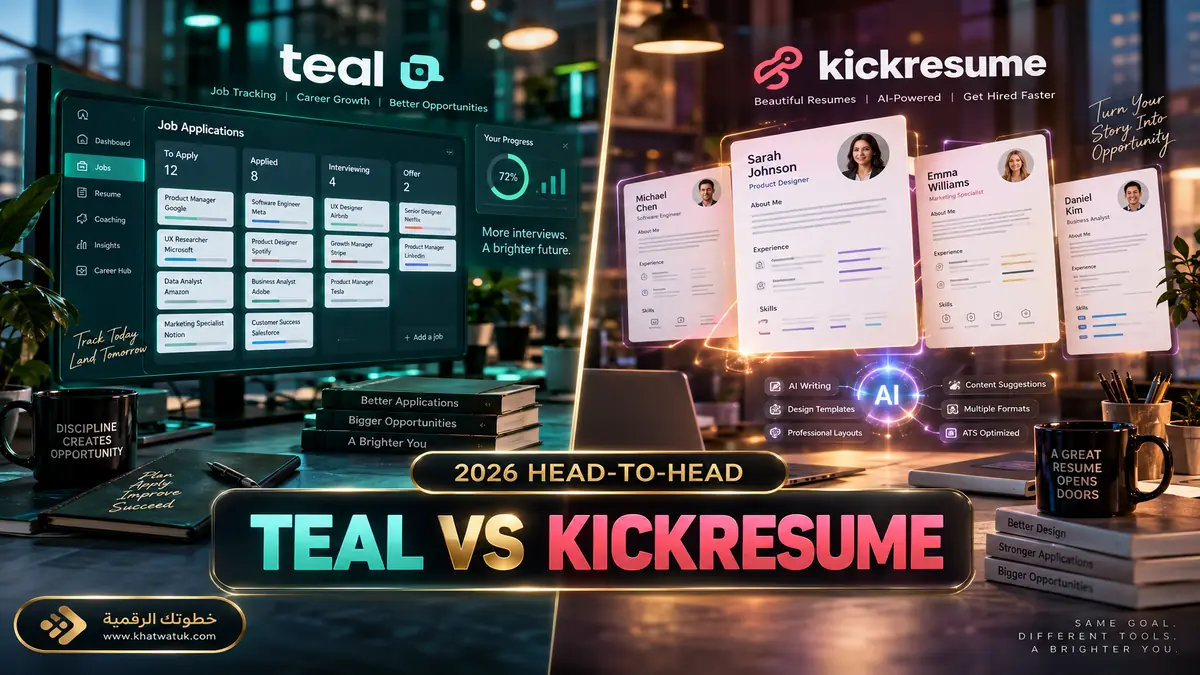
The job hunt in 2026 is faster, more competitive, and increasingly automated. While corporate recruiters rely on high-volume Applicant Tracking Systems (ATS) to filter candidates before a human ever scans a page, job seekers have turned to AI-powered resume builders to even the playing field. Two platforms lead that conversation:
- Teal: A comprehensive job search cockpit built around active tracking, per-job ATS keyword matching, and custom resume tailoring for specific postings.
- Kickresume: A visual powerhouse combining GPT-4 powered copywriting with 40+ award-winning designer templates, digital CV websites, cover letter generators, and AI career tools.
If you have 10 open applications today, which tool will actually land you in the interview queue? Here is our comprehensive, data-backed comparison of Teal vs Kickresume.
⚡ The Quick Verdict: Which Should You Choose?
- Choose Teal if: You are actively applying to multiple positions per week, need a CRM-style tracker for application deadlines and interview stages, and want a real-time match score against each specific LinkedIn or Indeed job description.
- Choose Kickresume if: You care deeply about modern, visual aesthetics, need an AI assistant to generate entire cover letters and resumes from a blank page, work in a design or client-facing career, or you are a student (Kickresume gives students and teachers 6 months of Premium free).
- Choose both free tiers if: You are on a tight budget. Teal's free plan offers unlimited resumes and unlimited job tracking; Kickresume's free plan offers unlimited resume creation and downloads on free customization options. Together they cover 80% of what most job seekers need.

Teal vs Kickresume: At-a-Glance Feature Comparison
To determine how Teal and Kickresume stack up across critical job hunt workflows, we benchmarked their core features head-to-head — evaluating AI model integrations, ATS parsing accuracy, template flexibility, application tracking, and long-term pricing value.
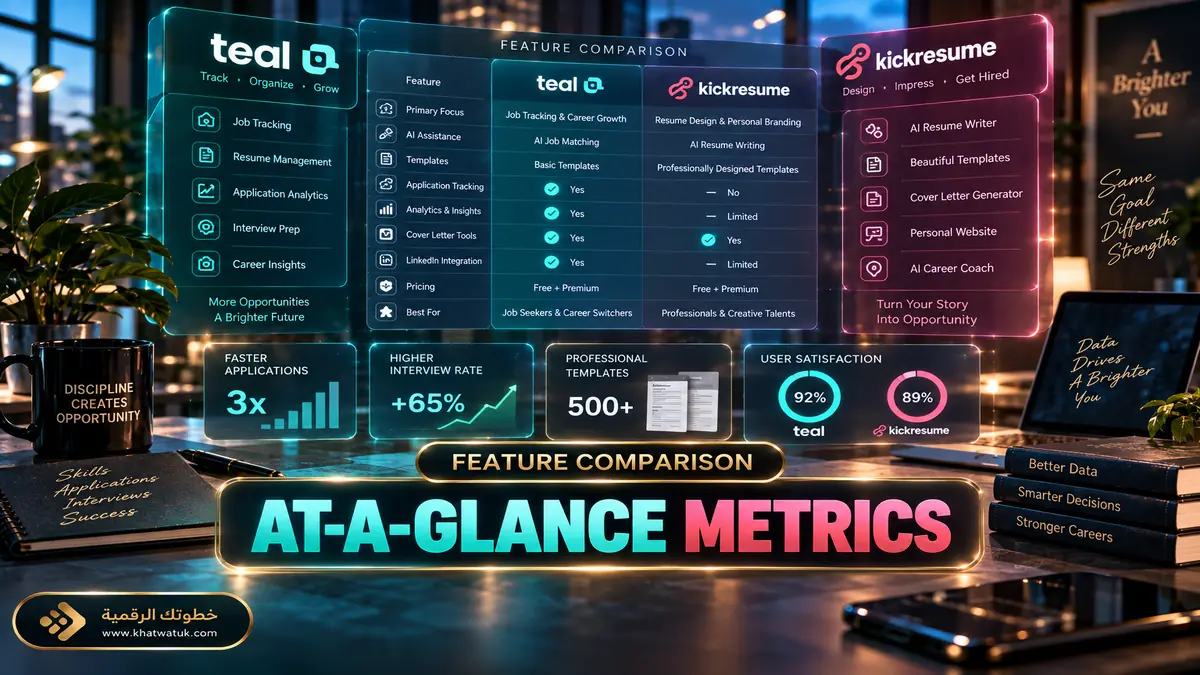
The comparative matrix below breaks down the technical strengths, feature limitations, and clear winner for each category:
| Feature | Teal | Kickresume | Winner |
|---|---|---|---|
| Core Strength | Job tracking CRM + per-job ATS keyword matching | 40+ visual templates + GPT-4 AI writing | Tie (different strengths) |
| ATS Compliance | Strict single-column defaults; parsed reliably on Workday, Greenhouse, Lever, and Taleo | Good on single-column templates; default two-column layouts risk parsing errors | Teal |
| Job Application Tracker | Advanced Kanban board + Chrome extension saving jobs from 40+ boards | Built-in tracker available, but far less developed | Teal |
| Template Aesthetics | Clean, minimal, 10 free corporate-focused templates | 40+ award-winning designer layouts + 40+ matching cover letter templates | Kickresume |
| AI Writing Tools | Bullet generator, Resume Fixer, Resume Reviewer, AI interview practice, cover letters from resume context | AI Resume Writer, Rewriter, Tailoring, Checker, translation into 8 languages, interview question generator, career coach | Kickresume (breadth) |
| Cover Letter Builder | AI cover letter pulled from your existing resume context | Full AI cover letter writer matching your resume design | Kickresume |
| Personal Website Builder | ✗ Not available | ✓ One-click hosted portfolio site | Kickresume |
| Export Formats | PDF only (no Word/DOCX export) | PDF and additional formats | Kickresume |
| Free Plan | Unlimited resumes + unlimited job tracking, 10 templates, limited AI credits | Unlimited resumes on 4 free templates; AI tools and ATS checker paywalled | Teal (workflow) / Kickresume (students) |
| Paid Pricing (2026) | $13/week, $29/month, or $79/90 days | $24/month, $18/month quarterly, or $8/month billed annually ($96/year) | Kickresume (annual) / Teal (short sprint) |
| Student Deal | ✗ None | ✓ 6 months Premium free for students and teachers | Kickresume |
Deep Dive: Teal — The Job Search Command Center
Teal is not just a resume editor; it is a full career management operating system. Designed by former tech recruiters and career coaches, Teal was built to solve the biggest frustration in modern job hunting: disorganized applications and ATS keyword mismatches.
Teal's core philosophy centers on workflow continuity. Instead of opening a resume builder in one tab, LinkedIn in another, and a spreadsheet to track applications in a third, Teal unifies every step under one dashboard. Its standout superpower is the feedback loop between your saved job descriptions and your resume drafts.
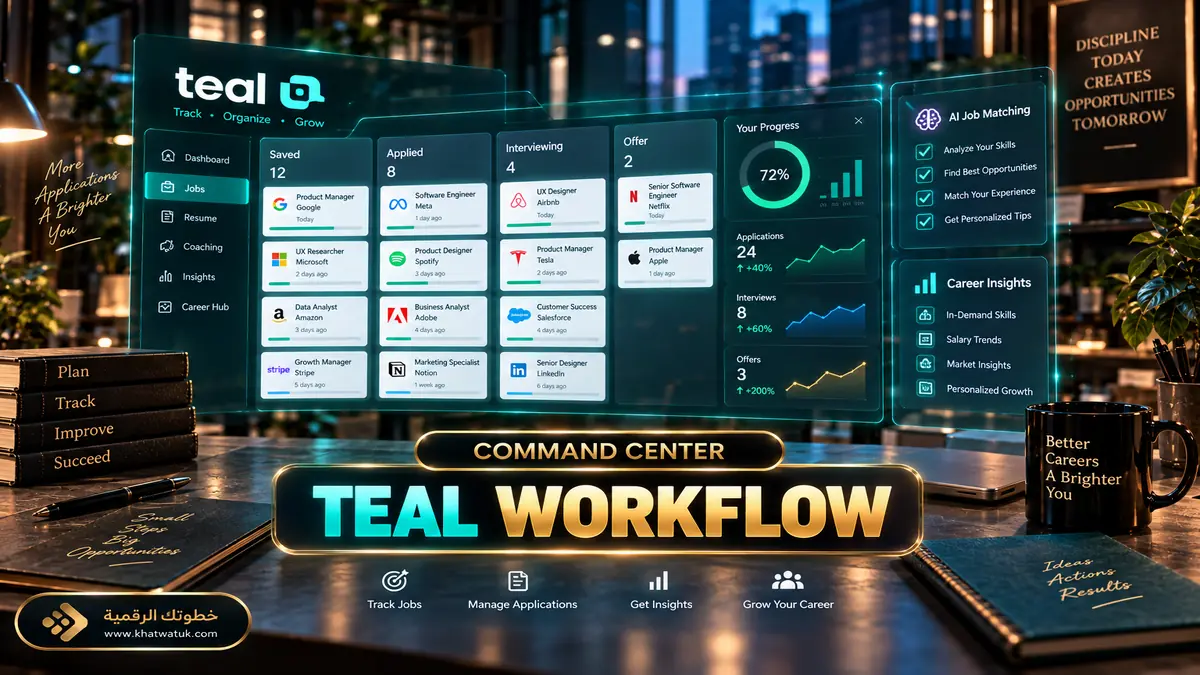
Key Standout Features in Teal:
- The Chrome Job Tracker Extension: Bookmark job postings from LinkedIn, Indeed, Glassdoor, ZipRecruiter, and 40+ job boards in a single click. The extension automatically captures job titles, compensation ranges, and required skills into your private pipeline.
- Live Keyword Matching (Match Score): Paste any job description into Teal and the platform compares your resume against the posting, flagging the exact hard and soft skills you are missing in real time.
- Achievement Assistant: An AI engine that rewrites passive bullet points into quantified accomplishments using recruiter-approved action-verb formulas.
- Multi-Resume Management: Maintain one master career profile and spin off unlimited tailored versions for different industry verticals, toggling bullet points on and off with checkboxes.
- AI Interview Practice: Mock interviews tailored to a specific job description with instant, detailed feedback after each session — a tool Kickresume does not offer.
- Resume Fixer and Resume Reviewer: Whole-document audits that catch typos, unclear wording, structural weaknesses, and formatting issues before you submit.
Deep Dive: Kickresume — Design Polish & AI Autopilot
Kickresume takes an entirely different angle. Having helped millions of job seekers land roles at companies like Google, Nike, and Apple, Kickresume emphasizes visual appeal, narrative storytelling, and hands-off AI copywriting powered by customized GPT-4 models trained on successful CVs from top-tier corporations.

Key Standout Features in Kickresume:
- 40+ Designer Templates: Clean, colorful, and typographic layouts created by professional typographers, plus 40+ matching cover letter templates. Options range from minimalistic ATS-friendly designs to bold creative formats.
- AI Resume Writer: Generates complete job descriptions and work histories from a simple job title — the strongest tool on the market for beating a blank page, especially for career changers.
- Full AI Toolbox: AI Resume Checker, AI Resume Rewriter, AI Resume Tailoring (analyzes any job description and fine-tunes your resume to match it), AI translation into 8 languages, an AI interview question generator, and an AI online career coach with a Career Map showing salary insights and skill gaps.
- AI Cover Letter Generator: Produces persuasive cover letters using identical fonts and visual formatting as your resume, so both documents look like one coherent package.
- Personal Website Builder: Turn your resume into a responsive, hosted personal portfolio website in one click.
- Real Resume Examples: Access to a database of 1,500+ successful resumes from professionals hired by top companies.
- Resignation Letter Generator: A niche AI tool Teal does not offer, generating a tailored resignation letter in the right tone for your situation.
- Student Advantage: Students and teachers receive 6 months of Premium completely free — the best education deal in the resume builder category.
Head-to-Head: Which Tool Dominates in Critical Areas?
1. ATS Compliance & Corporate Screening — Winner: Teal
When applying to enterprise corporations using Workday, Greenhouse, Lever, or Taleo, single-column formatting is non-negotiable. Teal strictly enforces ATS-friendly single-column defaults that parse cleanly and consistently. Kickresume offers ATS-safe templates too, but its default two-column and graphic-heavy designs carry real parsing risk — in independent 2026 testing, a default two-column Kickresume template parsed significantly worse on Workday than its single-column equivalent. If you choose Kickresume for corporate applications, manually select a single-column template every time.
2. Application Volume & Workflow Efficiency — Winner: Teal
If your strategy involves submitting 15 to 30 targeted applications a week, Teal is unbeatable. Its Chrome extension imports job data directly from LinkedIn into your Kanban tracker, analyzes the posting's keyword density, and guides your resume adjustments in minutes. Kickresume requires more manual copying and pasting when tailoring for individual roles, and its built-in tracker is far less developed.
3. Visual Appeal, Creative Roles & Beating the Blank Page — Winner: Kickresume
For creative directors, marketing managers, UX designers, and international CV formats that favor distinctive branding, Kickresume dominates. Its typography, layout balance, and PDF exports are visually superior to Teal's minimalist corporate documents. Just as importantly, its GPT-4 resume writer is the best tool in this comparison for career changers who need to translate experience across industries — or for anyone staring at a blank page.
4. Pricing & Ongoing Value — Tie, Depending on Your Timeline
Teal pricing in 2026: $13 per week, $29 per month, or $79 every 90 days. The 90-day option is the smartest fit for a typical 3-month search at roughly $26/month equivalent.
Kickresume pricing in 2026: $24 per month, $18 per month billed quarterly, or $8 per month billed annually ($96/year). For long-term career planning, annual Kickresume is the cheapest premium path in this comparison — and students pay nothing for half a year.
Which Tool Fits Your Situation? Scenario-Based Recommendations
Because no single career journey is identical, the right resume tool depends on your target industry, application volume, and current career milestone. Use our scenario guide below to match your situation with the most effective platform:

| Your Situation | Recommended Tool | Why |
|---|---|---|
| High-volume US corporate applications (Fortune 500) | Teal | Tracker + per-job keyword matching + strict ATS formatting in one workflow |
| Creative, marketing, or design roles | Kickresume | Award-winning templates where the resume itself is a portfolio piece |
| Career changer facing a blank page | Kickresume | GPT-4 writer translates your background into a new industry's language |
| Student or recent graduate | Kickresume | 6 months of Premium free with student/teacher verification |
| Short, intense 2–4 week application sprint | Teal (monthly plan) | Full premium for one defined window without an annual commitment — avoid the auto-renewing weekly plan |
| Long-term career planner or frequent switcher | Kickresume (annual) | $96/year with website hosting beats any subscription for multi-year use |
| Zero budget | Both free tiers | Teal free for tracking + unlimited resumes; Kickresume free for unlimited downloads |
Final Verdict: The Bottom Line for 2026
Both tools are exceptional, but they serve different phases of your job search. Neither is a universal winner — the right choice depends on whether your bottleneck is organization or creation.
If you need an all-in-one job hunt engine to organize applications, match ATS keywords per posting, and land corporate technical or business roles in the US, Teal is the undeniable winner. Start on the free plan — it is the most generous free tier in the category — and only upgrade if you need unlimited AI credits during a heavy application sprint.
If you want a gorgeous, standout document with AI-written cover letters, a personal website, and career-planning tools — or you are a student who can get 6 months of Premium free — Kickresume is your best option. Just remember to pick a single-column template when applying through enterprise ATS portals.

Read our in-depth Teal vs Rezi comparison if ATS compliance and enterprise application volume define your job search strategy.
Frequently Asked Questions (FAQ)
Is Teal completely free to use?
Yes. Teal's free plan never expires and includes unlimited resume creation, unlimited job tracking, the Chrome extension, 10 templates, and basic keyword matching. The paid Teal+ upgrade (from $13/week or $29/month) unlocks unlimited AI credits, advanced resume analysis, and full keyword matching.
Does Kickresume get past ATS bots?
Kickresume includes dedicated ATS-friendly templates tested against standard enterprise scanners, but only a subset of its 40+ designs are truly parser-safe. Its default two-column layouts can lose content during parsing on systems like Workday. For corporate applications, always select a single-column template — and remember that a high ATS checker score in Kickresume does not guarantee a high match against a specific job description, since the checker scores your resume in isolation.
Is Kickresume free for students?
Yes — this is one of Kickresume's biggest competitive advantages. Students and teachers receive 6 months of Kickresume Premium completely free, with full access to all templates, AI tools, and the personal website builder. Teal offers no equivalent education discount.
Can I import my LinkedIn profile into Teal and Kickresume?
Both platforms support quick imports. Kickresume lets you import via a LinkedIn data export (a Premium-tier feature), while Teal offers seamless syncing through its Chrome extension and accepts PDF resume uploads. In both cases, the AI parses your experience into structured sections automatically.
Which tool is better for US job seekers?
For the US market, Teal has the edge for corporate pipelines — its strict single-column formatting, per-job keyword matching, and integrations with LinkedIn, Indeed, and ZipRecruiter map directly onto how American enterprise hiring works. Kickresume is the better pick for creative industries, international applications, and students.
Can I cancel Teal+ or Kickresume Premium easily?
Teal+ can be paused or cancelled from your account billing dashboard, though we recommend avoiding the auto-renewing weekly plan unless you set a reminder. Several Kickresume users report that cancellation requires emailing support rather than a one-click toggle — Kickresume does honor its 14-day money-back guarantee, but plan for slightly more friction when cancelling.
Does Teal export resumes in Word format?
No. Teal currently exports PDF only. If an employer explicitly requests a Word/DOCX file, you would need to convert the PDF externally or use a builder that supports Word export. Kickresume provides more flexible export options.
